Transaction Types
| Transaction Type | Description |
| Verify | Use to validate a credit card and generate a token without an actual charge |
| Authorization | Use to validate payment method and to make an authorization amount reservation |
| Void/Partial Void | Use to cancel an Authorization transaction |
| Capture/Partial Capture | Use to deposit funds after the successful Authorization |
| Charge | Use to make a direct deposit without an Authorization |
| Refund/Partial Refund | Use to return deposited funds back to the buyer |
| Credit | Use to make a direct credit transaction |
| Chargeback | Use to process a chargeback transaction on a deposit transaction |
| Reversal Chargeback | Transaction counter to a chargeback |
| Arbitration Chargeback | Chargeback evidence request |
| Representment Chargeback | Representment letter transfer |
| Credited Chargeback | Chargeback transaction on the Deposit that has already been Refunded |
Transaction Status
After processing a specific transaction type, the transaction status changes accordingly in the Transactions report:
| Transaction Status | Description |
| Processed | Successfully processed transaction |
| Declined | Declined transaction |
| CHB – Credited | a chargeback that has been successfully processed, however a refund has already been issued for the charge related to the chargeback |
| CHB – Account Mismatch | a chargeback that has been successfully processed however the chargeback amount does not match the amount of the related charge. |
| CHB – Currency Mismatch | a chargeback that has been successfully processed, however the currency of the chargeback does not match the currency of the related charge. |
| CHB – Double | a chargeback that has been successfully processed, however a chargeback was already charged on the related charge (one charge with 2 chargeback) |
| CHB – Multiple | a chargeback that has been successfully processed, however multiple chargebacks were already charged on the related charge (one charge with multiple chargebacks) |
| CHB – Unrelated | a chargeback that has been successfully processed, however the related charge could not be identified. |
AUTHORIZATION
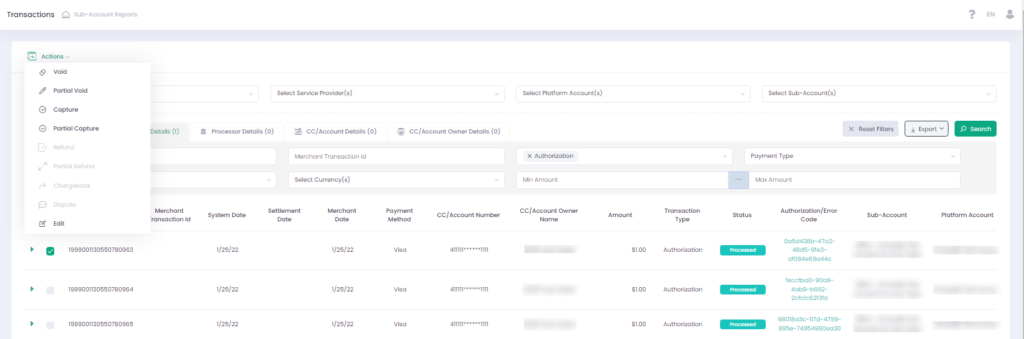
Authorization transaction serves to verify the payment information and to reserve a security amount on the credit card balance until the actual charge is executed.
Authorization is a Regular request transaction type – not based on any previous transactions. Authorization transaction can be followed by the Void, Partial Void, Capture or Partial Capture transactions – see Available Actions below. Authorizations help to reduce the risk of fraudulent transactions and credit card misuse.
VOID (CANCEL AUTHORIZATION)
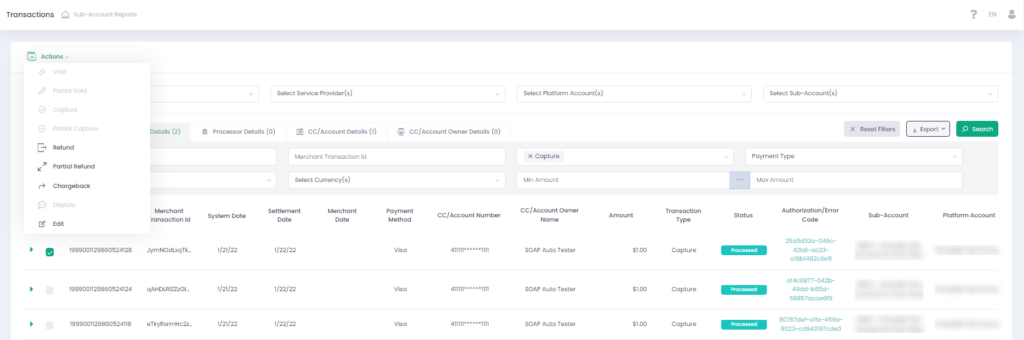
The Void and Partial Void transactions follow the Authorization transactions, which is a parent transaction in relation to them. In this type of transaction, the amount reserved by the Authorization transaction is released back to the credit card balance. Void (Cancel Authorization) is a Submit request transaction type – meaning that it follows the parent (original) Authorization transaction. Partial Void (Partial Cancel Authorization) transaction is also a Submit request transaction type. This transaction performs a partial release of the amount reserved by the Authorization transaction.
CAPTURE

In a Deposit transaction, funds are transferred from the buyer’s bank account to the seller’s bank account after the order/service is completely fulfilled.
Deposit Transaction Types Capture (Submit Deposit) follows the parent (original) Authorization transaction.
Charge (Regular Deposit) – a direct funds transfer without a prior (parent) Authorization transaction.
Partial Capture occurs when only a part of the authorization transaction amount must be deposited.
Partial Capture may be followed by a Partial Void (Cancel Authorization), where the funds that have not been deposited are to be released back to the buyer (upon Merchant’s consideration).
CHARGE
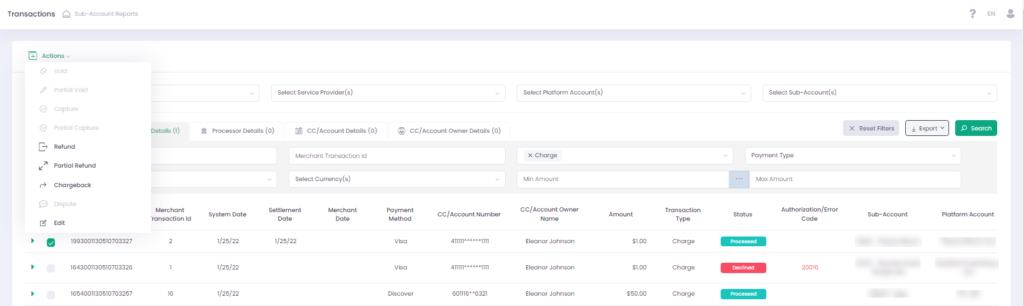
In a Deposit transaction, funds are transferred from the buyer’s bank account to the seller’s bank account after the order/service is completely fulfilled. Deposit Transaction Types Capture (Submit Deposit) follows the parent (original) Authorization transaction.
Charge (Regular Deposit) – a direct funds transfer without a prior (parent) Authorization transaction.
REFUND

The Refund transaction follows Capture, Partial Capture, or Charge transactions. The Refund transaction returns funds from the Merchant to the Buyer upon the Buyer’s request. Refund is a Submit request transaction type – meaning that it derives from the parent (original) Deposit (Capture or Charge) transaction. The Refund transaction can be full or partial, depending on the agreement between the involved parties.
CREDIT

The difference between the Refund and Credit transaction types is that Refund is a Submit request transaction type and is based on a previous (parent) transaction (e.g., Capture or Charge). The Credit transaction is a Regular request transaction type and is not based on any previous (parent) transaction. Credit transaction in use:
- Money transfers between credit cards
- Money transfers in gaming industry
- Money-Back operations
VERIFY
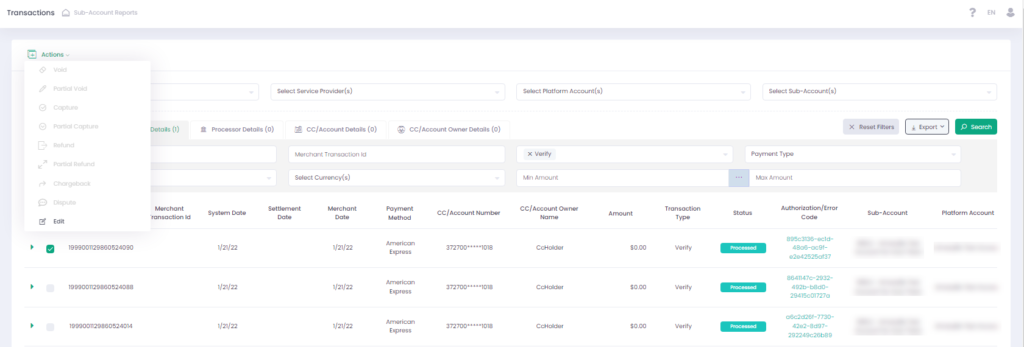
Verify (Check Payment Method) is a Regular request transaction type – meaning that it is not based on any parent (original) transaction. Verify (Check Payment Method) transaction can serve two purposes:
- To check the validity of the payment method provided, e.g., the credit card data validation
- To generate a credit card payment token without processing an actual Authorization or Deposit transaction
CHARGEBACK
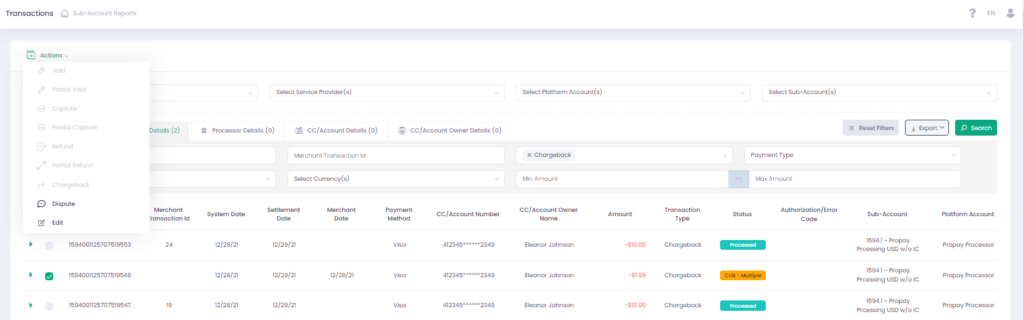
Chargeback is a process initiated by the cardholder or the card issuing bank to reverse the payment transaction that has already been settled. As a result, the funds are being returned to the buyer. The Chargeback transaction is a Debit request transaction type and follows previous Capture, Partial Capture, or Charge transactions. To process a Chargeback for the Capture/Charge Transactions:

- Click Actions and select Chargeback
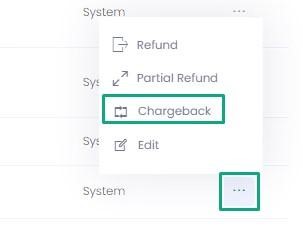
- Complete the Chargeback form and click Execute to process a Chargeback transaction.
In the Chargeback form select Operation Type = Debit to process a Chargeback transaction based on a previous Capture or Charge transaction.
EDIT

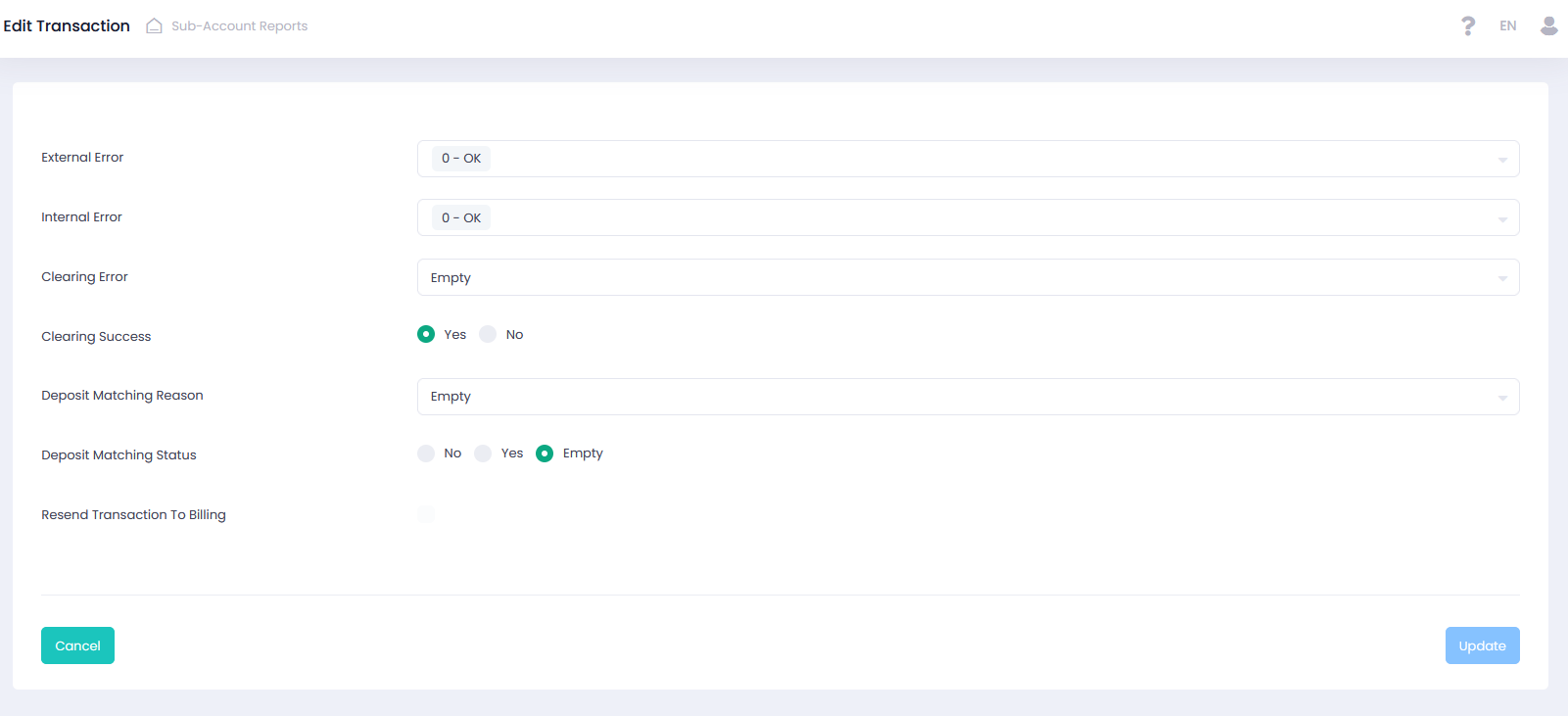
You can manually Edit transactions error and deposit matching information.
| Data | Description |
| External Error | Transaction external error message |
| Internal Error | Transaction internal error message |
| Clearing Error | Transaction clearing processor error message |
| Clearing Success | A Boolean value indicating a transaction processing status Yes – success, No – failed |
| Deposit Matching Reason | Transactions deposit matching reasons for unmatched transactions |
| Deposit Matching Status | Transactions deposit matching status No – unmatched, Yes – matched, Empty – did not go thought the matching process |
| Resend Transaction to Billing | Activate to resend the transaction to billing |