Added Internal Merchant Statement
We’ve introduced the option for generating Internal Merchant Statements for Sub-Accounts. This report is generated in PDF format and includes complete financial data for the entire month, presenting both monthly aggregate data and detailed data for specific indicators. The Internal Merchant Statements contains the following sections: Statement Summary, Daily Settlements, Transactions, Per-Transaction Fees (Net Pricing), Per-Transaction Fees (Gross/Delayed Pricing), Interchange Fees (Net Pricing), Interchange Fees (Gross/Delayed Pricing), Scheduled Fees / Adjustments, Taxes (Net Pricing), Taxes (Gross/Delayed Pricing), Scheduled Taxes and Chargebacks / Reversals.
To start generating the Statement:
- Tick radio button “Internal” on the Service Provider wizard, step Processing, and fill in all required fields;

- Activate Merchant Statement on the Sub-Account wizard, step Processing, by toggling the “Activate Merchant Statement” switch to On and filling in all necessary fields.
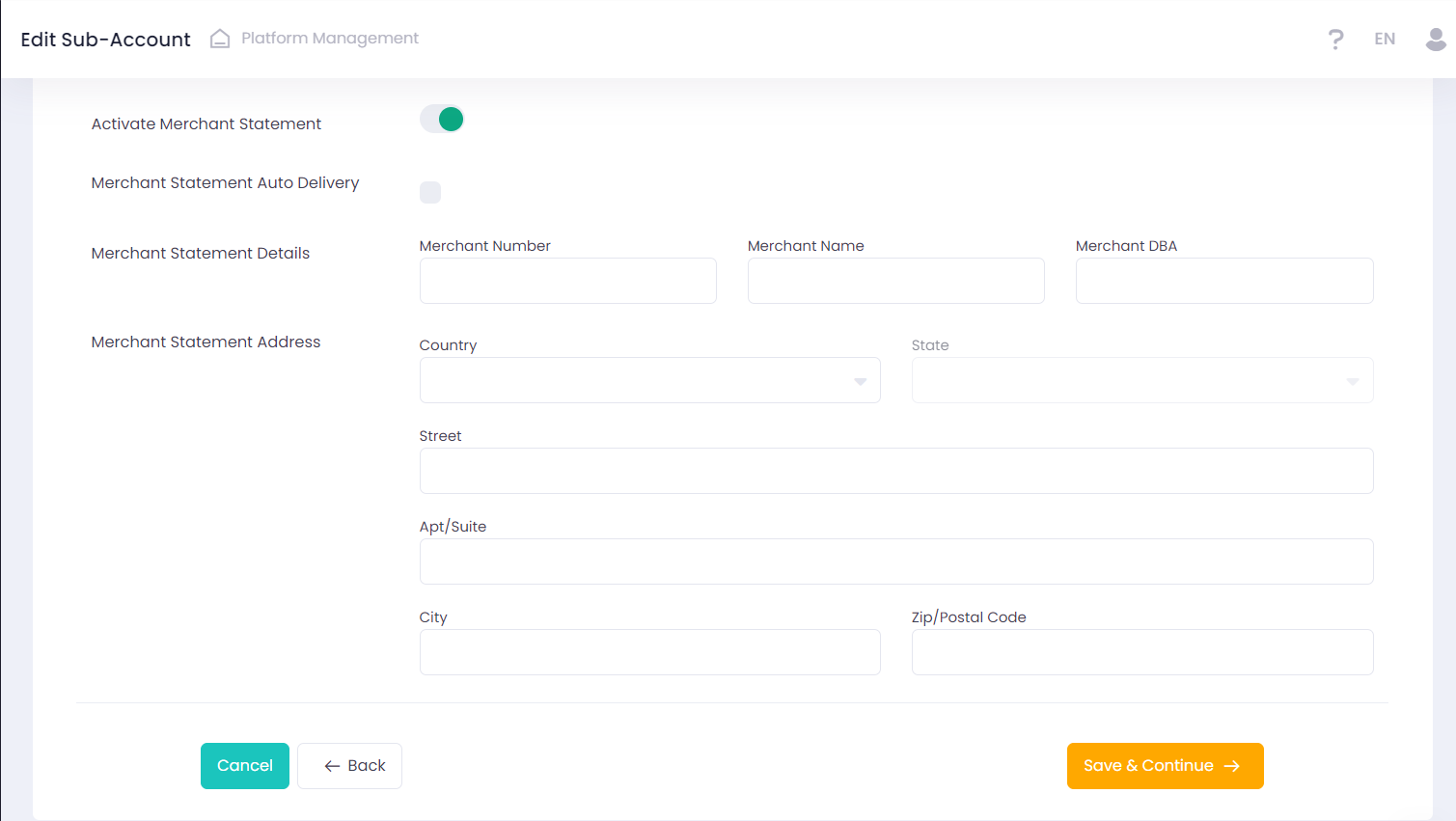
You can find and download the generated Statement in Sub-Account reports/ Merchant Statement report.