UMS Enhancements
Terminal Management
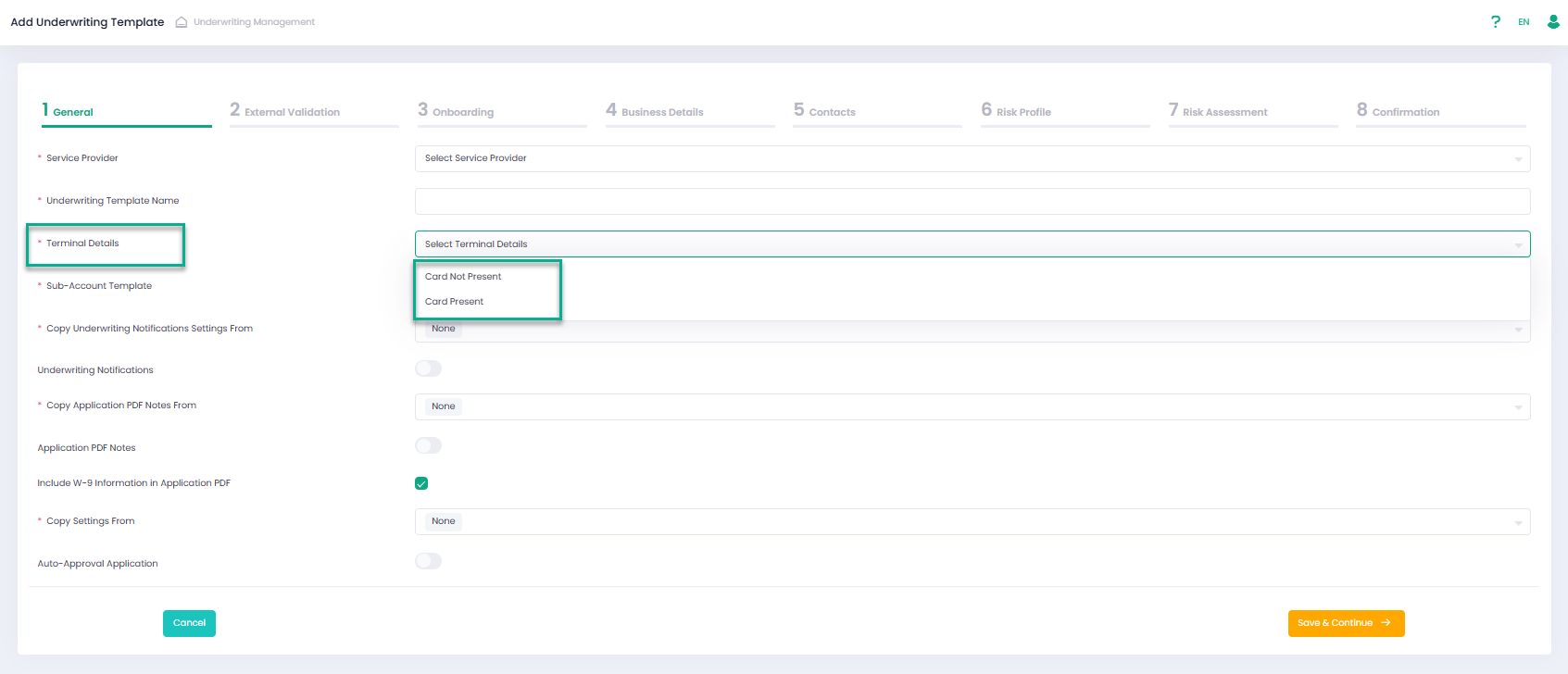
A new Terminal Details selection has been introduced on the General step of the Template wizard. It allows users to create Templates with ‘Card Present’ and ‘Card Not Present’ types.
Users can configure scheduled fees with Sub-Account Fee Source as Inventory Fees and link specific Inventory Item to it. This configuration is available at the Service Provider level in the Underwriting Settings section. There are 3 types of Inventory Items which can be linked to the Inventories Fee: Physical Terminal/Model, Sim, Sim Plan.
It’s only possible to link one inventory fee to Inventory with type = Sim. For Inventory with type = Sim Plan, multiple inventory fees can exist, but only one fee can be linked to a specific Sim Plan inventory item. The same logic applies to a combination of Physical Terminal and a specific Purchase Option — only one inventory fee can be linked to each unique combination. 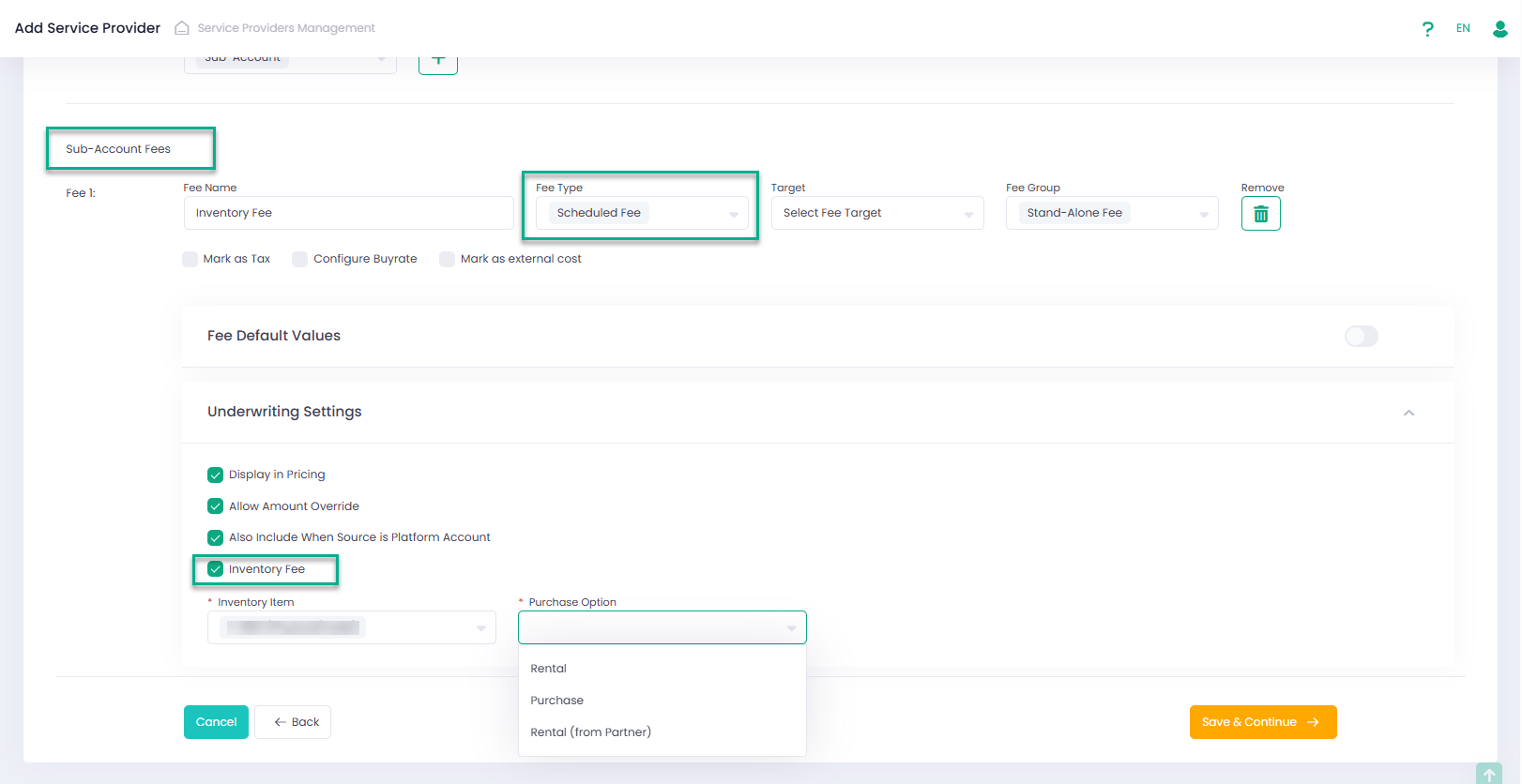
Applications created based on ‘Card Present’ Templates contain a new ‘POS/Terminal Details’ step, where a user must configure at least one Terminal and set Activation Contact Details together with Shipping Address to submit the Application. 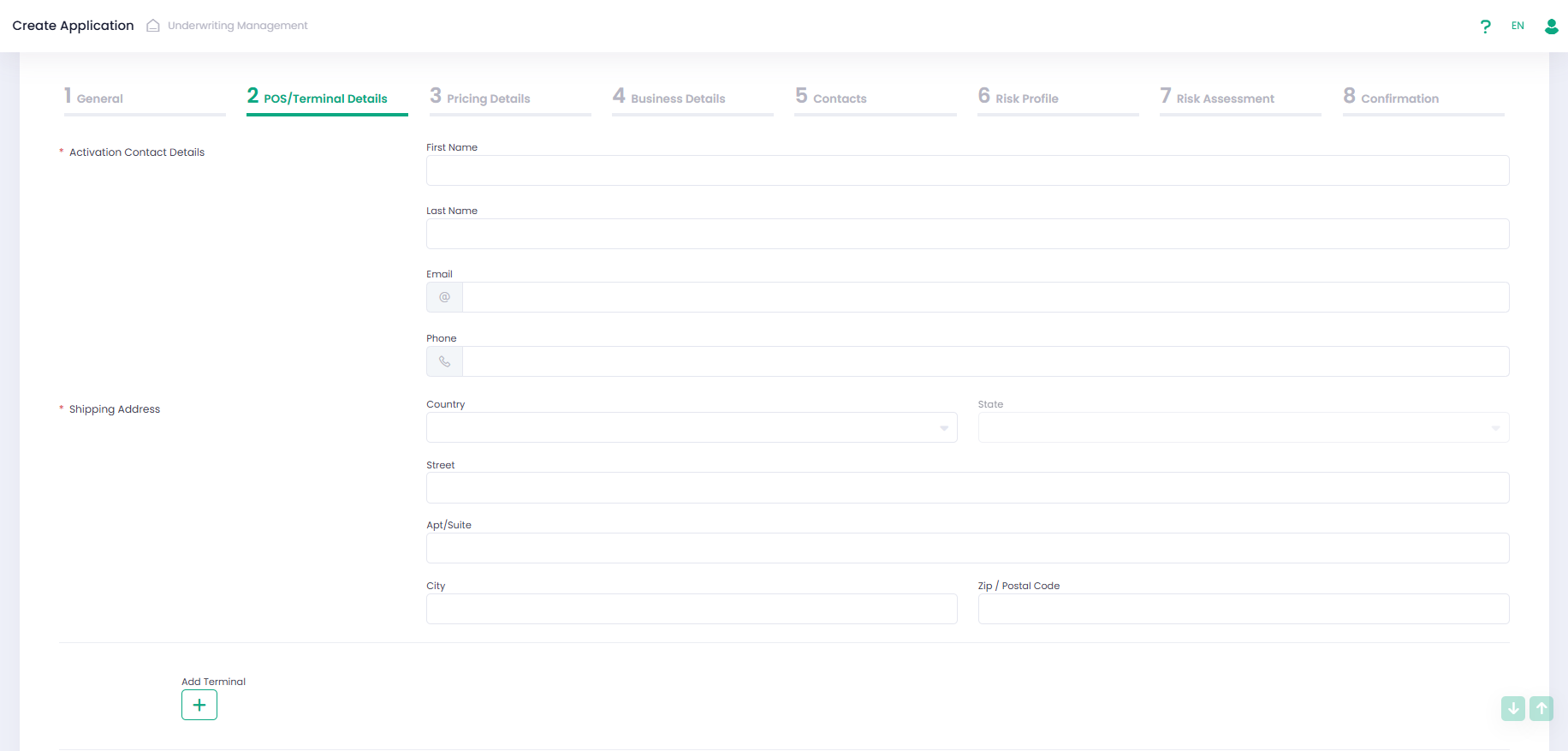
Depending on the display settings of the selected Physical Terminal, it is possible to view and configure the following parameters:
- Purchase Option
- Quantity
- Application Bundle
- Language
- Time-Zone
- Use Cellular Data
- Default Communication Settings
- Wireless Sim Card Required
- Wireless Data Plan
- Tip Option
- Default % Tip Option
- Auto Settle
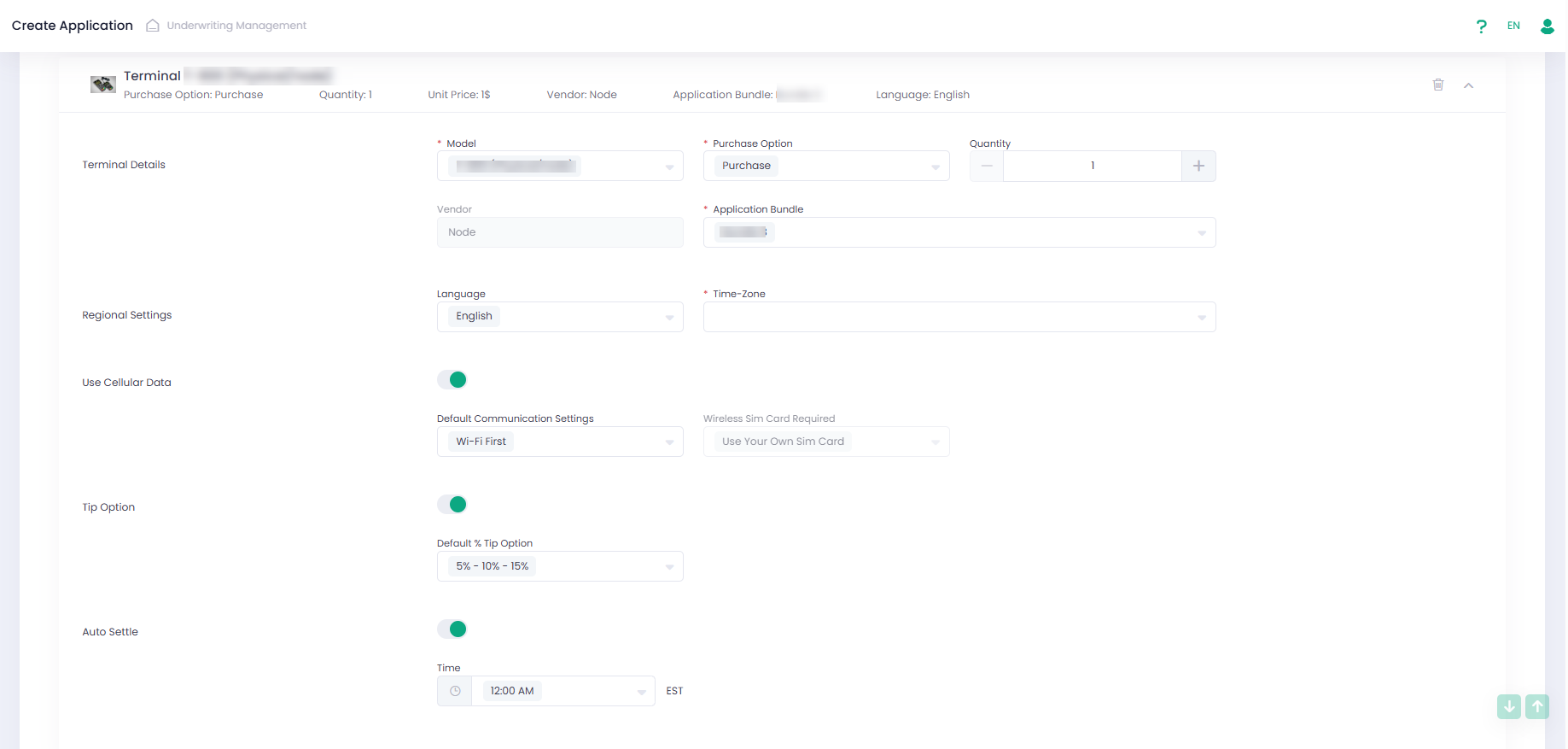
Selected Terminal Quantity is applied to the relevant Inventory Fee, which is linked to this Terminal on the Service Provider level.
POS/Terminal Details are available during the creation of an Application or when editing an Application draft. For all other Application statuses, POS/Terminal Details can be viewed in the relevant section from the grid. 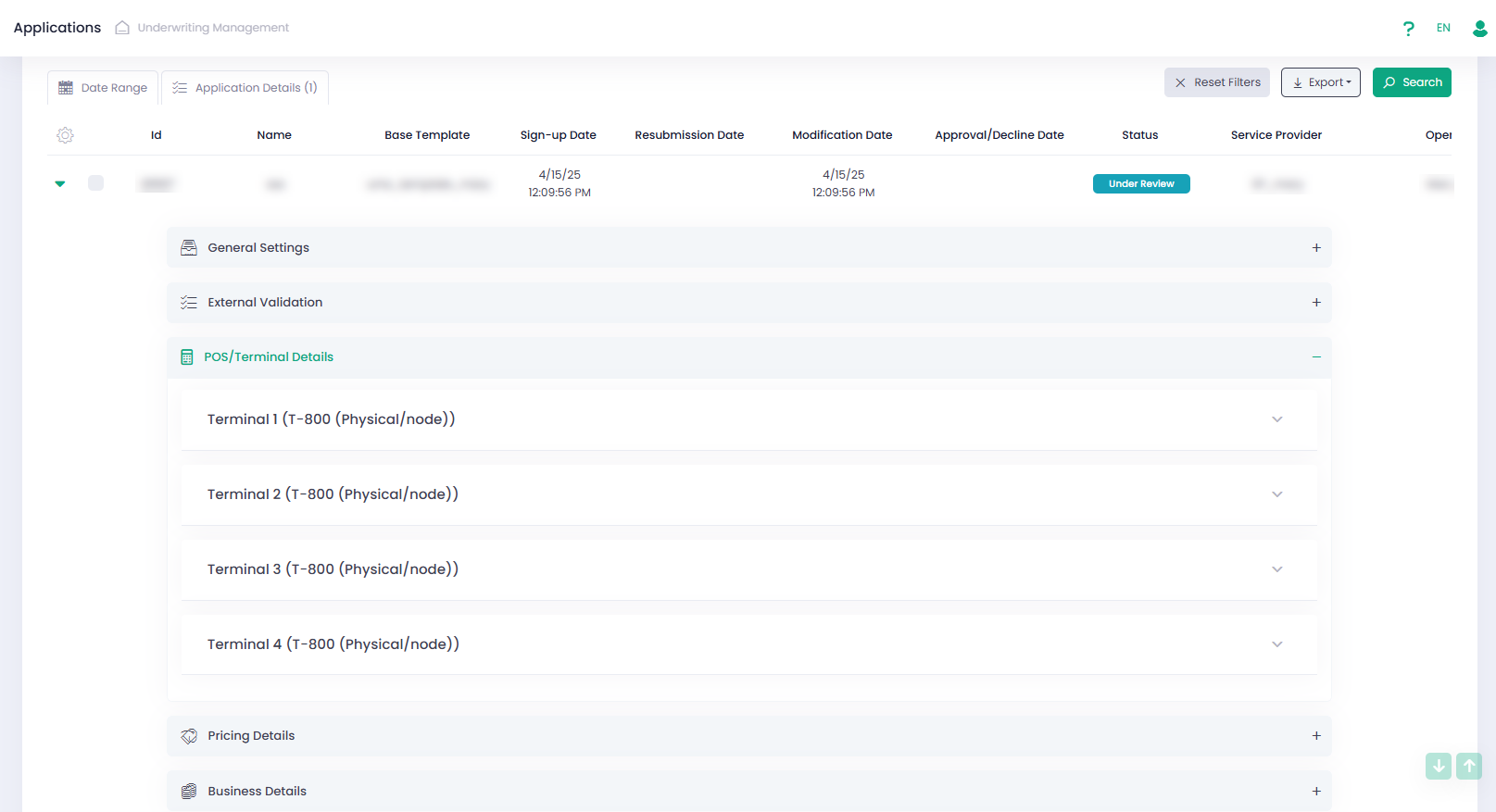
Additionally, we have added a new placeholder [[TerminalType]] to the Email Templates with Category = Underwriting Management.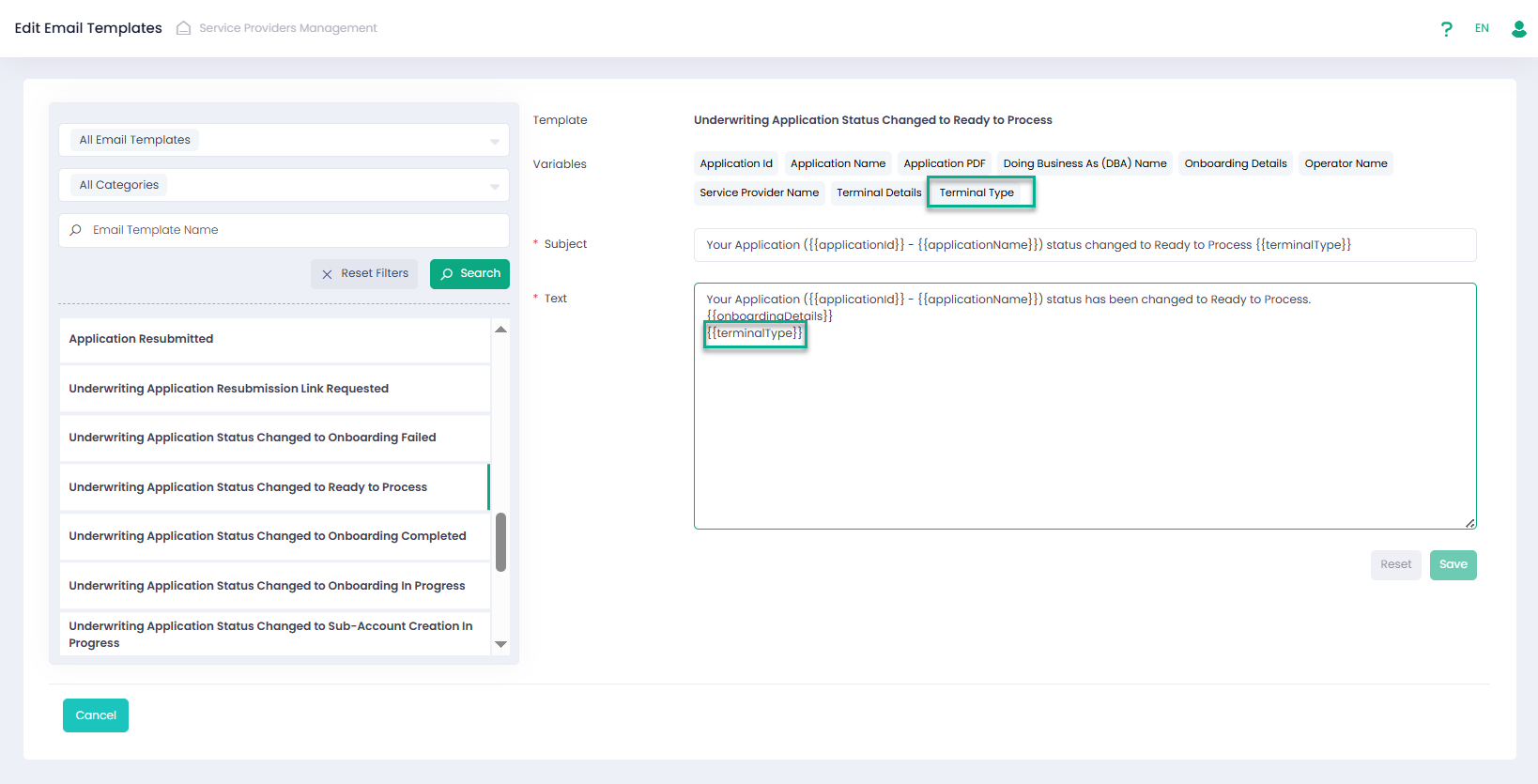
Pricing enhancements
Now Pricing Details in the Application are displayed taking into account the Quantity of the Scheduled fees.
We added a new parameter “quantity” for scheduled fees to the Get Merchant Pricing method in the Underwriting Management API. For details, please check our Developer Portal.
Sub-Account changes
We added a new parameter ‘Sub-Account Type’ to the ‘Sub-Account Details’ in the General step of Sub-Account wizard. It can be ‘Card Present’ or ‘Card Not Present’. 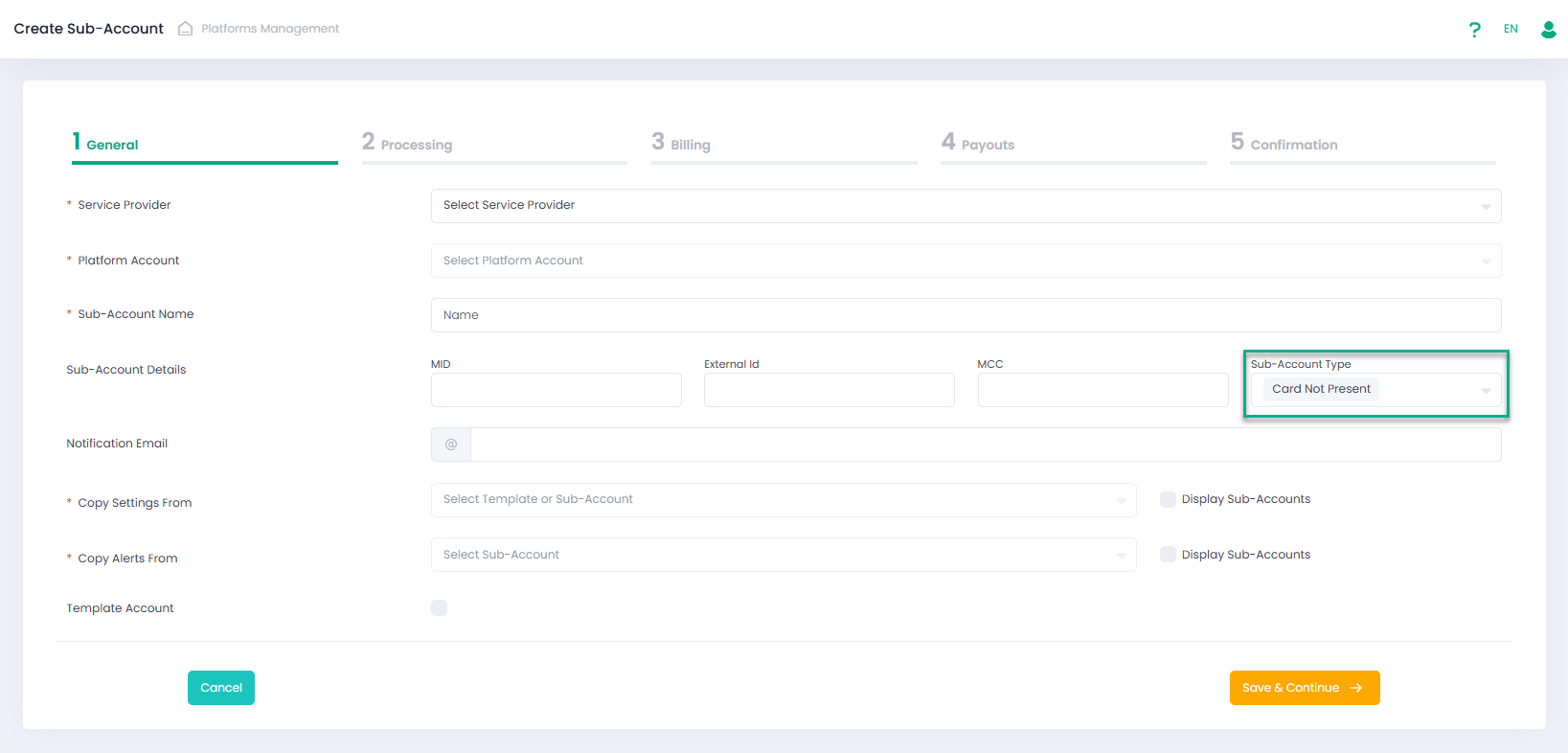
For convenience, we added ‘Sub-Account Details’ column to the grid. A user can filter the grid using ‘Sub-Account Type’ filter in the ‘Sub-Account Details’ filter tab. 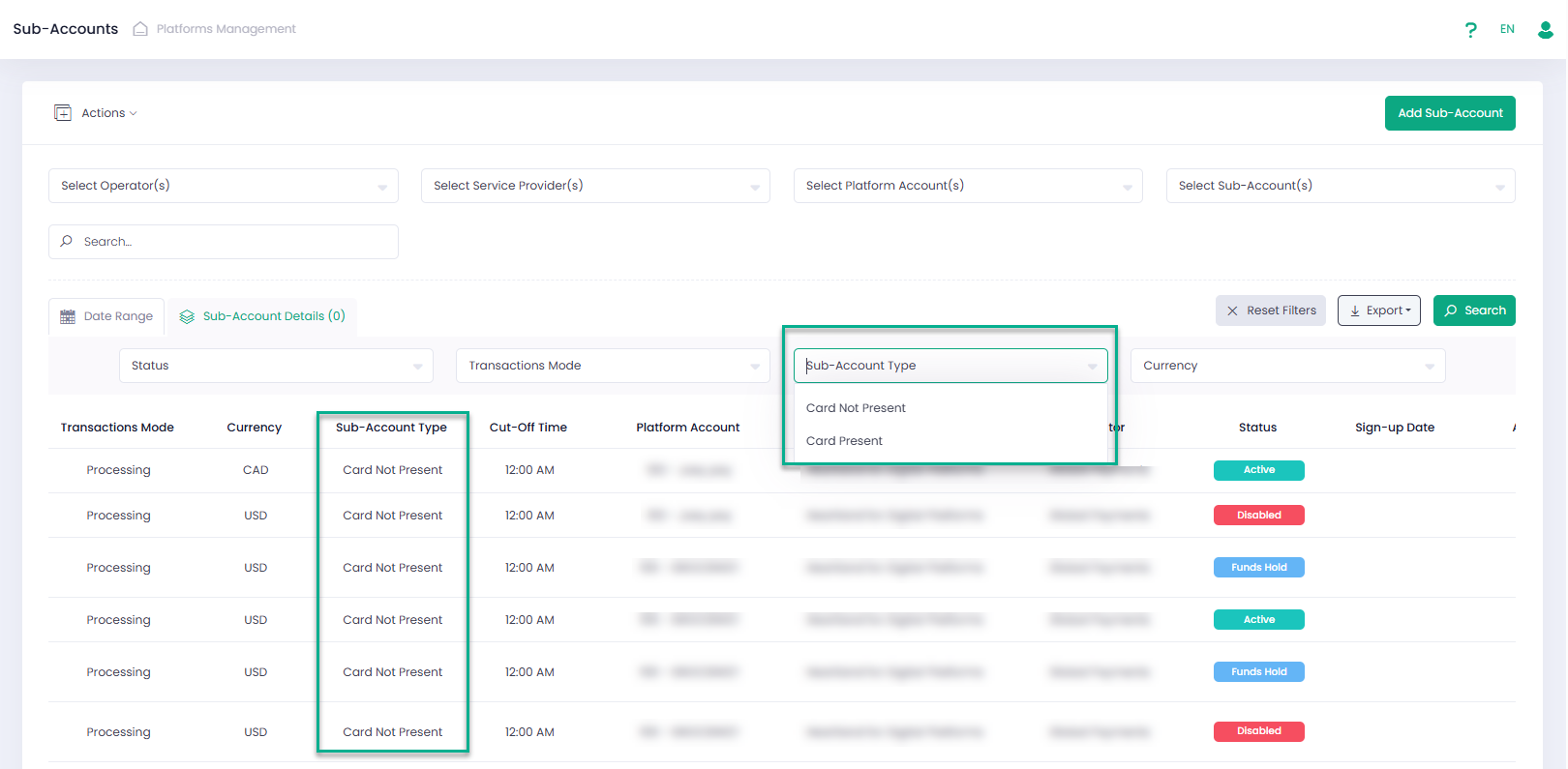
We added a new parameter “subAccountType” to the Get/Create/Update Sub-Account and Get list of Sub-Accounts methods and export JSON. For details, please check our Developer Portal.
Transferring ‘Sub-Account Template’ field and its ‘Can Override’ checkbox from Onboarding step to the General step of Template wizard.
From now on when a user creates a Template he must set ‘Sub-Account Template’ which would be used for Application and new Sub-Account creation further. The available values in the ‘Sub-Account Template’ dropdown are filtered based on the selected ‘Terminal Details’ type, which corresponds to the ‘Sub-Account Type’ defined in Sub-Account Details. 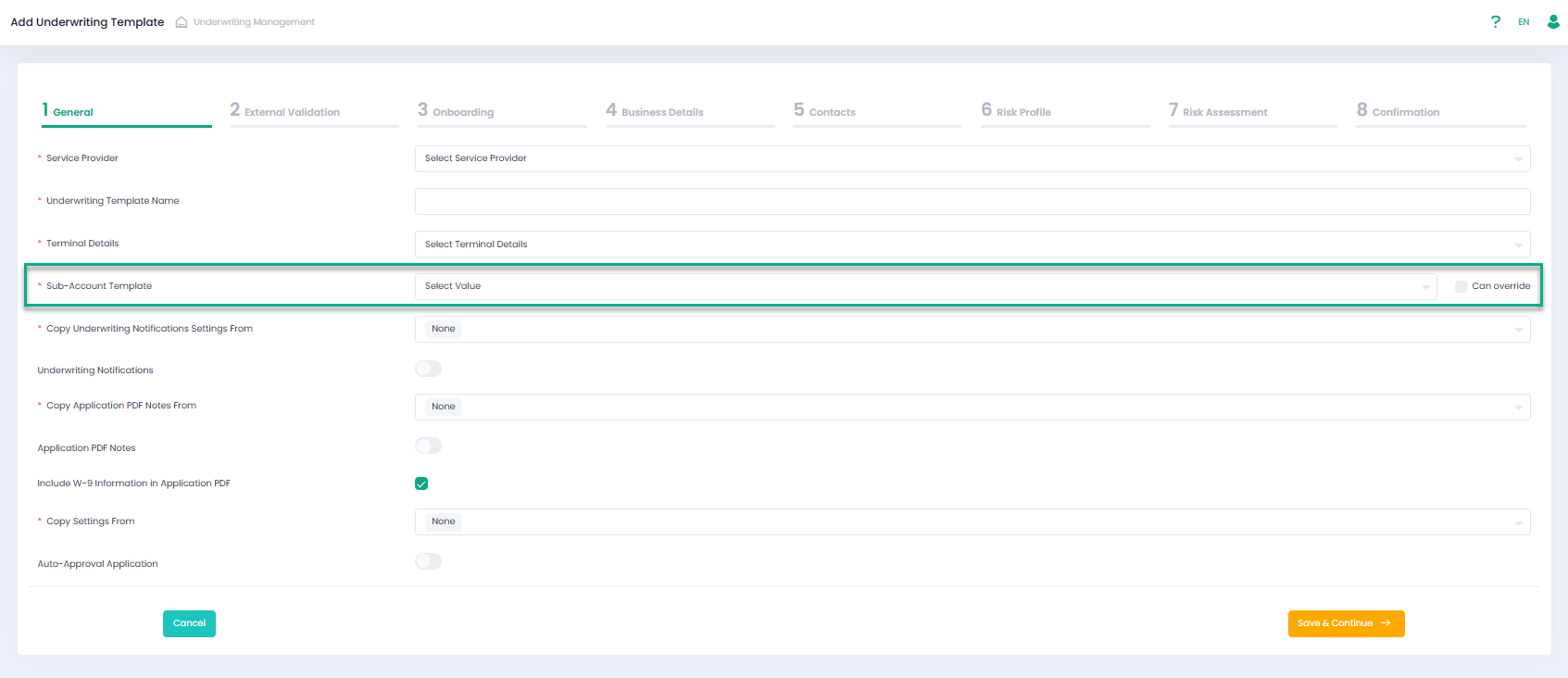
Adding new parameters
New fields were introduced in the following places:
- ‘Target Countries‘ to the Business Details (multiple Country selection, max 10 selections)
- ‘Place Of Birth‘ to the Owner Details (single Country selection)
- ‘Use your own AMEX MID‘ and ‘Accept AMEX Credit Cards‘ to the Risk Assessment
The list of affected places in the system:
- Template wizard and preview details
- Application wizard and preview details
- Application JSON and Application PDF
- Iframe
- Email notification (status field changes)
- Onboarding API (Get Application Template, Get/Create/Update Application, Get/Update Application fields statuses)