External Fee Ids
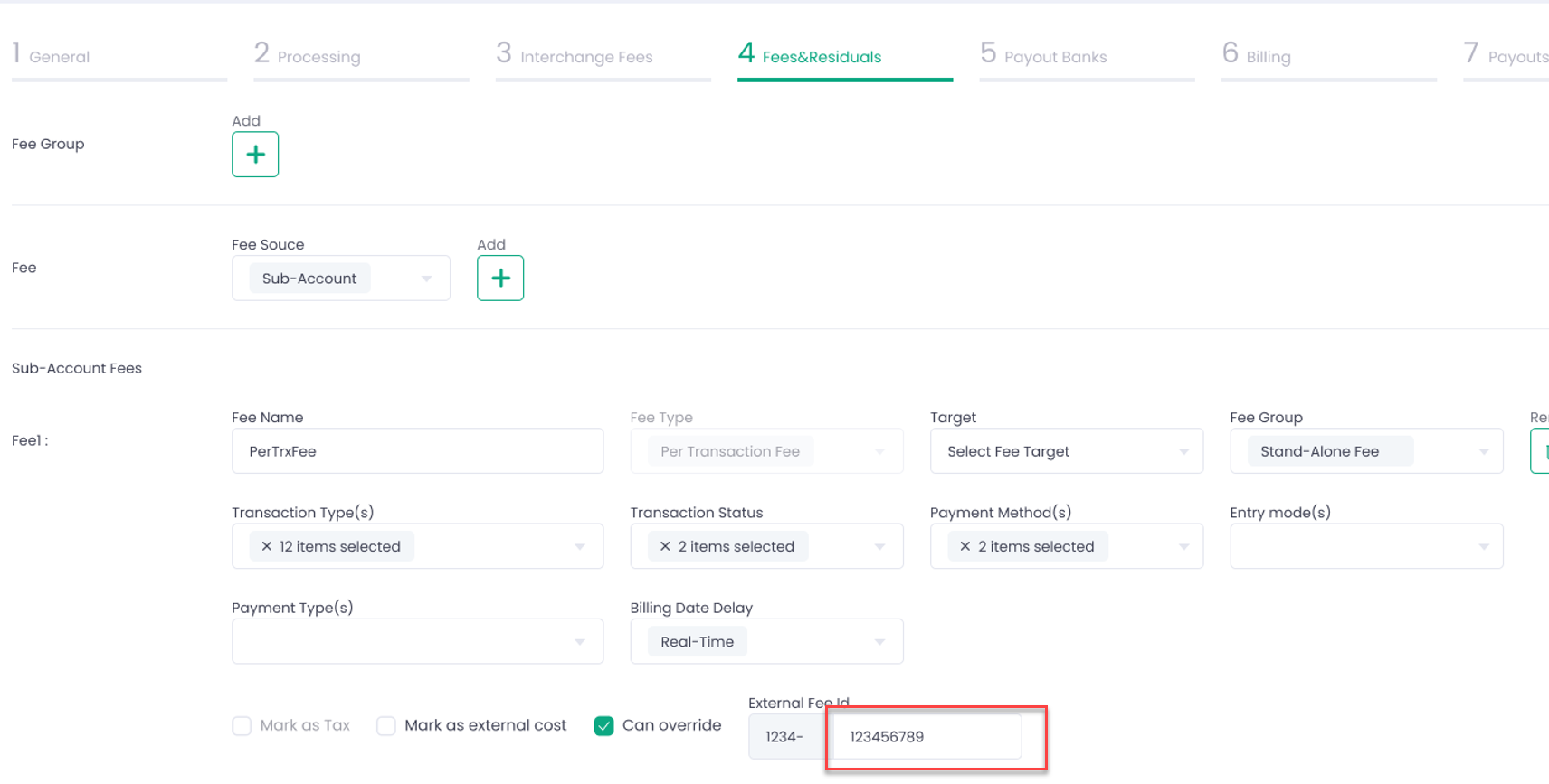
Now it will be possible to configure and use your own External Fee Ids in the Processing, Echo, and Import modes as the value of the “id” parameter in the “billingOverride” array. The External Fee Id is configured in the Service Provider wizard, Step 4 Fees & Residuals, and needs to be allowed for override to be able to use it.
The External Fee Id consists of two parts, see screenshot below:
- Prefix (corresponds to the Service Provider’s Id) – completed by the system;
- Customized part completed by the User at the Fees & Residuals step of the Service Provider wizard.
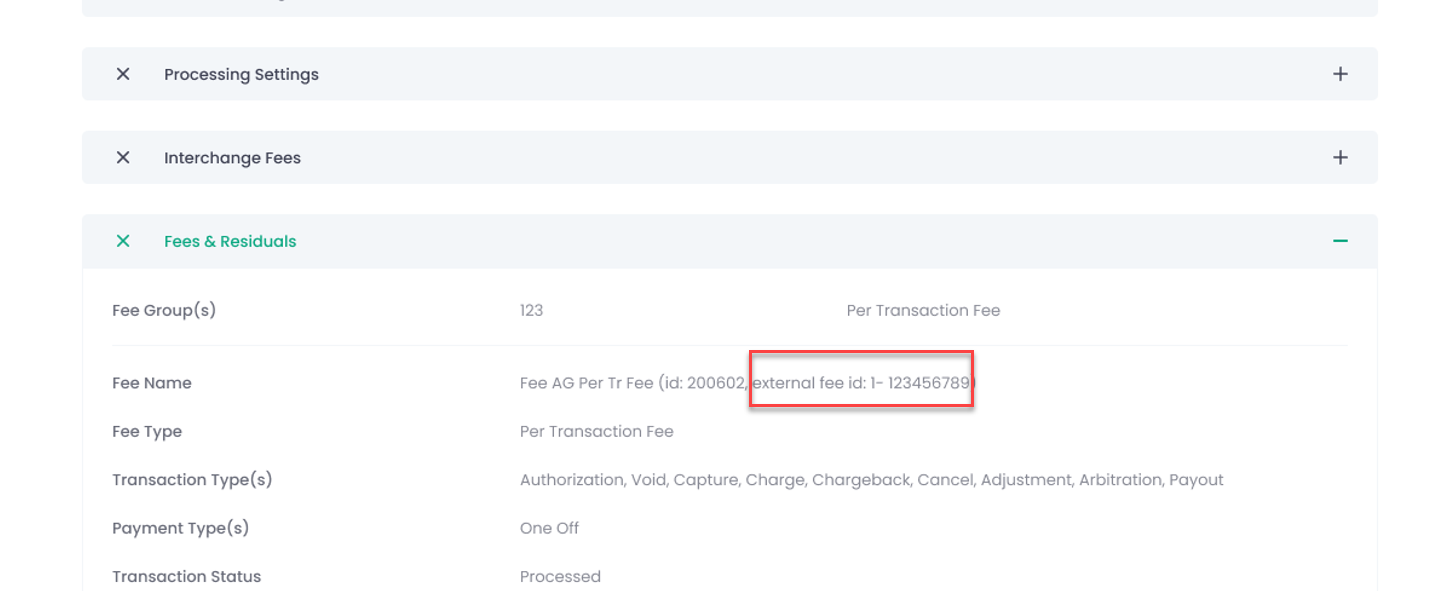
The External Fee Id is also displayed in the Service Provider preview grid.
For using the External Fee Id in the Processing, Echo, and Import modes as the value of the “id” parameter of the “billingOverride” array, see sample below: