UMS Enhancements
Dynamic Pricing
A new Dynamic Pricing section has been introduced on the General step of the Application wizard. This allows users to modify the Amount and Percentage of fees of the Pricing Sub-Account Template to be applied to the Sub-Account created at a later stage. 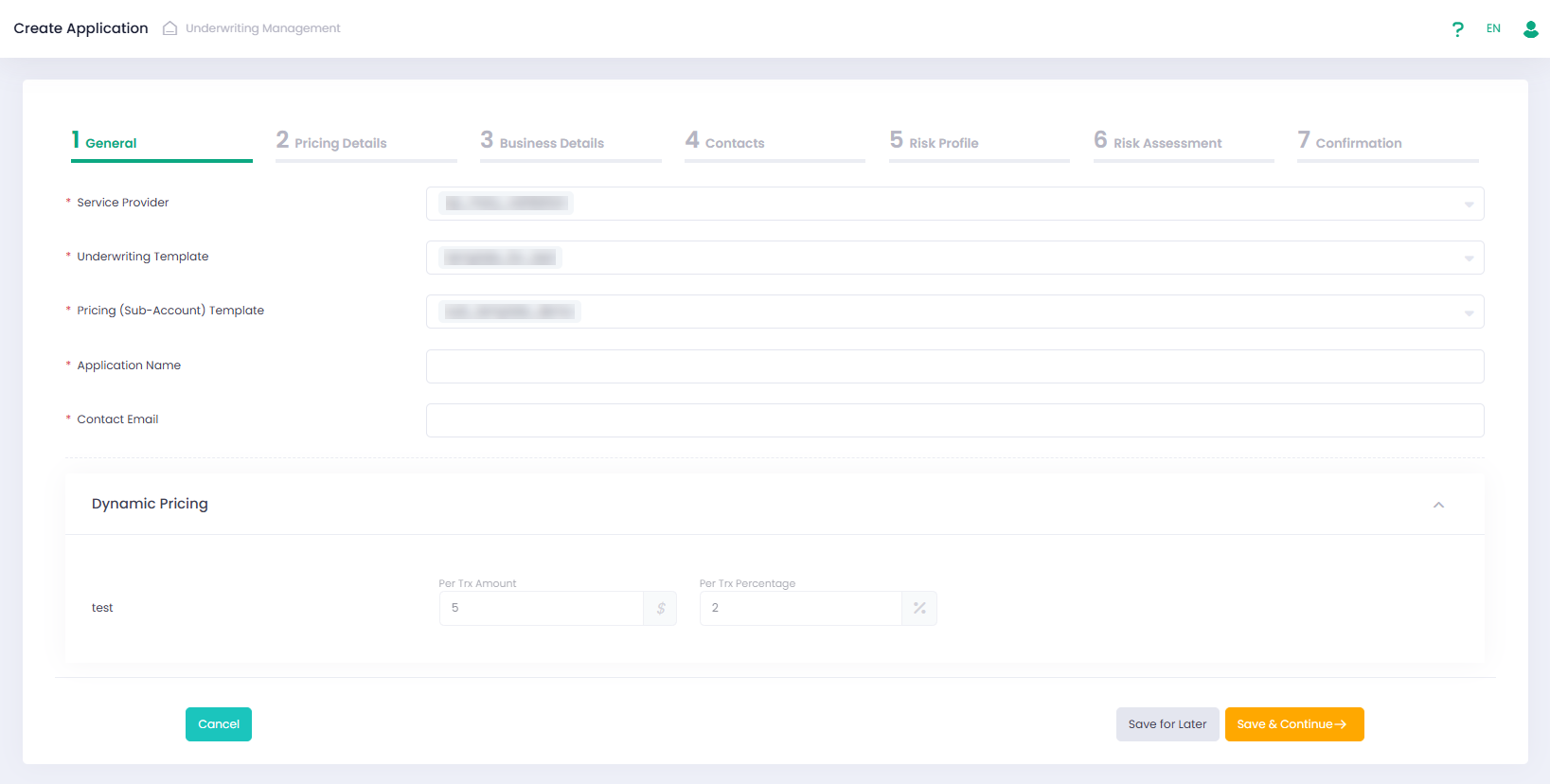
Dynamic Pricing is available during the creation of an Application or when editing an Application draft. For all other Application statuses, Dynamic Pricing can be viewed in the Pricing Details section from the grid. 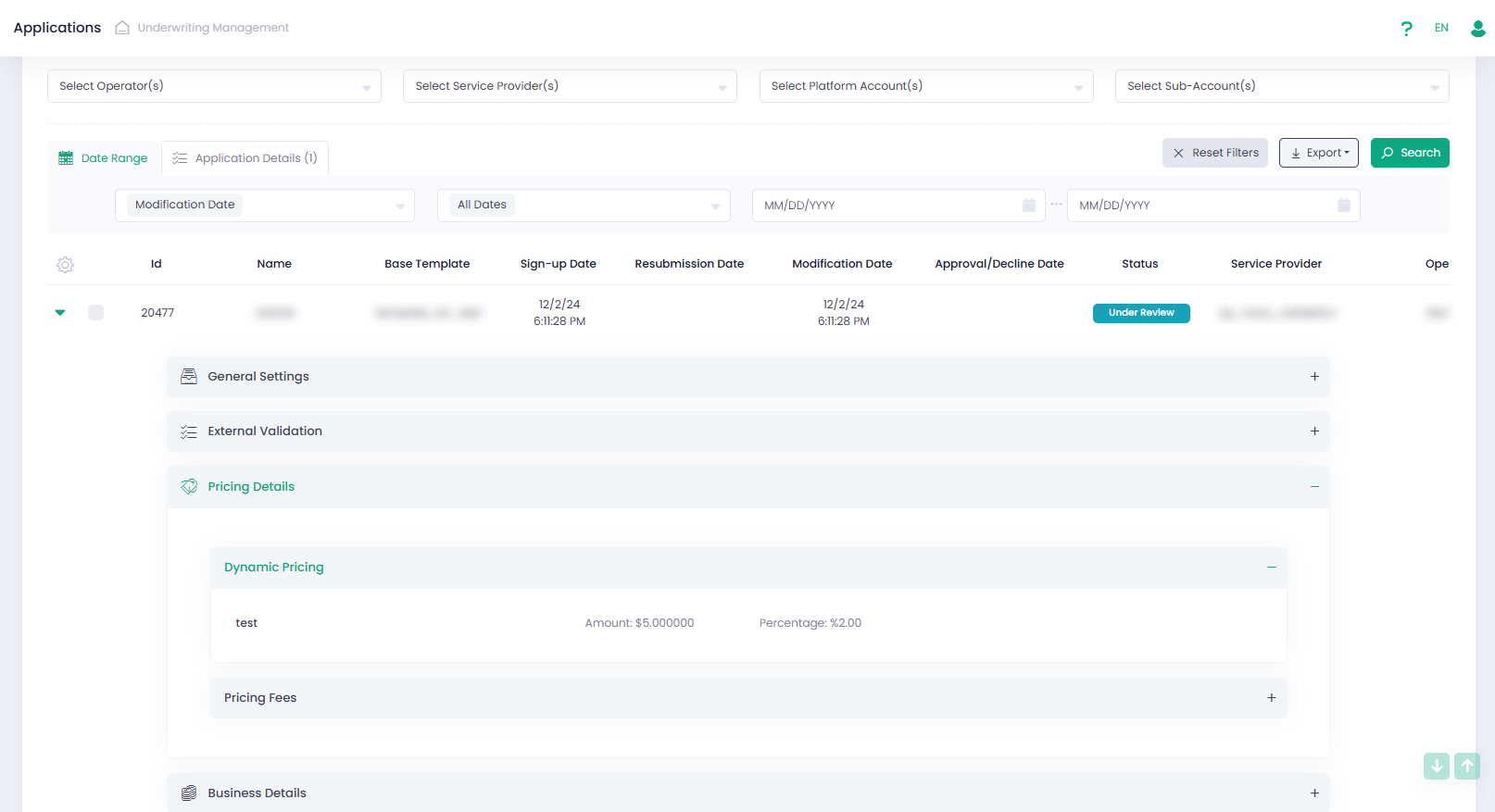
To enable or disable the display of the Dynamic Pricing section in the Application wizard, use the ‘Support Dynamic Pricing’ checkbox in the Underwriting Template wizard.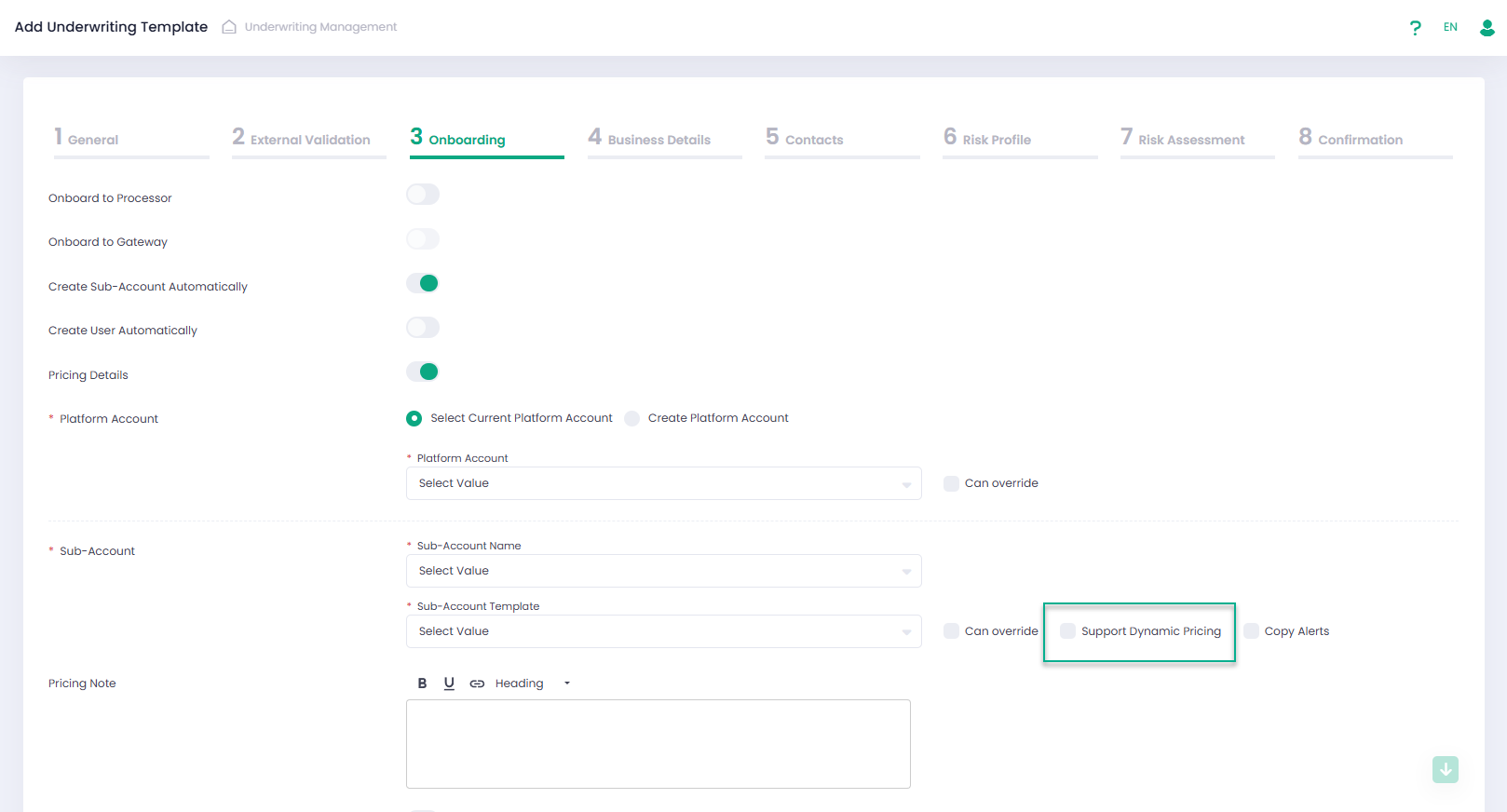
Users can configure which fees can be displayed in the Pricing Details section of the Application and enable the option to override their Amount and Percentage while completing an Application. This configuration is available at the Service Provider level in the new Underwriting Settings section.
Additionally, fees with their source Platform Account in the Pricing Sub-Account Template can now be included in the Pricing Details by selecting the relevant checkbox in the Service Provider, Underwriting Settings section. 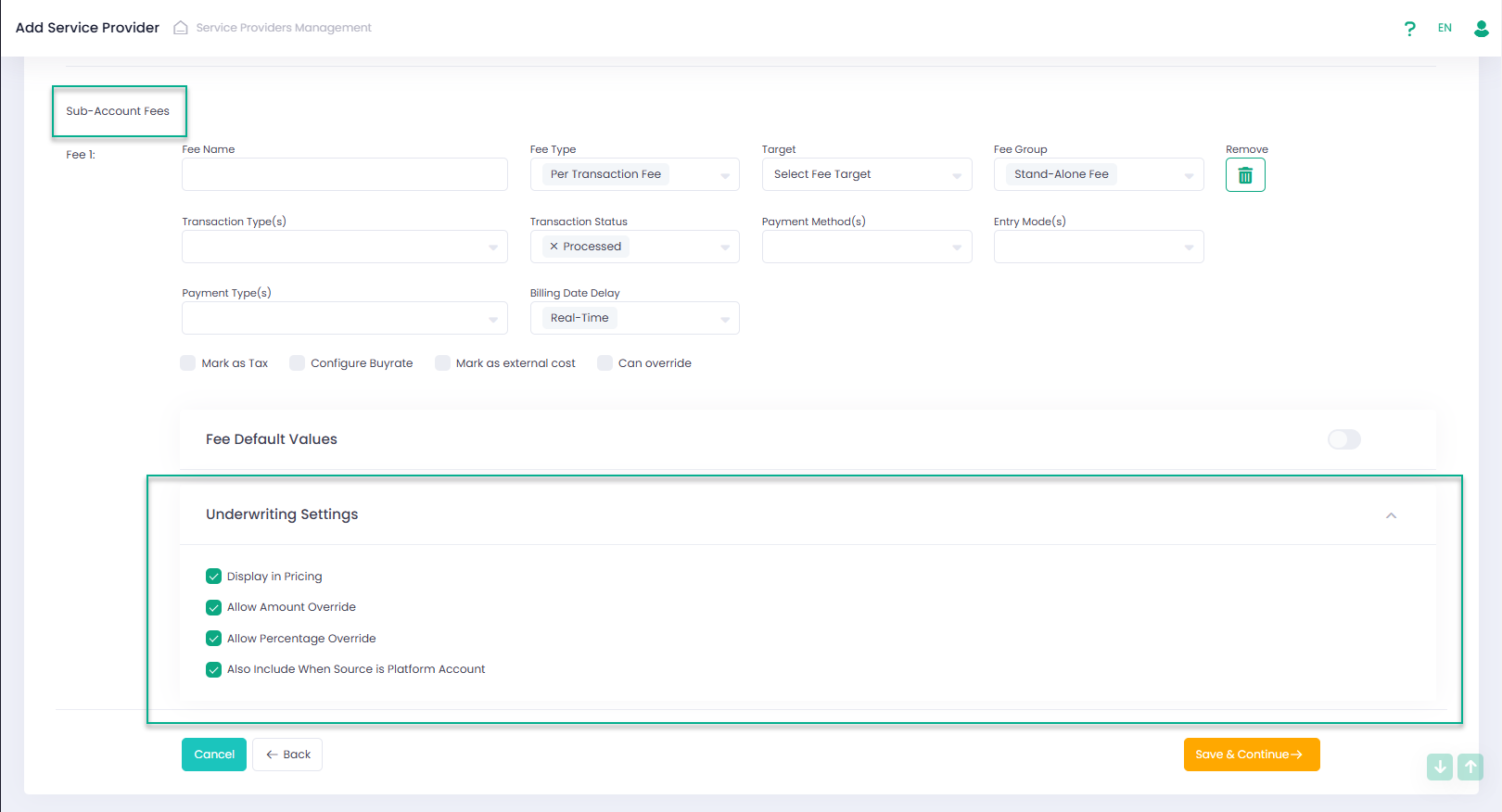
To receive dynamic pricing information of the relevant Application we added a new method Get Merchant Pricing to the Underwriting Management API. For details please check our Developer Portal.
Export Application PDF
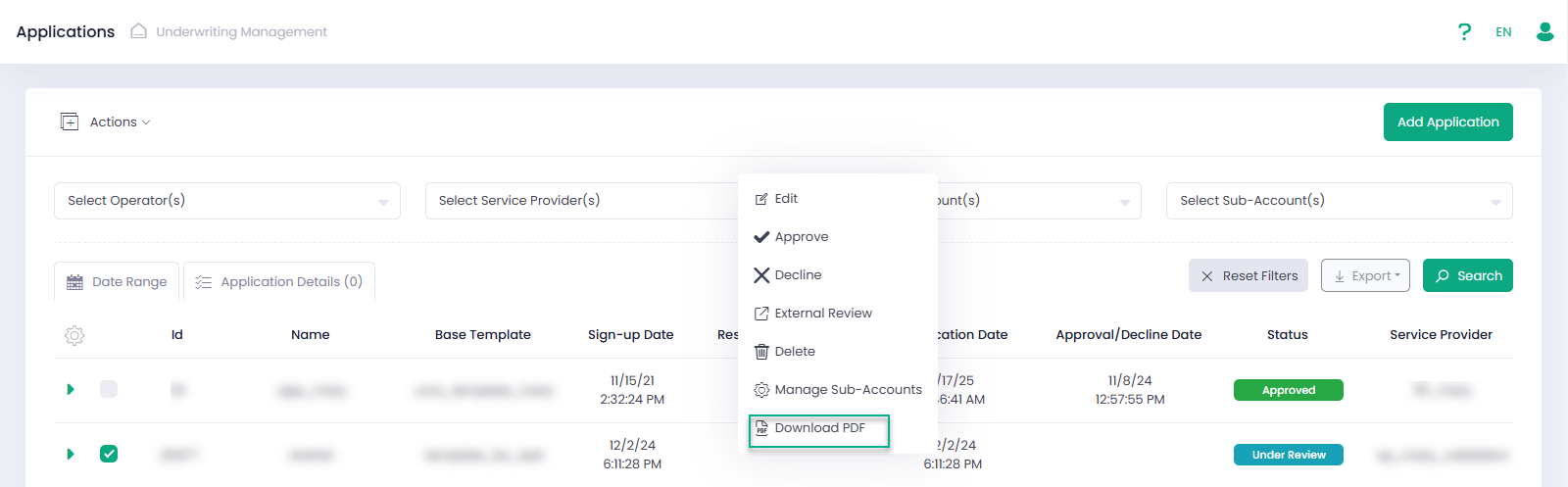
Now it’s possible to download an Application in PDF format. The action is available from the Actions menu or context menu. 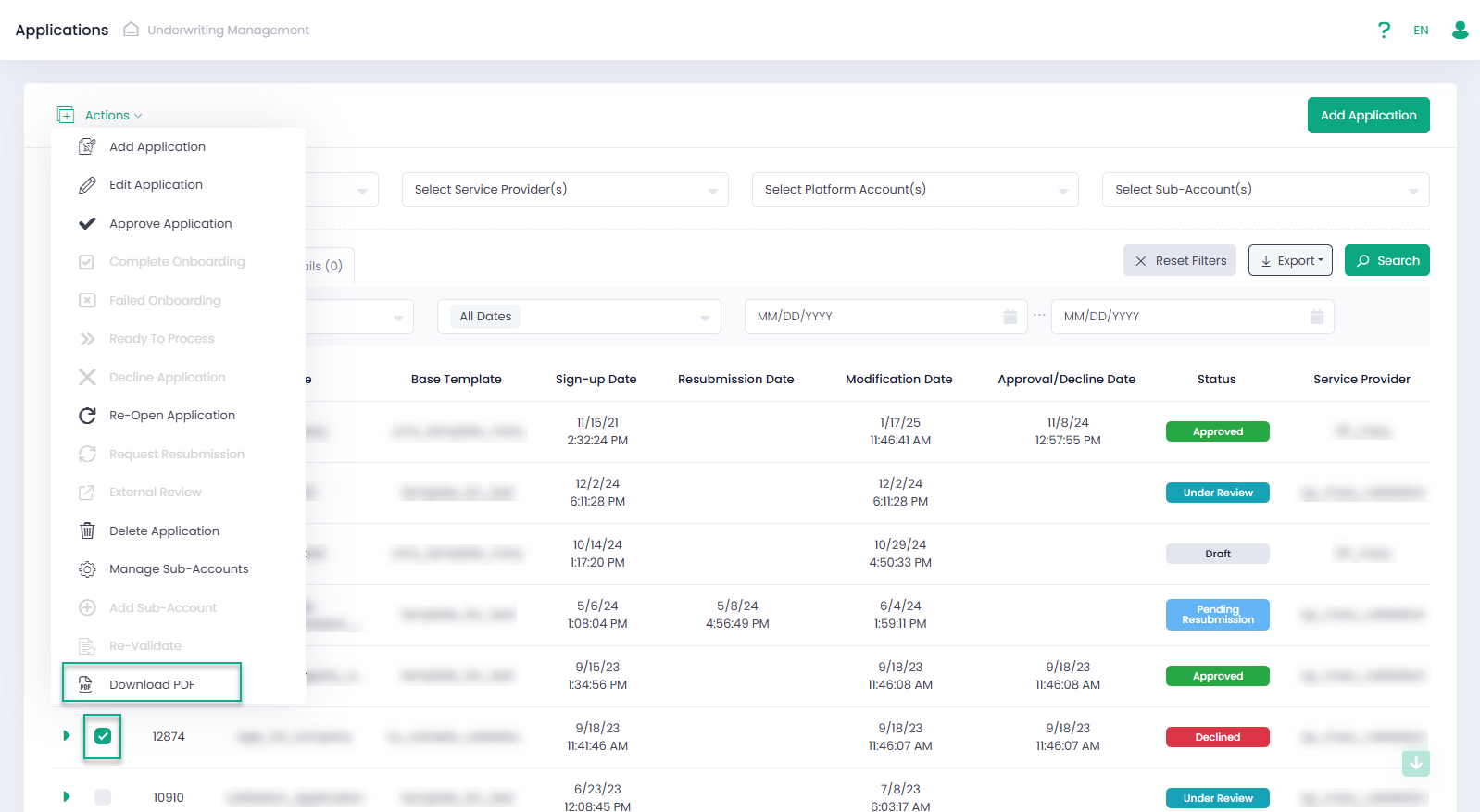
Additionally, now a user can add Application PDF to the email templates within the Create/Edit Service Provider , Edit Email Templates, ‘Underwriting Management’ category. 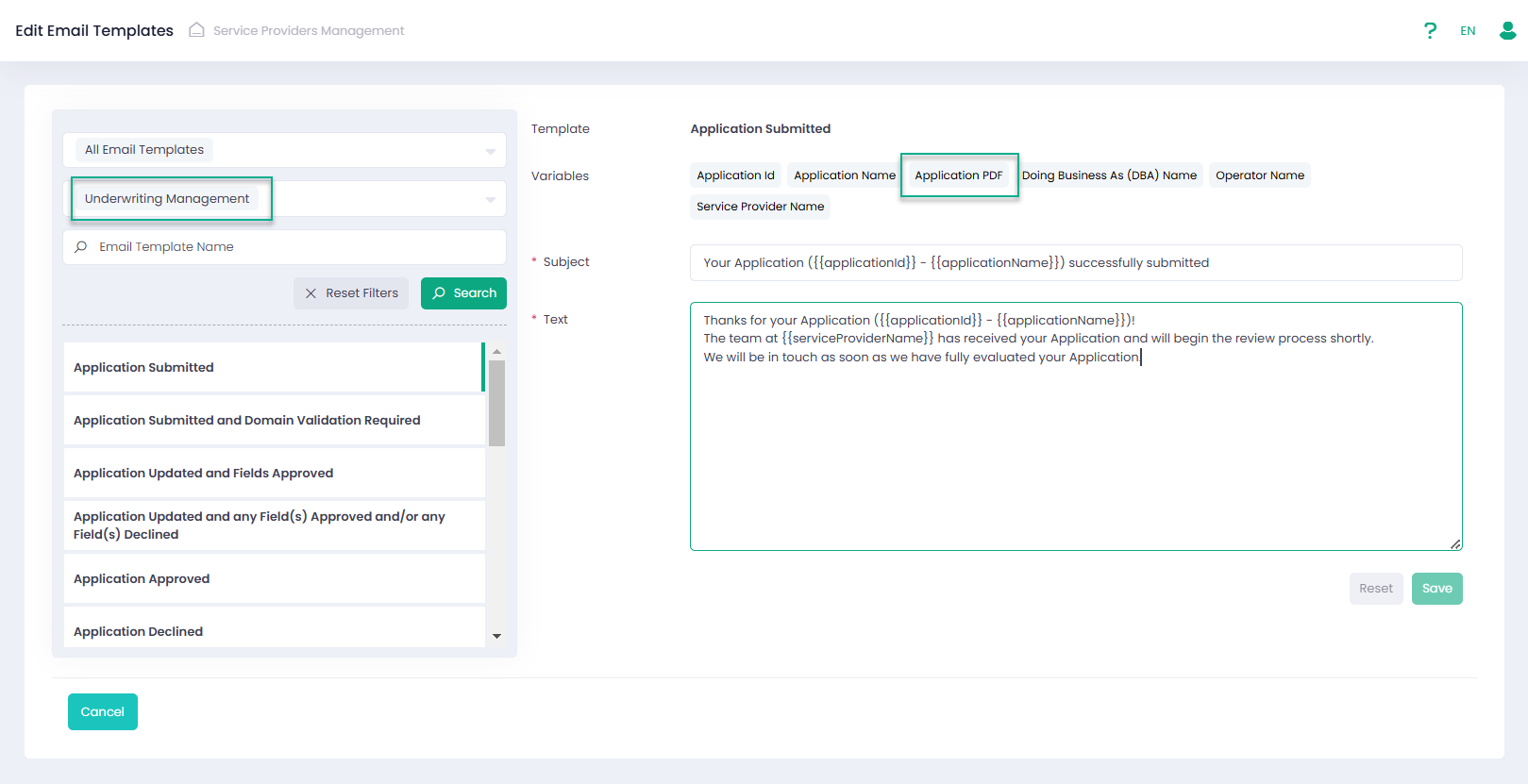
To add and customize banking and general notes in the PDF, we have introduced new functionality in the Service Provider and Underwriting Template wizards.
The Processing step of the Service Provider wizard contains the ‘Application PDF Default Notes’ settings. Here, users can define the default text for the notes, which can later be inherited by the Underwriting Template. 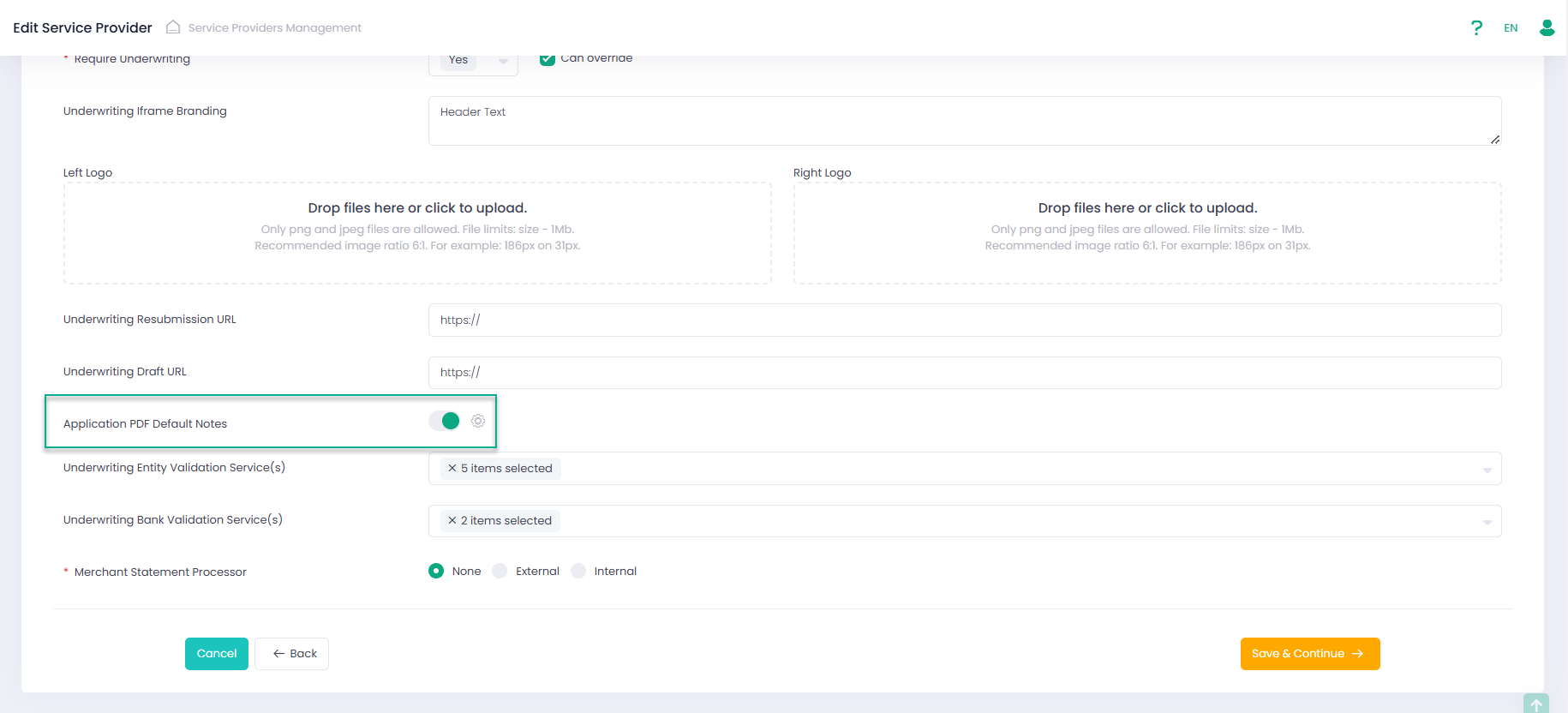
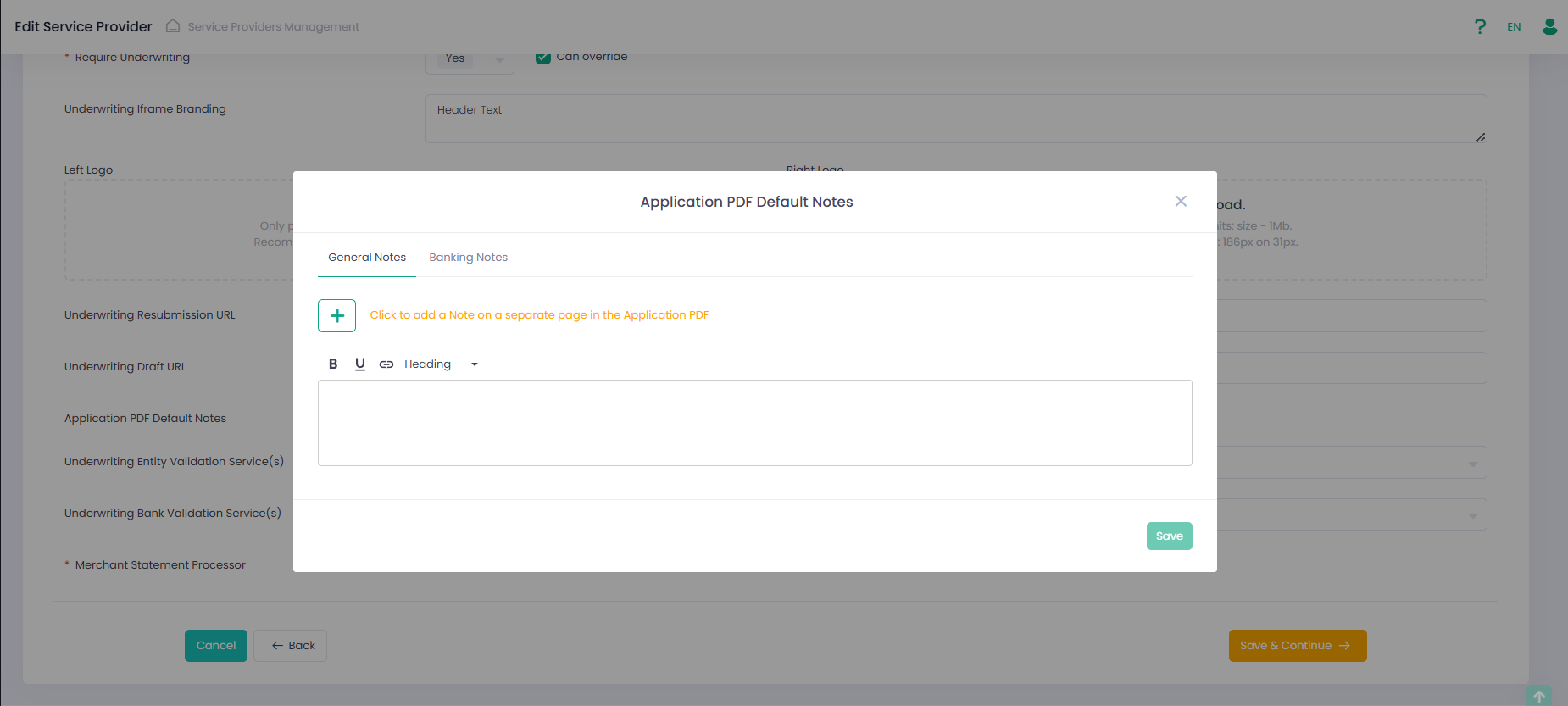
When a user creates a Template, now it’s possible to set ‘Application PDF Notes’ from scratch or to use ‘Copy Application PDF Notes From’.
To add ‘W-9 Information’ section in the Application PDF a user can use ‘Include W-9 Information in Application PDF’ checkbox. 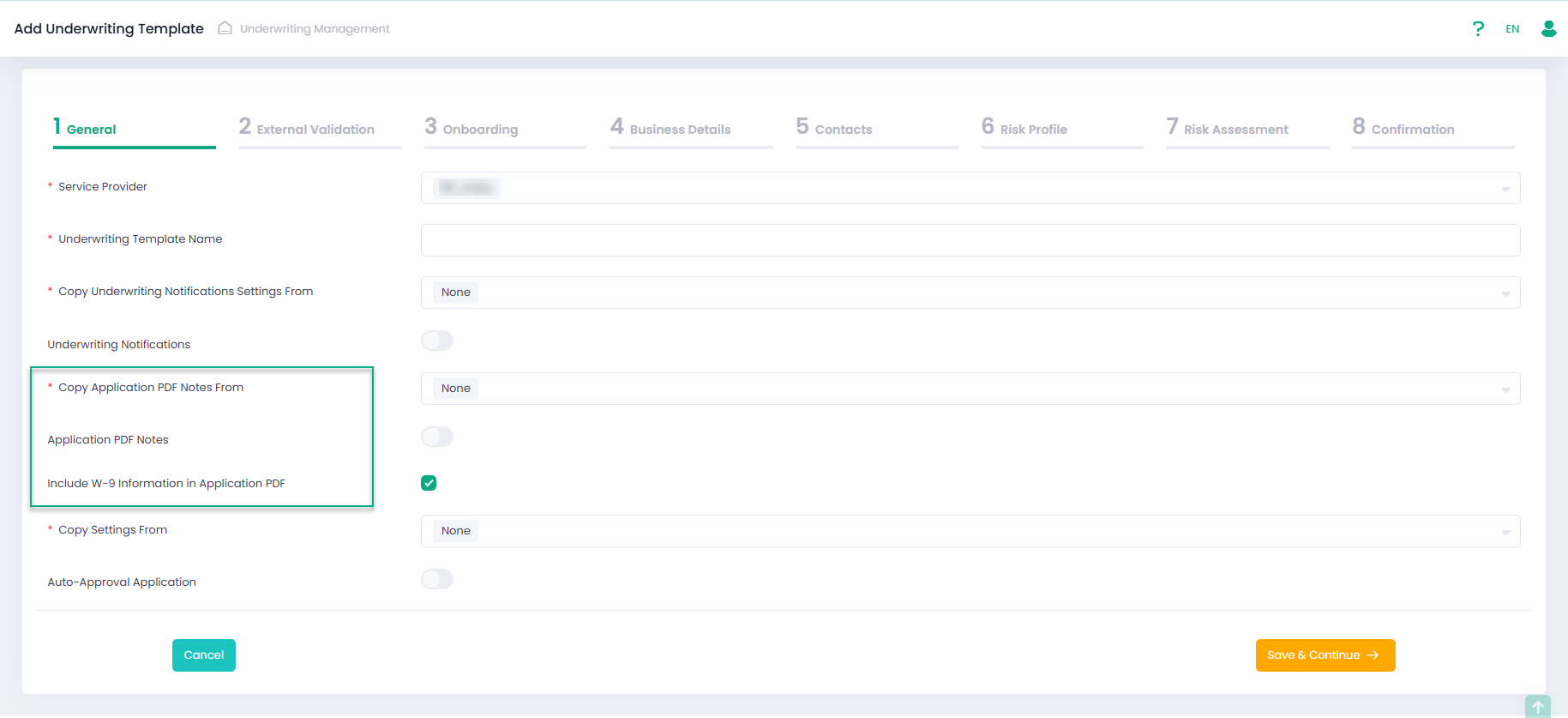
To receive the link to the PDF file of the relevant Application we added a new method Get Application PDF to the Underwriting Management API. For details please check our Developer Portal.
The Processor Onboarding Details display
We have updated the logic for displaying the “Processor Onboarding Details” section in the Application grid. This section is now as well displayed for “Declined” applications if relevant data exists in the database.
Default Template Settings
We have updated the default values for fields in the Template from “Visible” to “Required”, applying the following special rules:
- Custom Fields, Custom Documents – Remained as Hidden.
- Agreement(s) – Remained as Required.
- Contact Type(s) – Changed to Required.
- Contact Type – Changed to Hidden.
- Volume Projection/Monthly Volume Projection/Annual Volume Projection (Per Card Brand) and Volume History/Monthly Volume History/Annual Volume History (Per Card Brand) – Changed to Hidden.
- Fields without a “Required” option – Remained as Visible.
- Checkboxes – Remained disabled as is.
Additionally, we have updated the default value for all validation checks in TinCheck and Match settings from 0 to 1.