Brim Embedded Finance
A new service, Brim Embedded Finance, has been introduced. For merchants subscribed to the Brim Service, it enables fast payouts to merchants, including on weekends and non-business days.
To enable the Brim service, the following steps must be completed:
- Activate Brim service at the Service Provider level in the Processing step.

- Configure the Brim split amount by setting up a fee with the Brim flag marked on the Service Provider level and activating this fee on the Sub-Account.
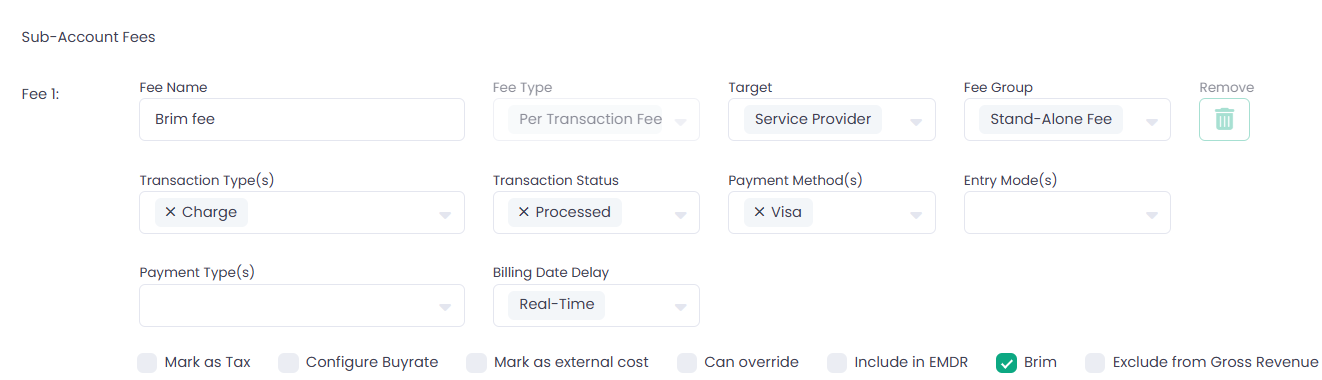
- Enable Brim Service and configure Brim account details on the Sub-Account wizard in the new Payouts & Embedded Finance step.
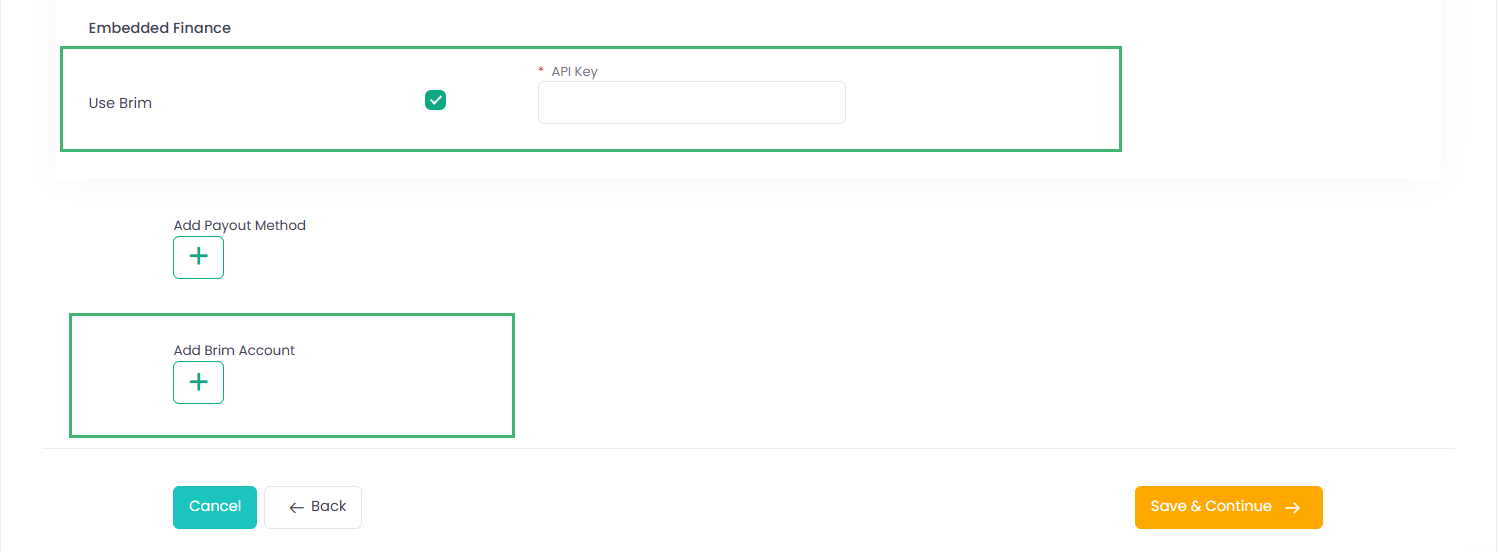
How it works:
- When a Sub-Account processes a transaction with a Brim split configured, the system calculates the Brim split amount equal to the fee amount. The calculated split amount is deducted from the merchant settlement amount and paid out to Brim to be credited to the merchant card without waiting for the settlement cut-off time.
- If a Brim fee reversal is triggered — for example, when a Refund is processed or a Reverse flag is set in the Billing Override — the system sends an instruction to the Brim service to debit the previously credited funds from the merchant card.
Notes and Limitations:
- The Brim Split amount is rounded to 2 decimal places.
- Brim Split can only be configured for Charge, Capture, Partial Capture, and Adjustment transactions.
- Brim Split cannot be configured with a billing delay. The Billing Date Delay must always be set to real-time.
The corresponding changes are reflected in relevant APIs. For more details, please refer to our Developer Portal.