UMS Application Resubmit
UMS Application Resubmit feature provides the ability for potential merchants to re-enter or re-submit declined Applications after changing various data elements. 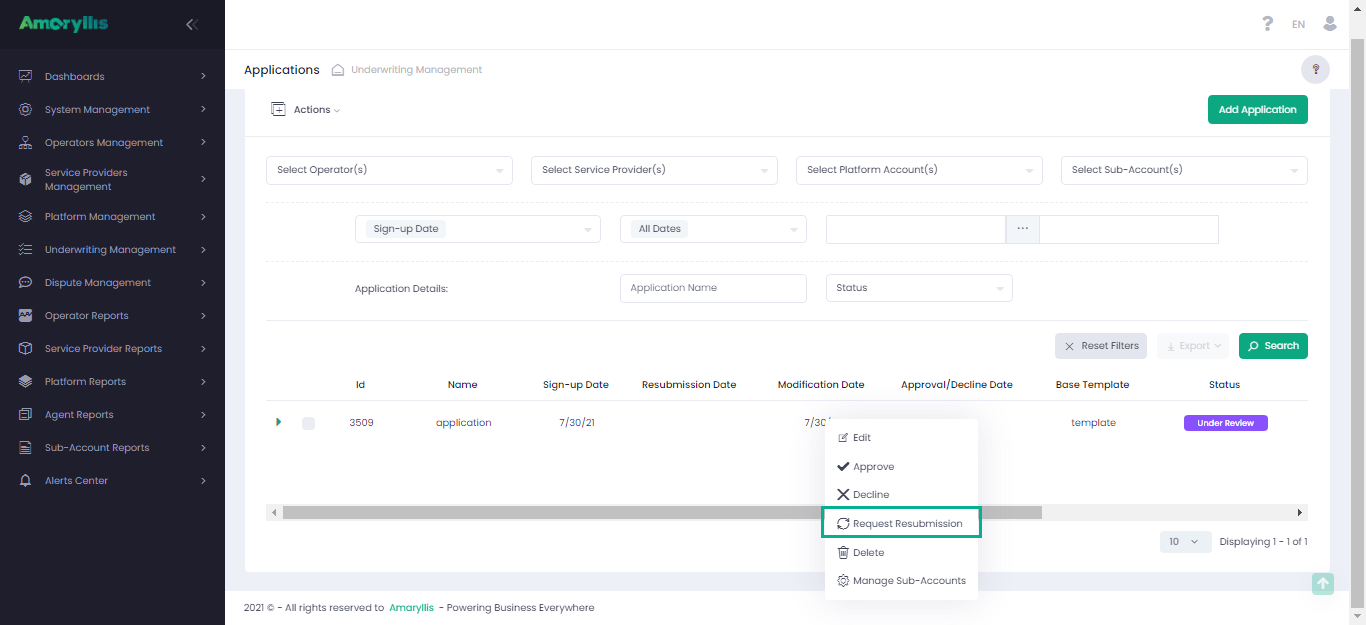
Application grid changes
Multiple new actions such as “Request Resubmission“ and new Application statuses such as “Pending Resubmission“ have been added to the UMS Application page. Once the “Request Resubmission“ action is selected, the user can choose to send a direct email with a link directing the customer to the UMS resubmission page. It leverages the contact email address on file.
UMS Resubmission page
The new UMS Resubmission page is displayed when a User initiates a UMS Application Resubmission when re-entering declined Application fields is necessary.
Service Provider Wizard
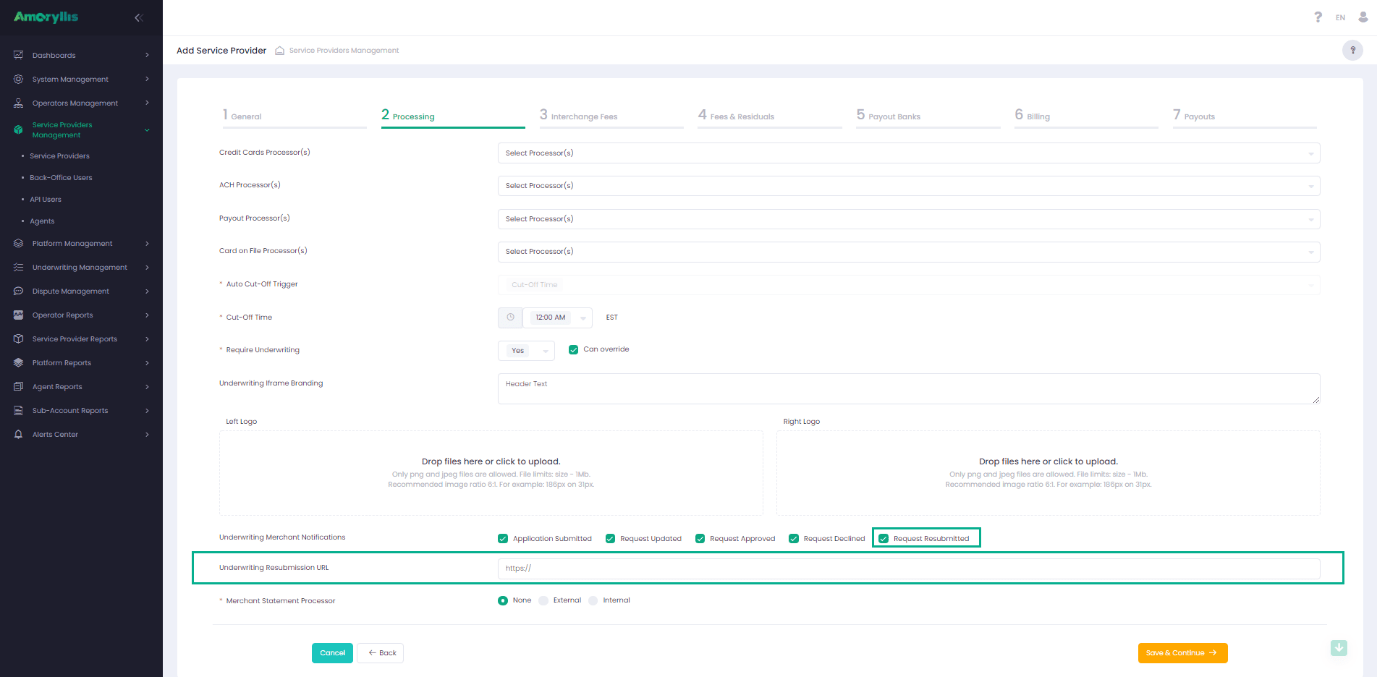
The introduction of the Application Resubmit functionality also affects the Service Provider settings within the Processing step of the Service Provider wizard:
- Added an option for notification to the applicant email when resubmission is completed
- Added an option to configure the UMS Resubmission URL
UMS Resubmission page is opened/displayed in a separate page depending on the Service Provider settings.