Dispute Management
Dispute management functionality has been added:
- Providing a clients payment processor with necessary documentation to respond to a dispute.
- Revise and update dispute status checks related to various transactions in regards to their state
Transactions report
Users can transition to the data on a Dispute or Chargeback via the Transaction report. It gives the ability for merchants to respond to disputes and process these responses using the data stored within the platform and then facilitate the transmission of the “collateral” to their processor. On the Dispute page, users can add notes when starting a response, and upload files containing additional collateral information if desired. 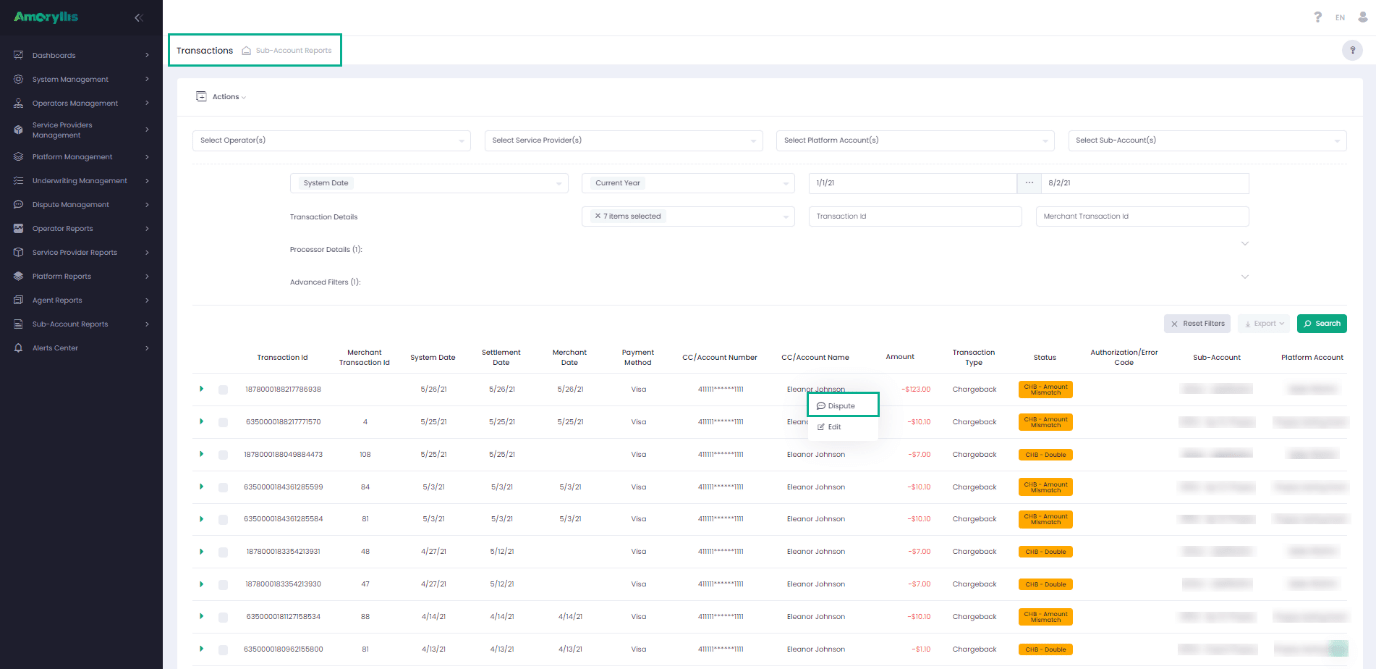
Active Disputes
Active Disputes can be viewed under the Dispute Management module. This provides the client with the ability to review the status of the existing responses/disputes within the system. All of the Disputes can be selected or searched by using the filtering system. The result set is then displayed on the grid and could be exported via the Export feature. The User can also attach additional documents to an existing dispute by using the ‘Upload Document’ page. 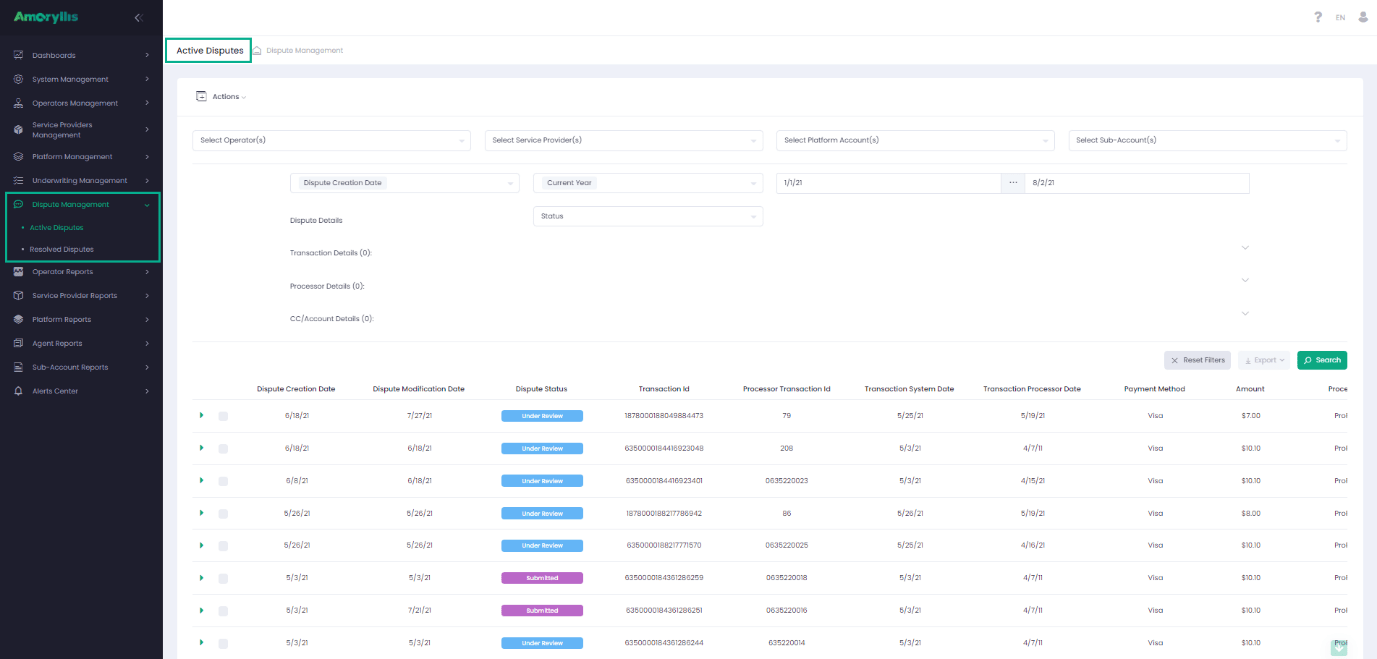
Resolved Disputes
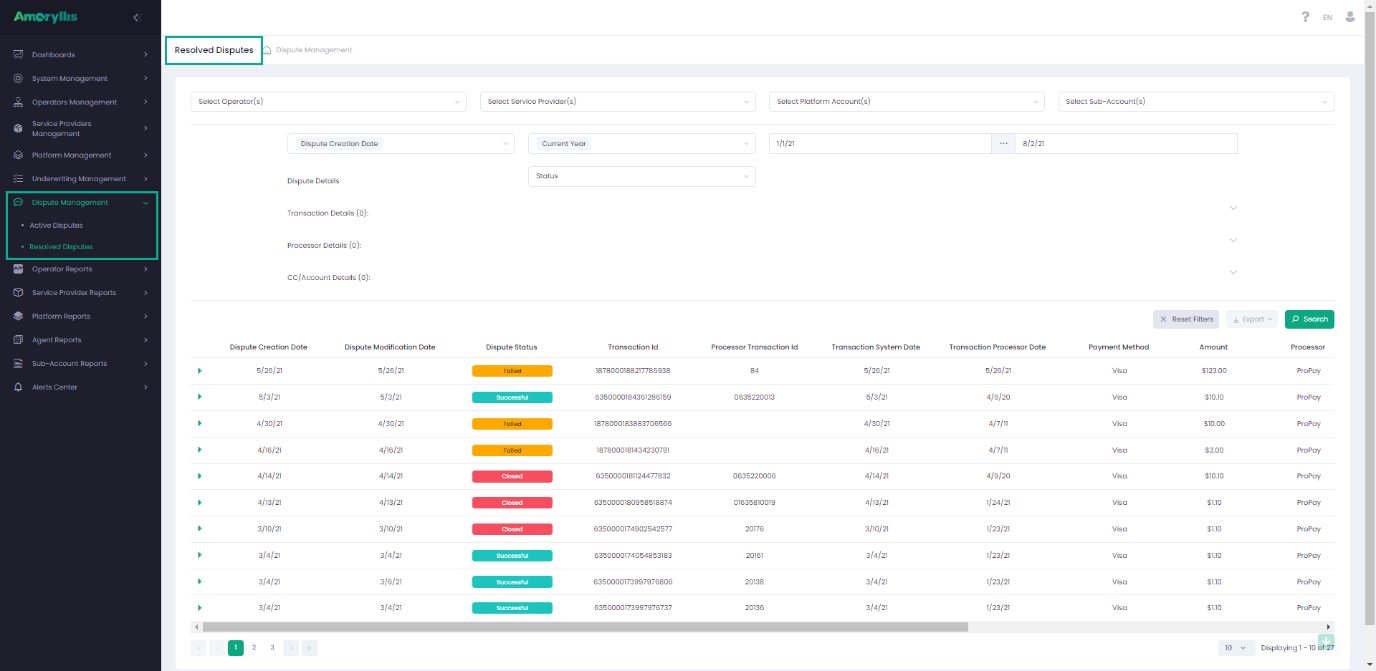
Resolved Disputes can be viewed under the Dispute Management module. This provides the User with the ability to review the status of their Resolved Disputes and verify or check the documents attached to a previously submitted Dispute response. Resolved Disputes have a similar layout as the Active Disputes, with two minor differences:
- Resolved Disputes do not have “available actions”.
- There is no “Actions” or “context menu”
- Resolved Disputes display only the disputes with statuses ‘Successful’, ‘Closed’ or ’Failed’