UMS Enhancements
- Support multiple Agreements
We added the ability to configure more than 1 Agreement and require Agreement Signature in Template wizard.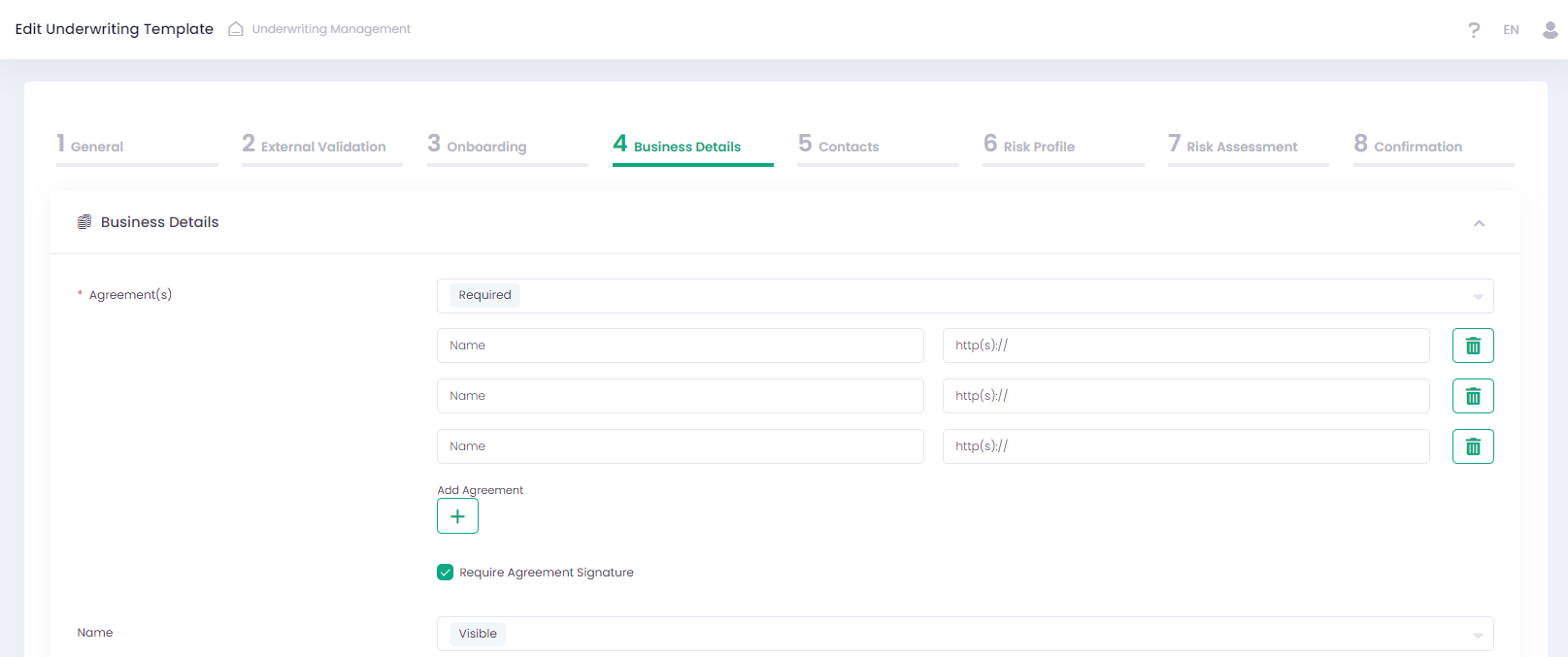
In case ’Require Agreement Signature’ is enabled in Template, a merchant must agree to the agreements and sign it in the Application form.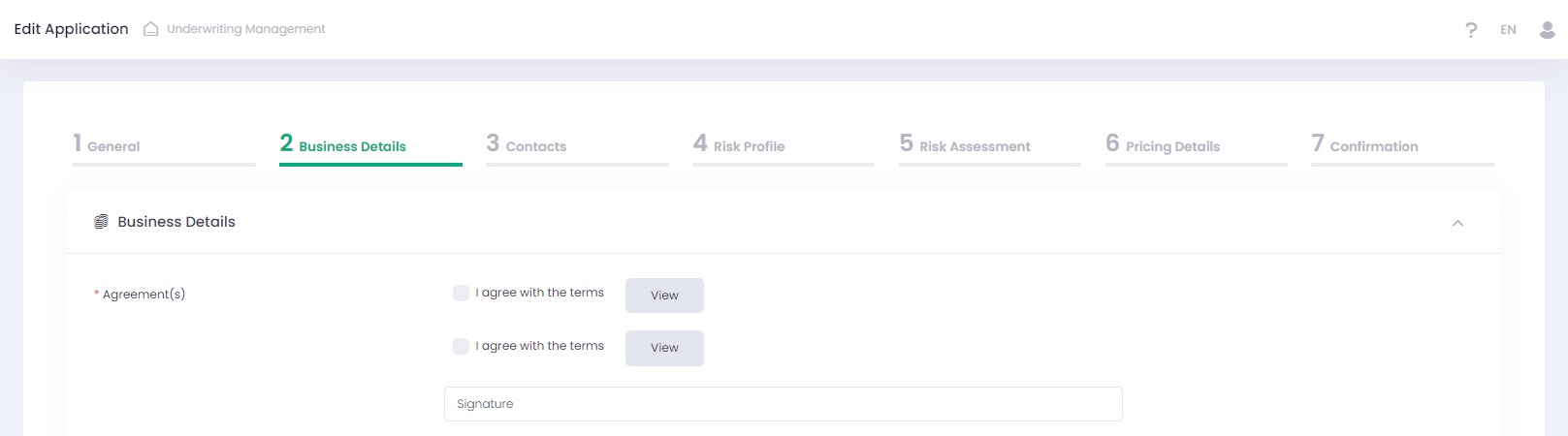
Corresponding updates were made to the Underwriting Management API, specifically within the Get Application Template and Get/Post/Put Application methods. For additional information please refer to our Developer Portal.
- Mastercard Match validation results enhancements
Now we display extended validation results for all terminated merchants and their terminated owners in Application preview details from Mastercard Match service.
- Risk Assessment Enhancements
New parameters were added to the Risk Assessment step of Template:
- to Business Financials section:
- Volume Projection (Per Account)
- Monthly Volume Projection (Per Account)
- Annual Volume Projection (Per Account)
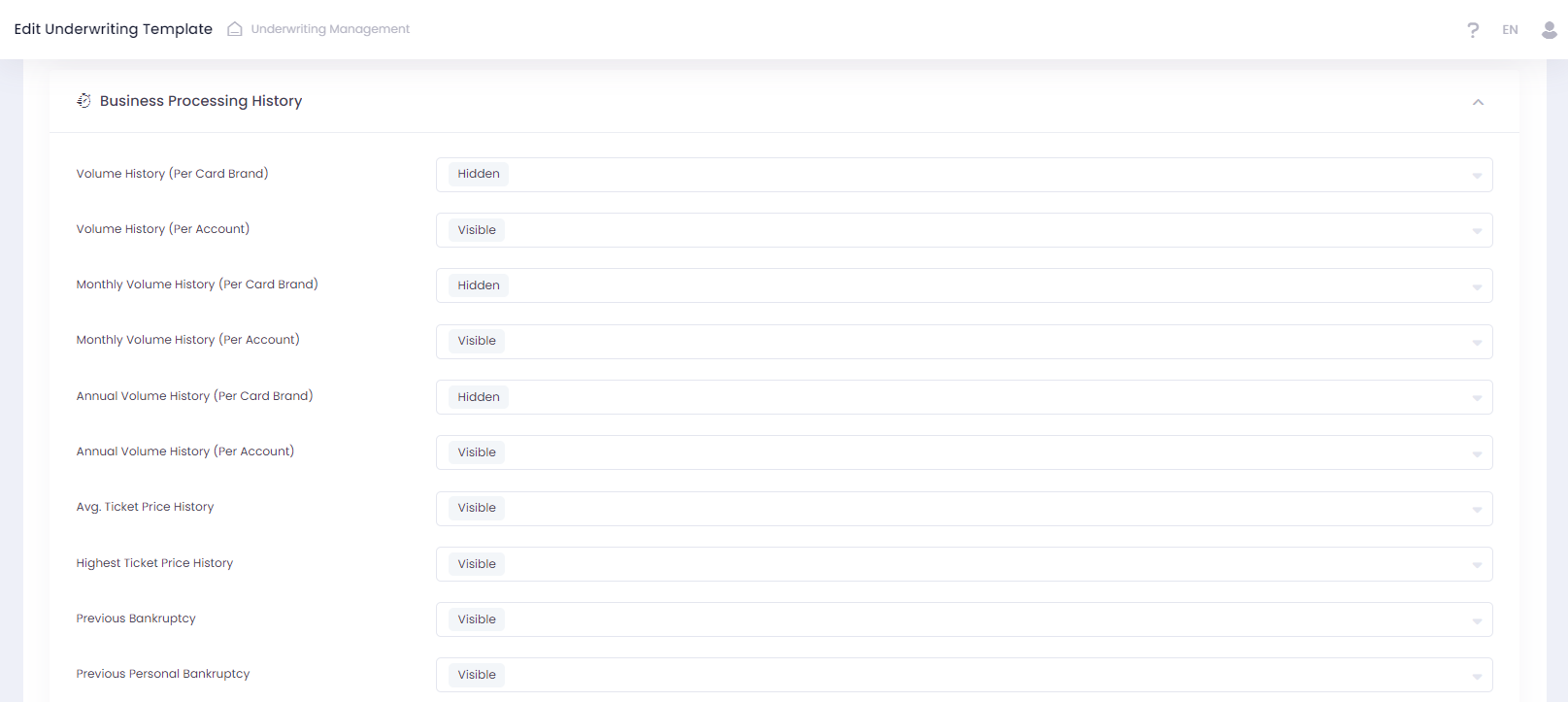
- to Business Processing History section:
- Volume History (Per Account)
- Monthly Volume History (Per Account)
- Annual Volume History (Per Account)
In addition, the naming of the existing fields of the Risk Assessment step were updated in Template:
- Volume Projection → Volume Projection (Per Card Brand)
- Monthly Volume Projection → Monthly Volume Projection (Per Card Brand)
- Annual Volume Projection → Annual Volume Projection (Per Card Brand)
- Volume History → Volume History (Per Card Brand)
- Monthly Volume History → Monthly Volume History (Per Card Brand)
- Annual Volume History → Annual Volume History (Per Card Brand)
‘Volume Projection (Per Card Brand)’ provides a detailed breakdown of transaction volumes by card type, while ‘Volume Projection (Per Account)’ offers an aggregated view of transaction volumes for individual merchant accounts.
‘Volume History (Per Card Brand)’ provides detailed historical data on transaction volumes by card type, enabling analysis of past performance and trends for each card brand. ‘Volume History (Per Account)’ offers an aggregated view of transaction volumes for individual merchant accounts, providing a comprehensive picture of each merchant’s past activity.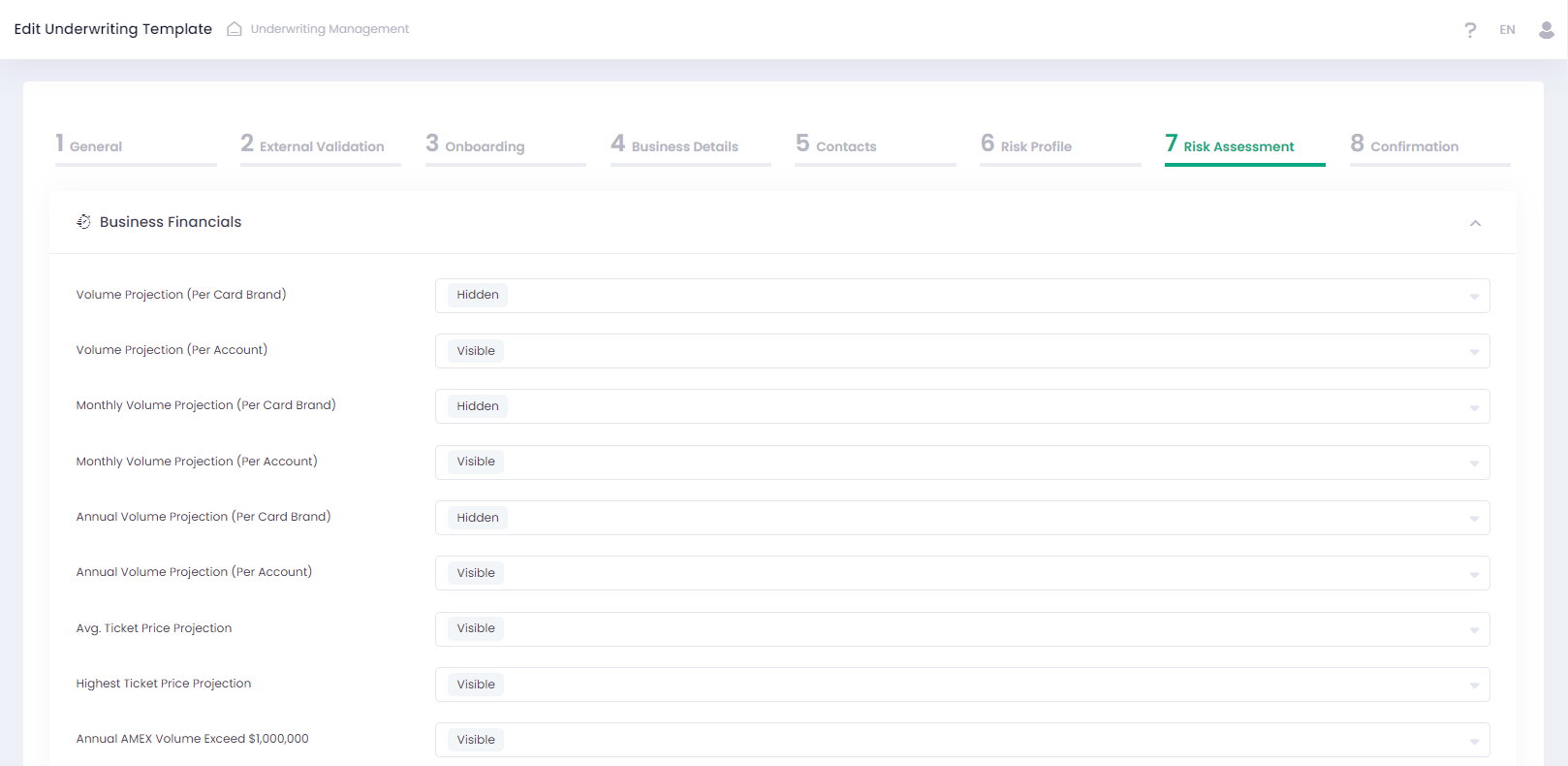
The relevant changes were made in the Application wizard and UMS Iframe. We have added new fields:
- to Business Financials section:
- Volume Projection
- Monthly Volume Projection
- Annual Volume Projection
- to Business Processing History section:
- Volume History
- Monthly Volume History
- Annual Volume History
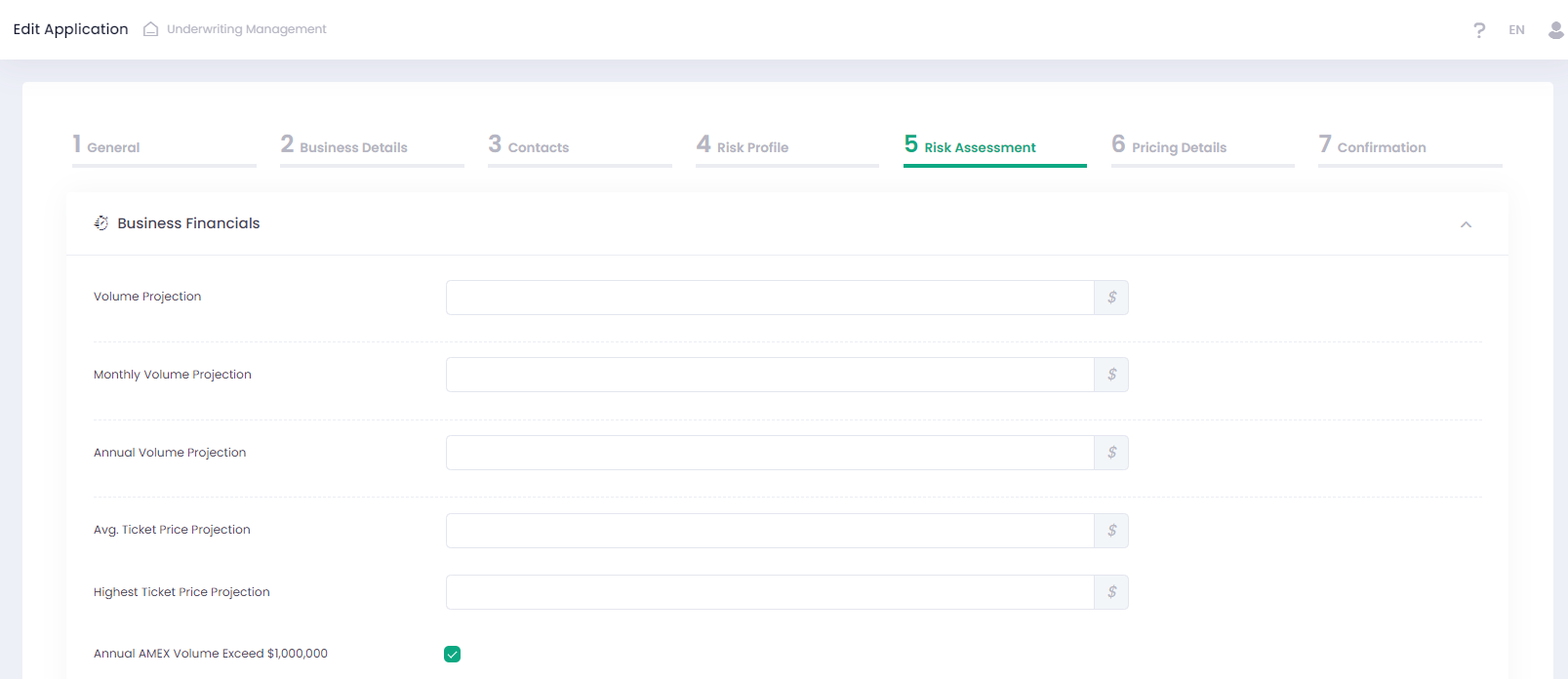
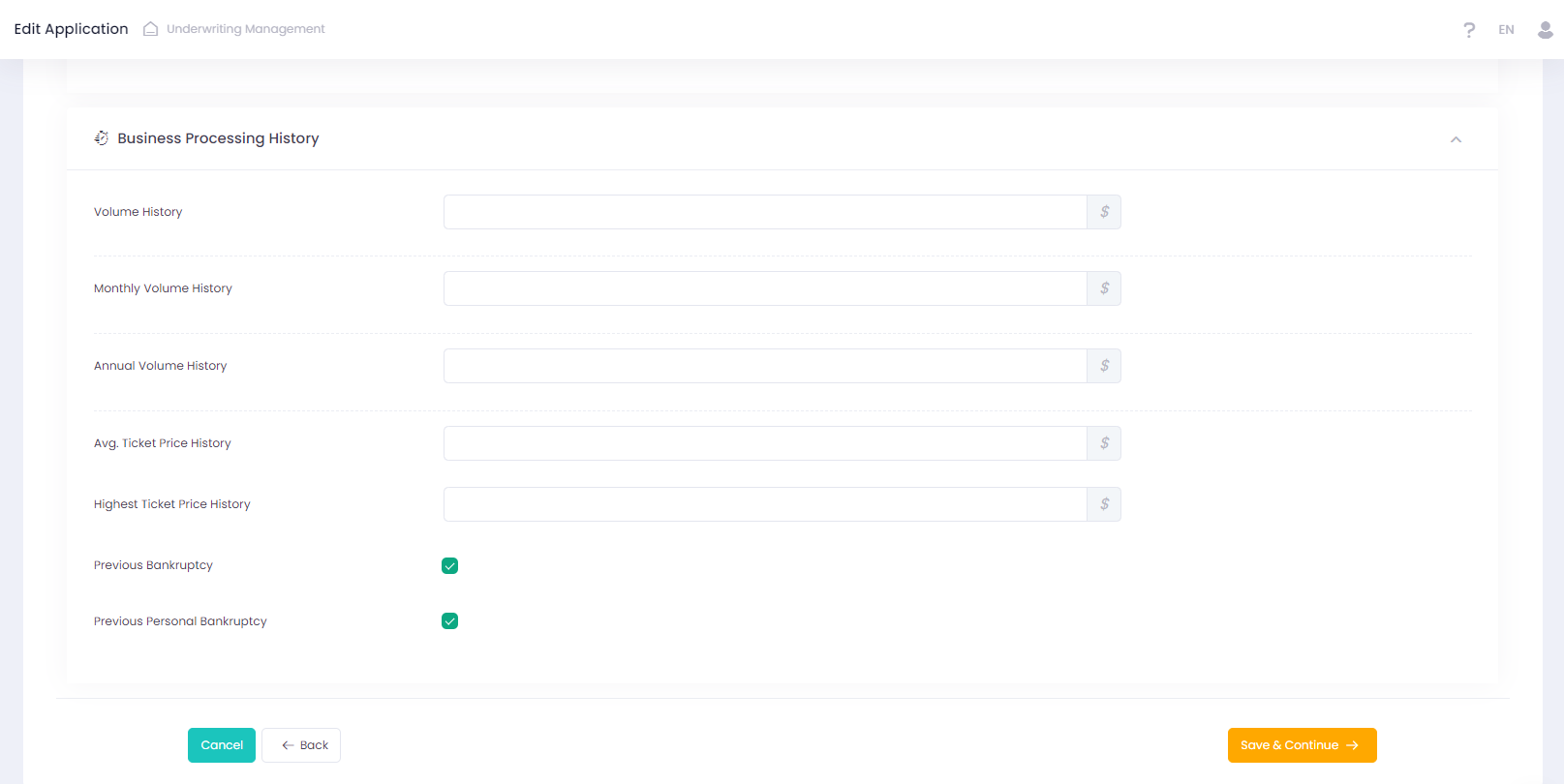
Corresponding updates were made to the Underwriting Management API. New parameters were added to Get Application Template, Get/Create/Update Application and Get/Update Application Fields Statuses:
- businessFinancials.totalVolumeProjection
- businessFinancials.totalMonthlyVolumeProjection
- businessFinancials.totalAnnualVolumeProjection
- businessProcessingHistory.totalVolumeHistory
- businessProcessingHistory.totalMonthlyVolumeHistory
- businessProcessingHistory.totalAnnualVolumeHistory
For additional information please refer to our Developer Portal.
- Banking Details changes
The following options were added to the Template wizard for the case when ‘Bank Account Type’ = ‘ACH’:
- Accept only Checking Accounts
- Lock Account Holder Name as Business Legal Name
- Accept only Business Entity Type
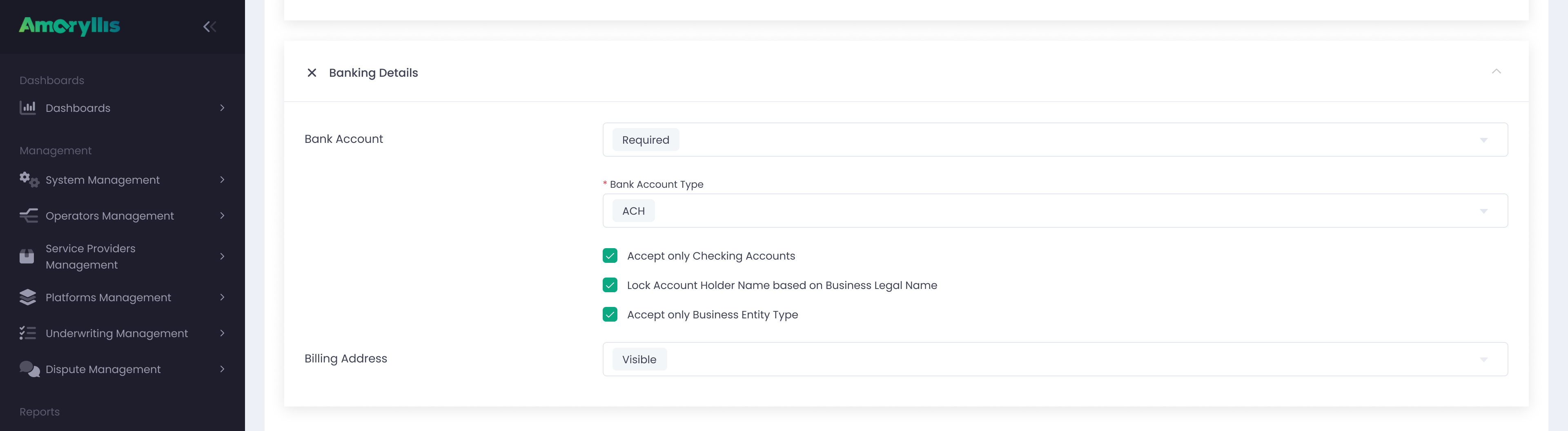
When ‘Accept only Checking Accounts’ and ‘Accept only Business Entity Type’ are enabled at the Template level, the ‘Account Type’ and ‘Entity Type’ fields in the Application will each have only one available value: ‘Checking’ for ‘Account Type’ and ‘Business’ for ‘Entity Type.
Enabling ‘Lock Account Holder Name as Business Legal Name’ ensures that the ‘Account Holder Name’ is pre-filled with the value of ‘Business Legal Name’ in the Application. It is recommended that the rest of the banking details fields be filled with business data rather than personal data.
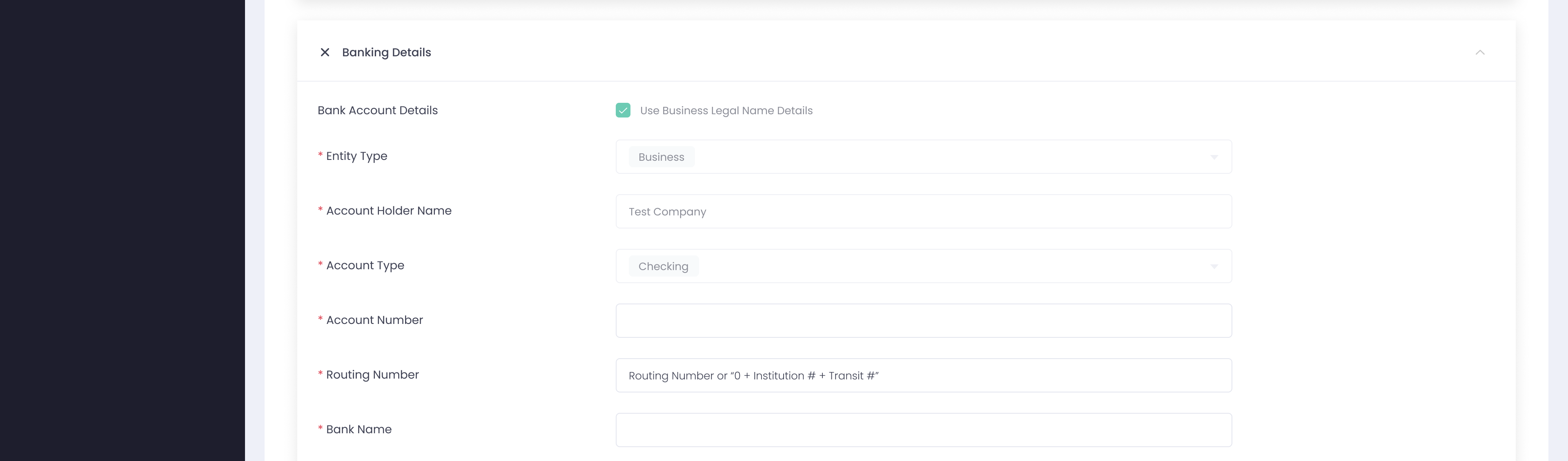
The relevant changes were made in Get Application Template method in the Underwriting Management API for the case when bankAccountType=ACH.
Banking Details were added to Get Application response json for the Applications validated by PLAID service. For additional information please refer to our Developer Portal.
- Resubmission Iframe changes
Now all declined fields from the Application are required in the Resubmission Iframe page.