UMS Enhancements
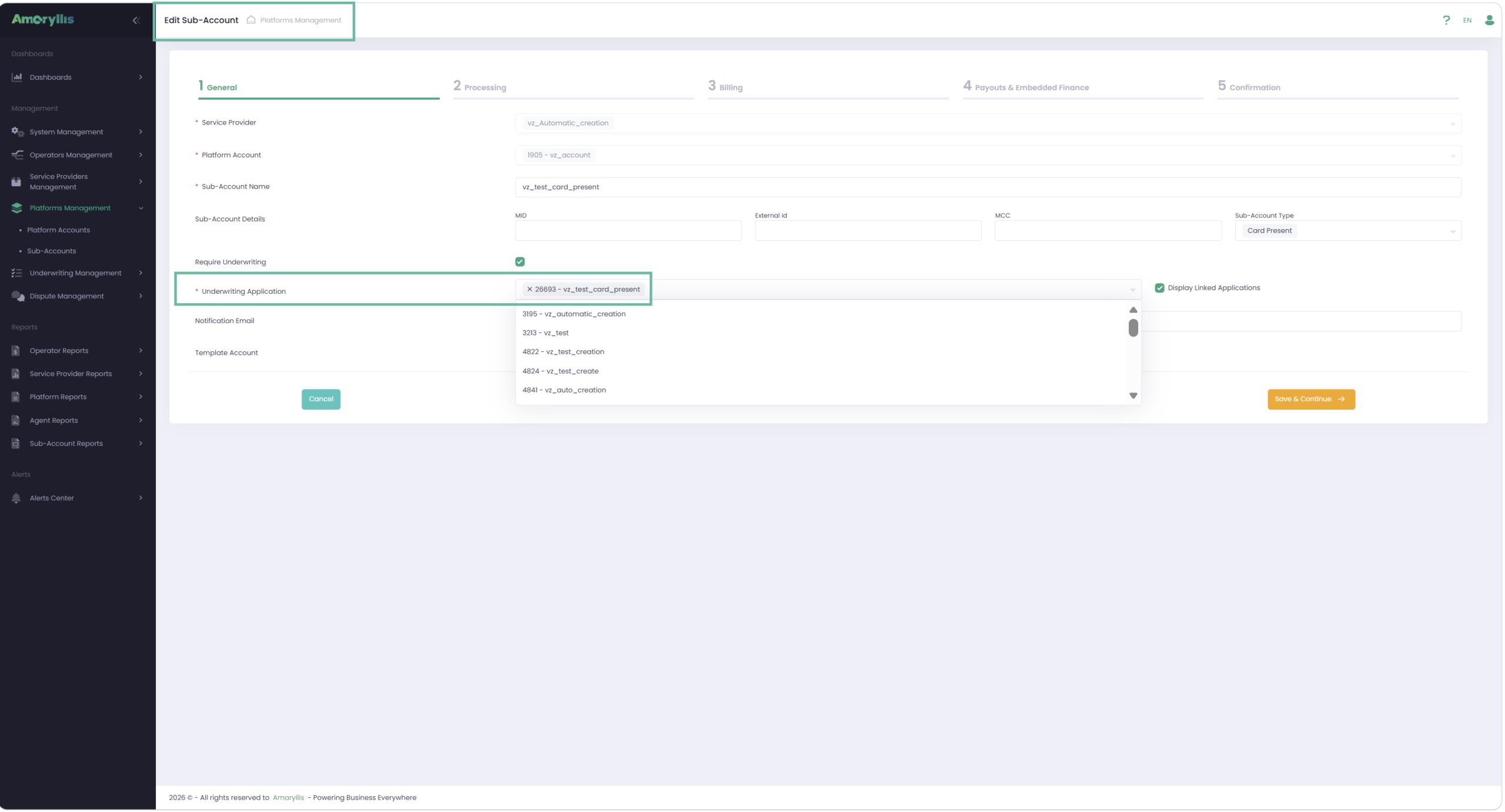
Add Interchange Fees to Application Pricing Details
Implemented the ability to view Interchange Fees in UMS Application Pricing Details.
To make Interchange Fees available in the Application, corresponding settings must be configured on the Service Provider, Sub-Account, and UMS Template levels.
Interchange Fees are displayed in Application → Pricing Details when the following conditions are met:
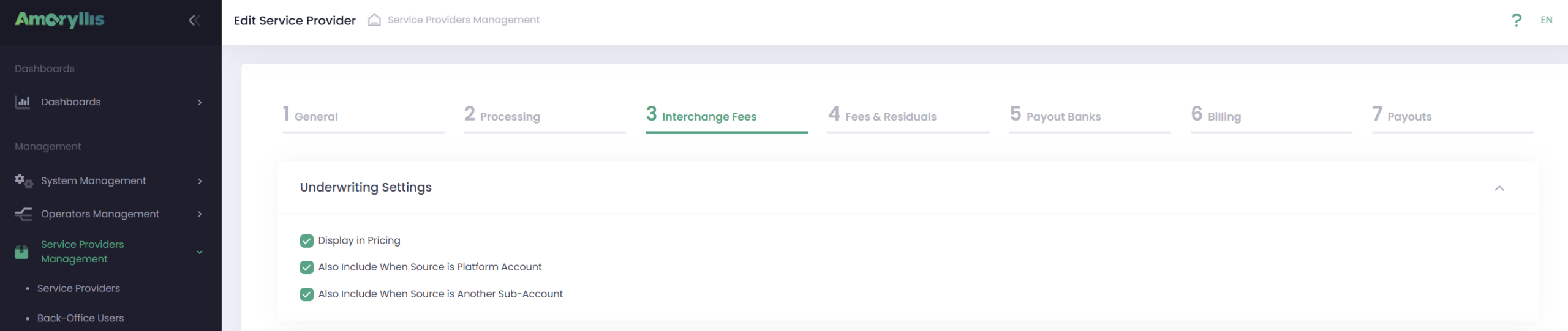
Service Provider level:
- Relevant Interchange Fee display controls are enabled
- Display options for Platform Account or Another Sub-Account sources are configured and enabled
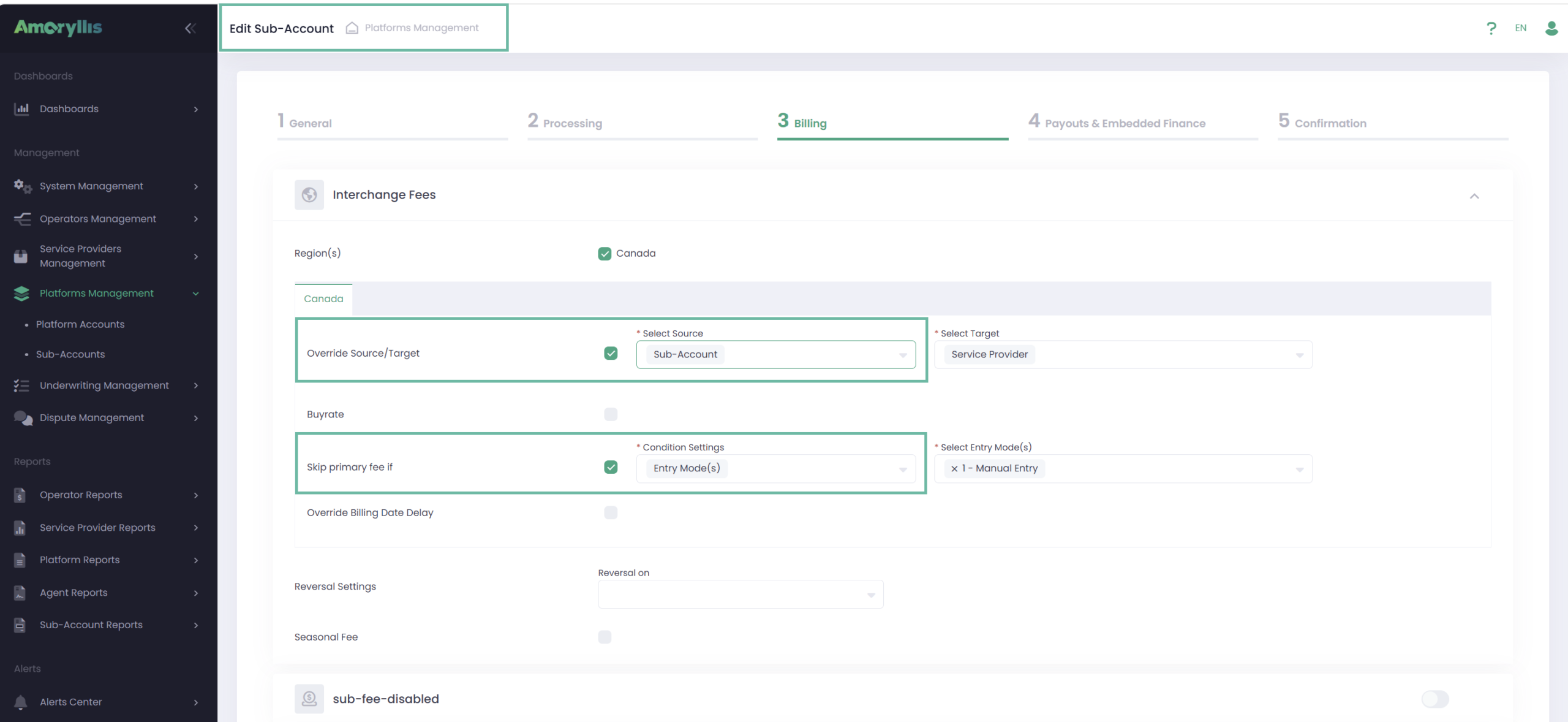
Sub-Account level:
- IC Fee is activated on the Billing tab
- “Skip Primary Fee” condition is not set to “Always”
- Override Source/Target is configured as:
- Sub-Account
- Platform Account or Another Sub-Account (when relevant display controls are enabled on the Service Provider level)
UMS Template level:
To display Pricing Details in the Application, enable the Pricing Details switch and select “Display Pricing Details”.
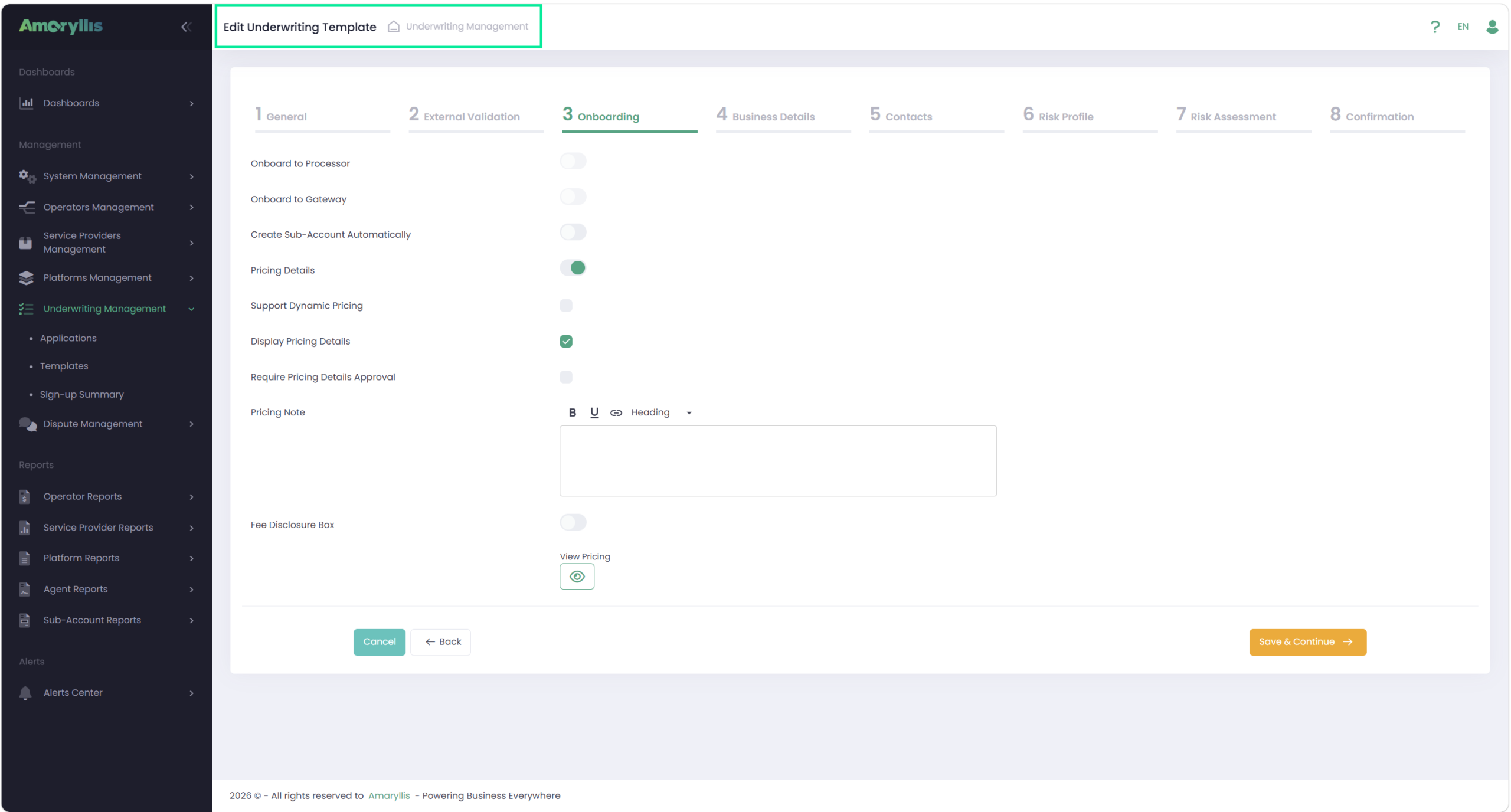
As a result, Interchange Fees are displayed in Pricing Details within Templates and Applications.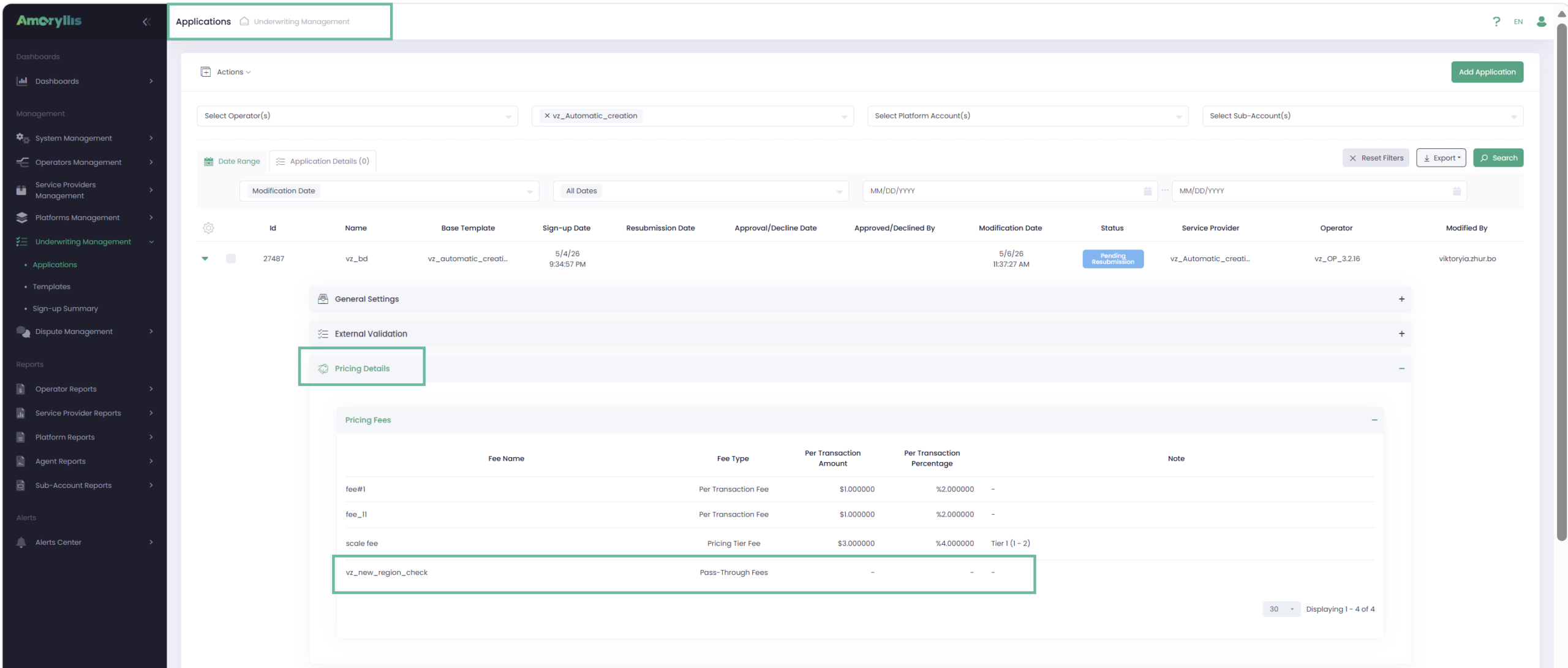
- These updates have also been applied to the Pricing Details API and Application PDF form. For more details, please refer to our Developer Portal.
Language Selection for UMS Application
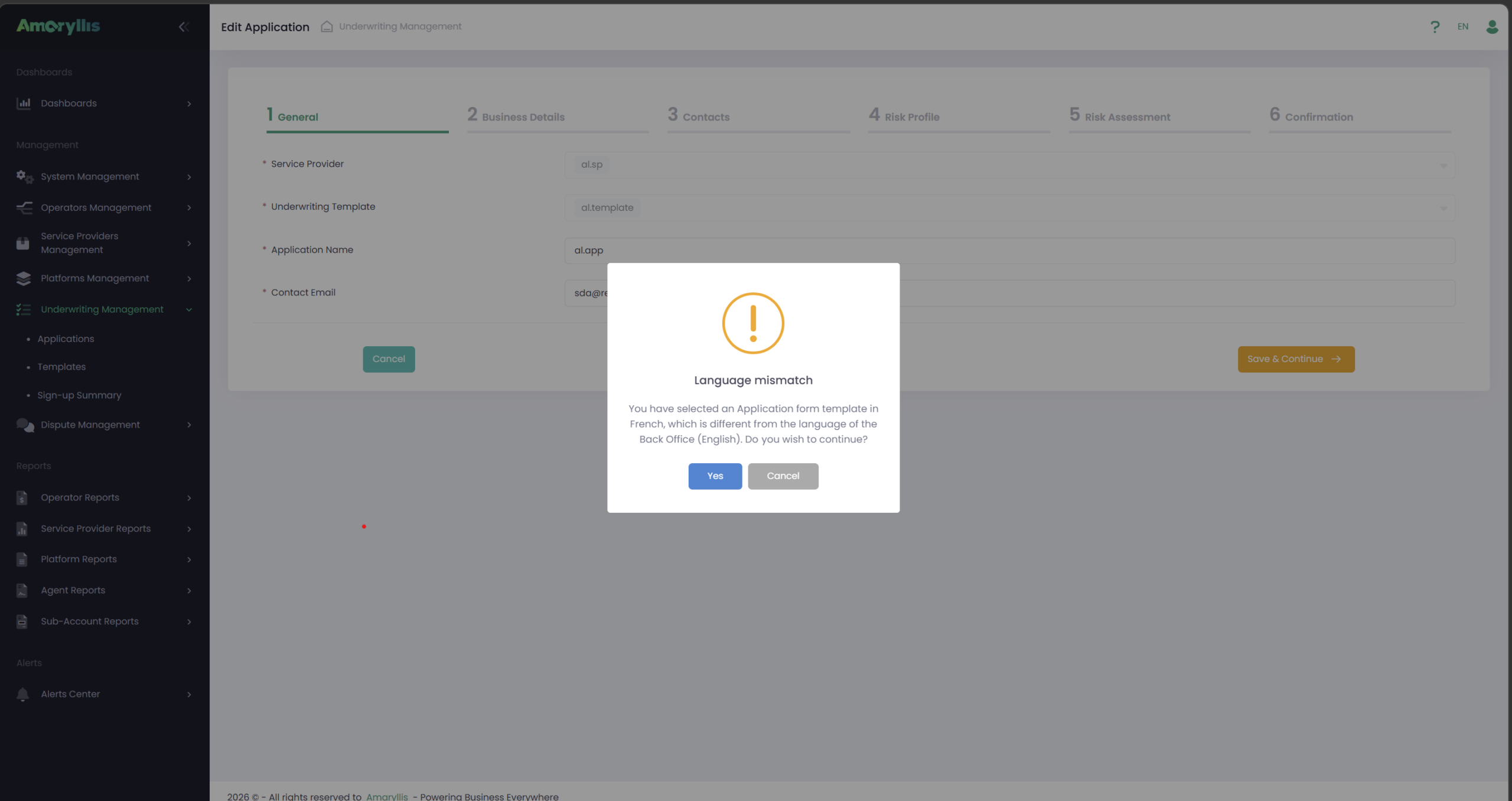
To provide customers with the ability to work in different languages, language selection configuration has been implemented on the UMS Template level.
This configuration defines the language in which UMS Application form will be displayed, Email notifications will be received, and Application PDF forms will be generated.
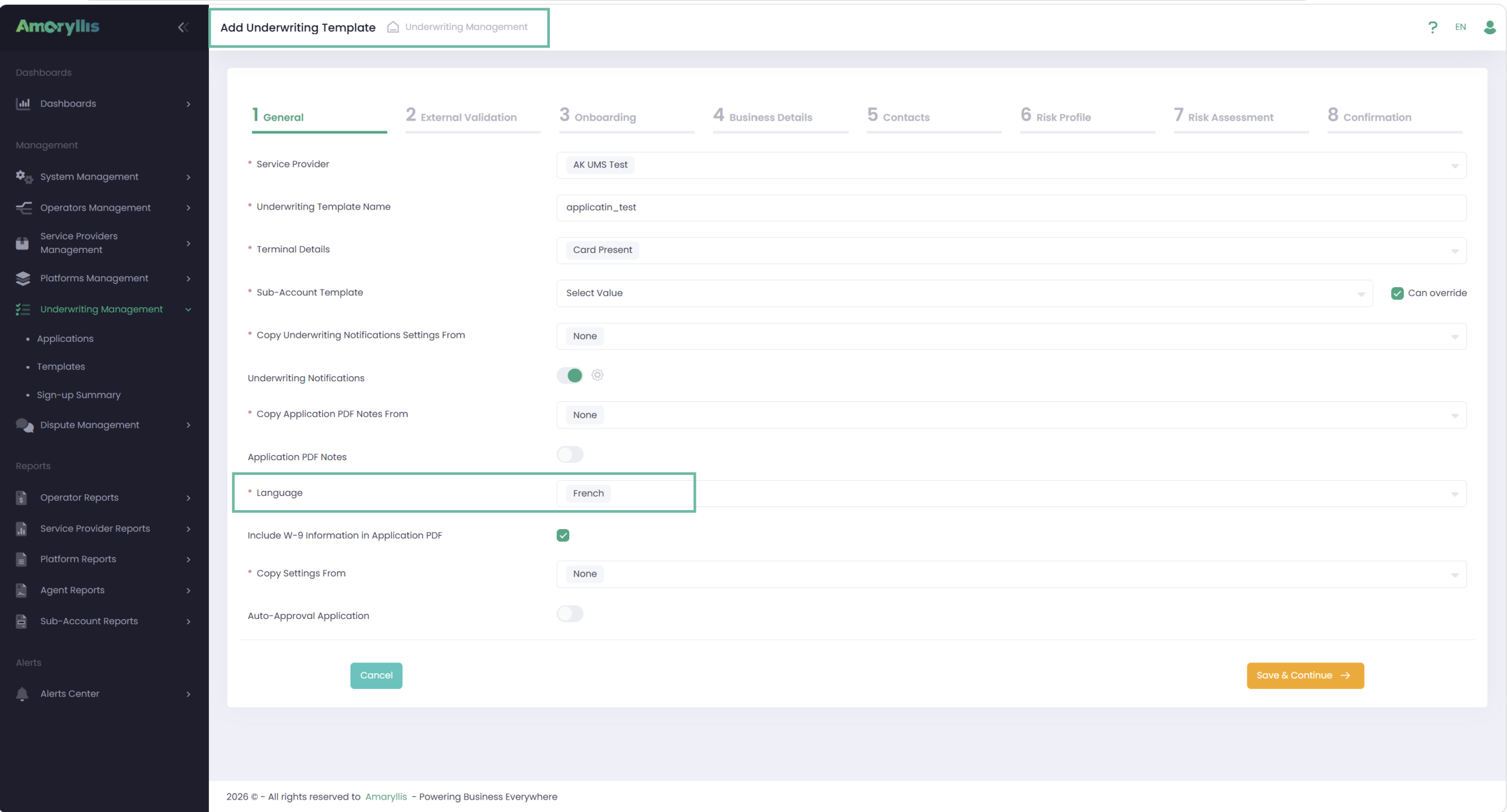
If the selected Template language differs from the current Back Office language, the system will ask to confirm whether they want to continue working with the UMS Application Form in the UMS Template language.
Selecting Cancel keeps the Back Office and UMS Application Form in the previously selected Back Office language.
Selecting OK switches, the Back Office interface, and the UMS Application form to the language configured in the selected UMS Template language.
Added Language Selection for UMS Email Templates
To support Email Templates generation in different languages, language configuration has been implemented on the UMS Email Templates.
This functionality is currently available for UMS Templates, with plans to extend language support to additional Email template categories in future.
The language in which Email notifications will be received is configured in the UMS Template settings.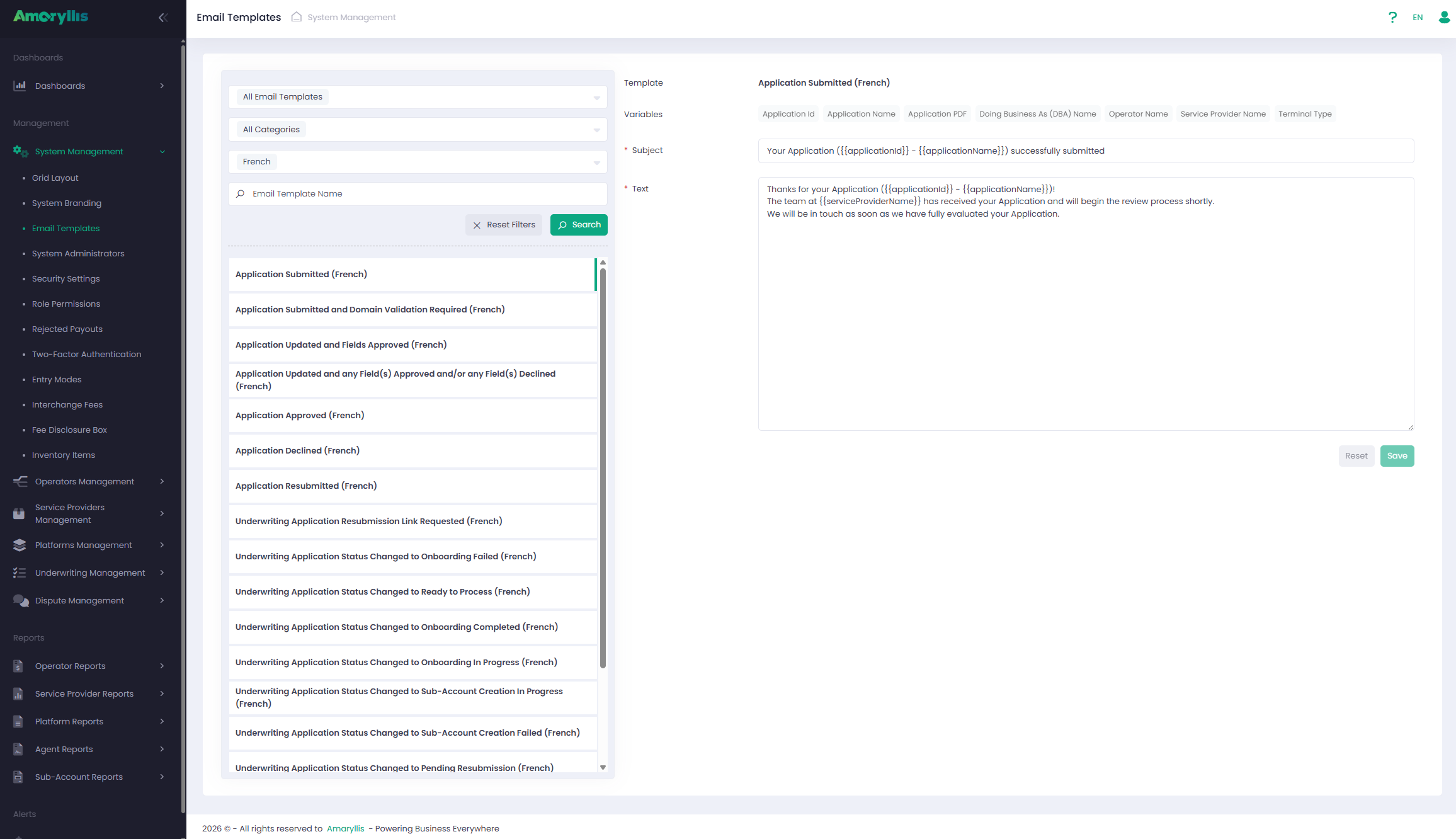
New UMS Application settings
Added new configuration options in UMS Templates and Applications:
- Accept Visa Debit / Mastercard Debit
- Accept Interac Cards
Updated the Onboarding API, Application PDF form.
For details, please refer to the Developer Portal.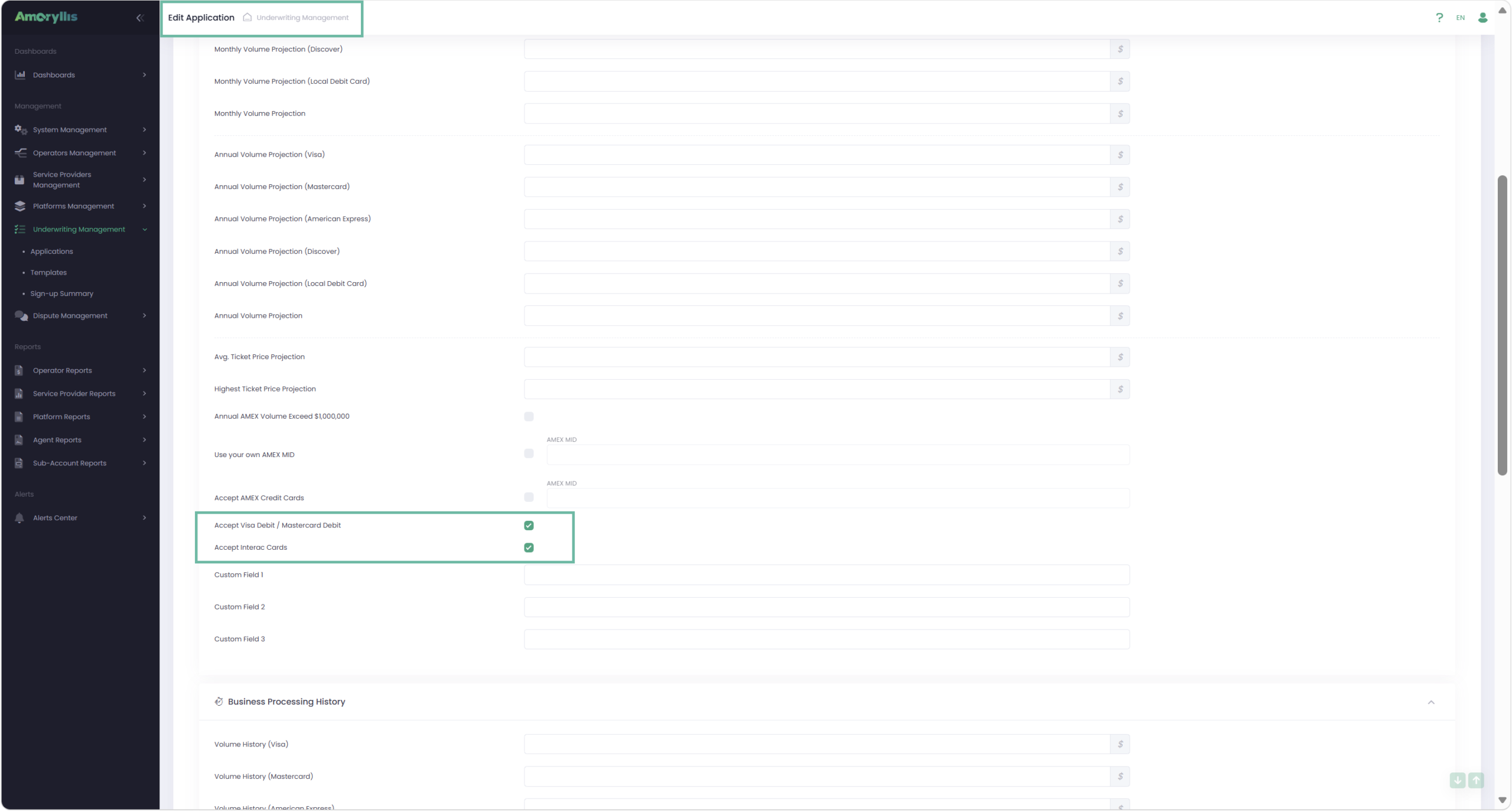
ZIP code validation enhancements
Enhanced Onboarding API ZIP code validation logic to support ZIP/postal codes containing spaces.
Address lookup results are now correctly returned for matching ZIP/postal codes regardless of spacing format.
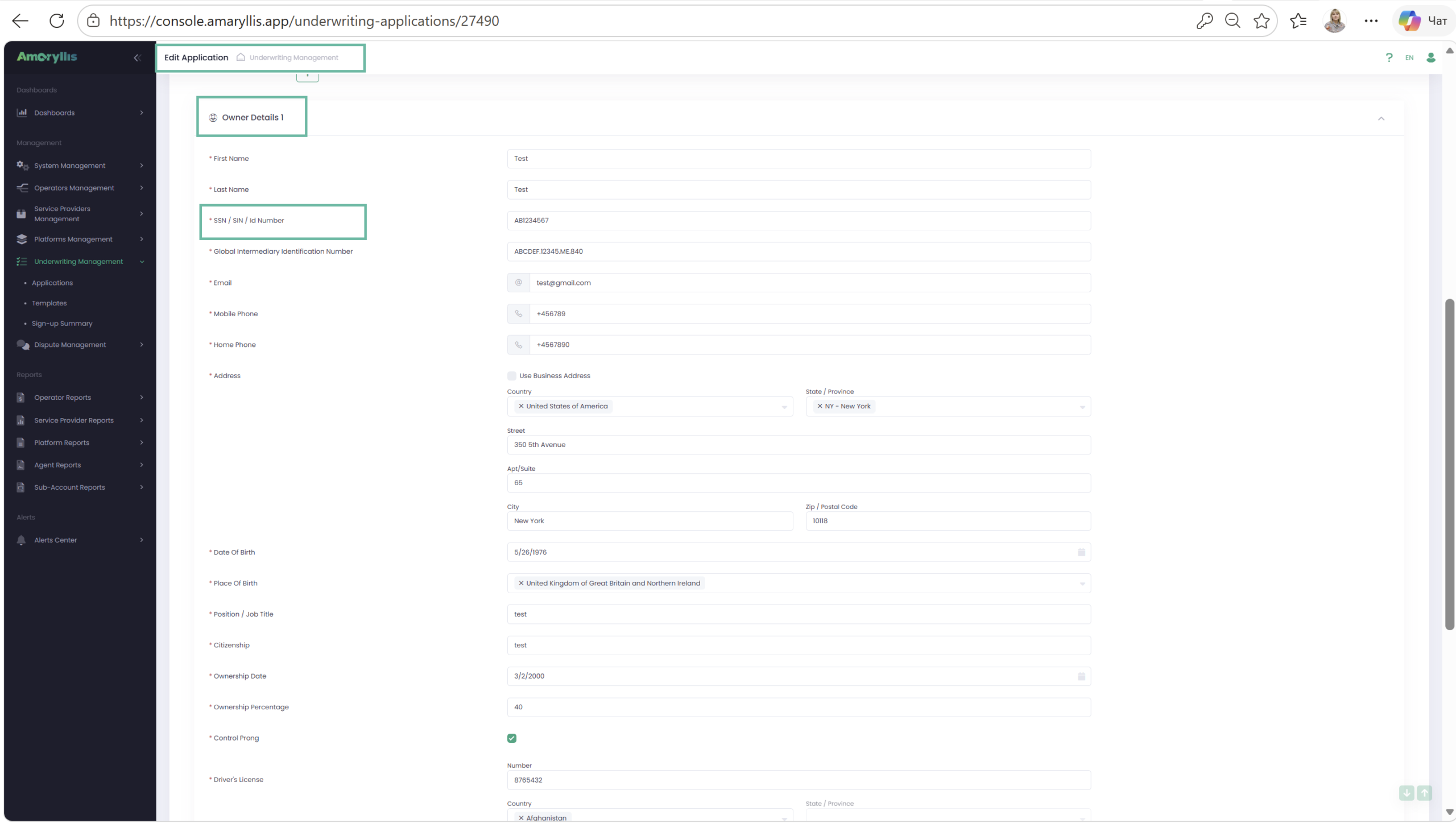
UMS – Updated Address and Owner Details Labels
These updates improve support for Merchants from different countries by using more region-specific have been updated address field labels across the Back Office from:
- “State” → “State / Province”
Updated Owner Details labels in UMS forms from:
- “SSN / National ID Number” → “SSN / SIN / ID Number”
The updated labels are also reflected in the Application PDF.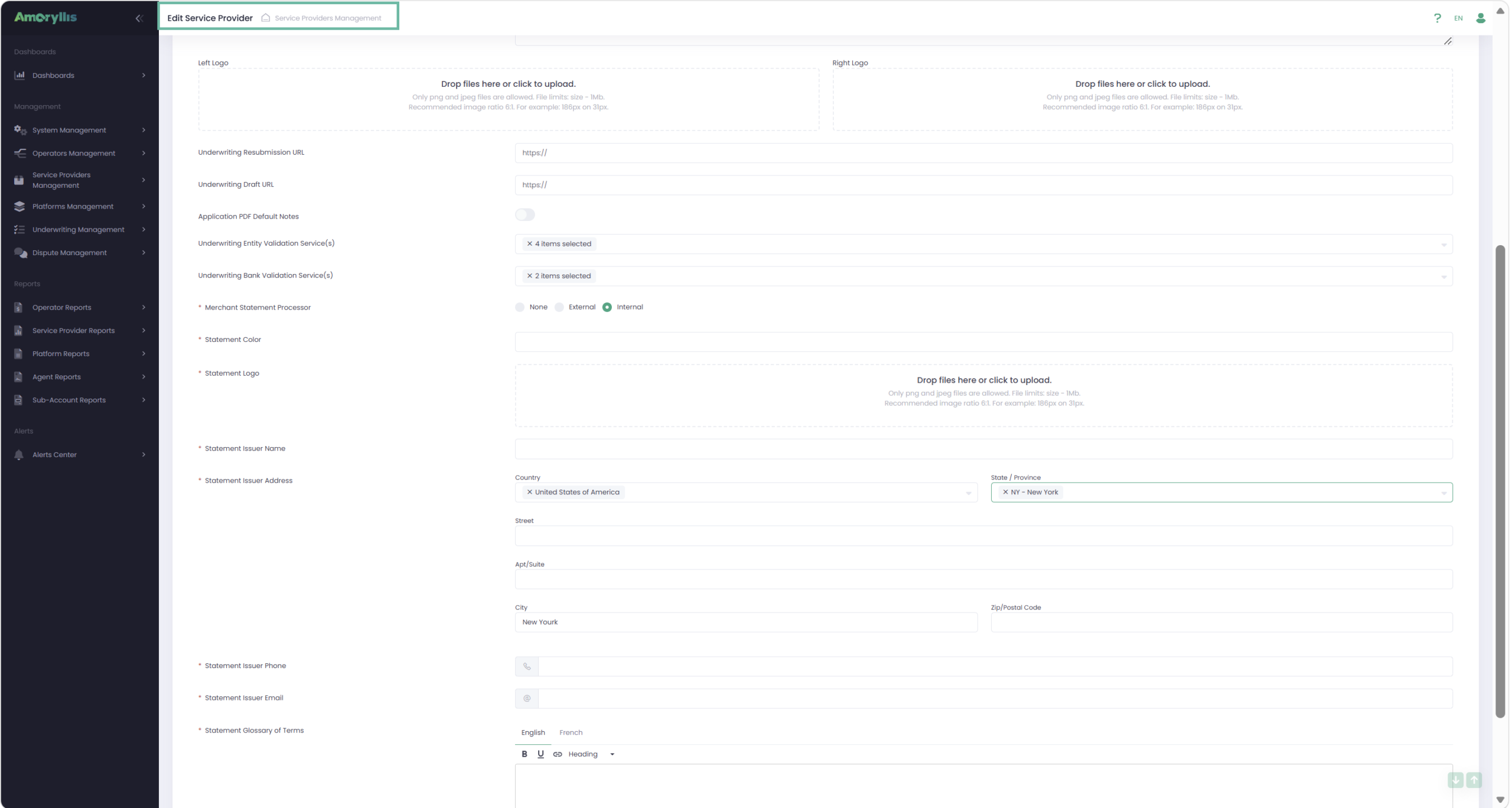
UMS Application enhancements
Application ID is now displayed together with the Application Name in key selection fields.
This makes it easier to identify and select the correct Application when working with Sub-Accounts and Linked Applications.