New: Per-Transaction Amount Limits
Transaction Limits: Overview and Setup Instructions
We’ve introduced a new feature that allows to set an amount limit for each individual transaction. This feature helps reduce risk by controlling transaction amounts automatically.
The system now supports setting transaction amount limits based on transaction type and credit card type (for credit card transactions only). If a transaction in processing mode exceeds the configured amount limit, the system will automatically decline it.
Additionally, for ACH transactions, the user can now specify whether transactions using savings accounts should be declined.
Transaction Limits configuration is available for:
- Configure transaction limits policy at the Service Provider level. To do this:
- Navigate to the Service Providers page and select the desired service provider.
- select the Transaction Limits action and then click on the Add Transaction Limit button.
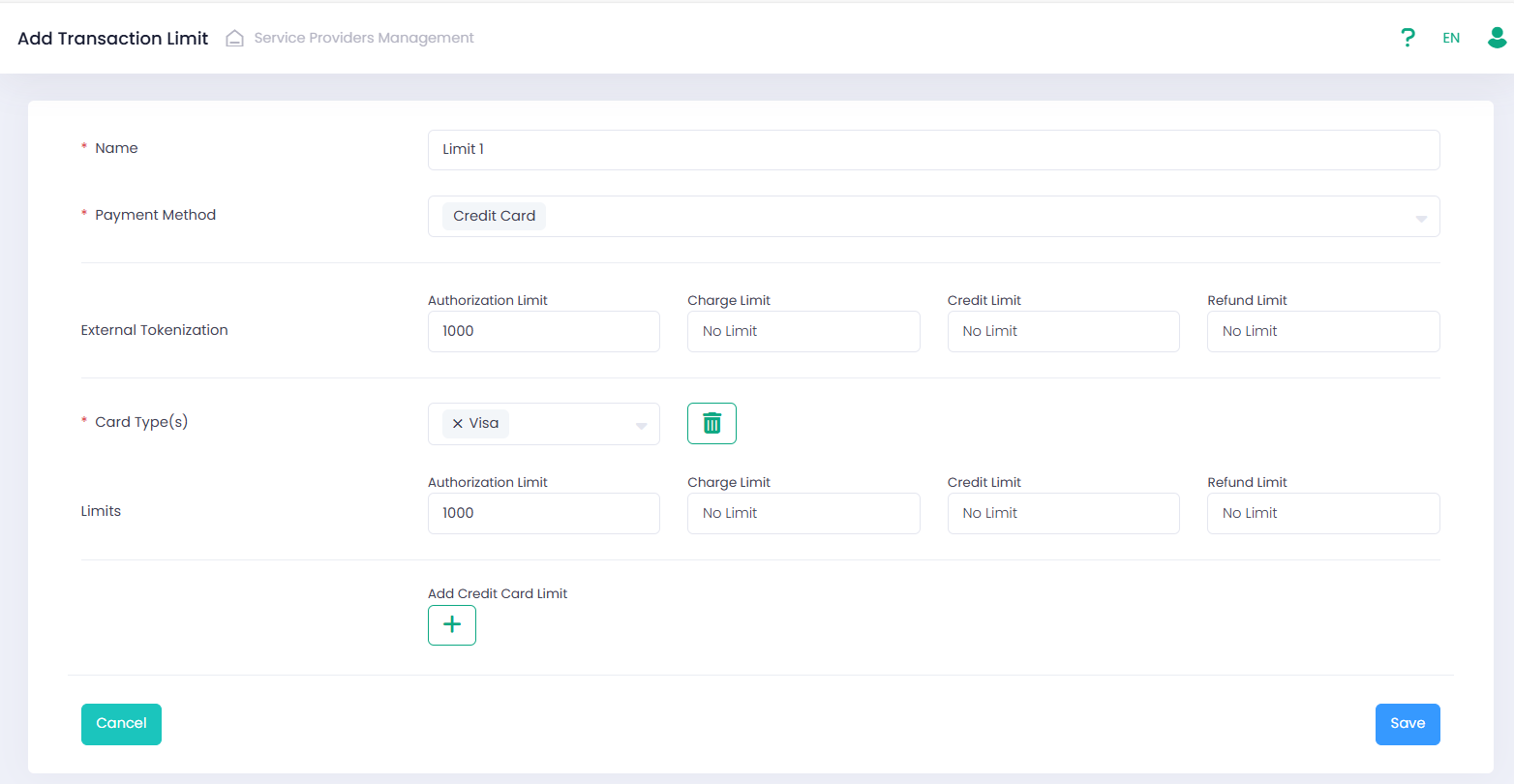
- fill in all the necessary fields, including:
- Name;
- Payment Method (further limit configuration depends on the selected payment method);
- Limits:
- for Credit Card transactions limits are configured per card type and transaction type. Additionally, the System allows to configure limits for transactions with external tokenization. Thus, if a transaction is processed using external tokenization, the limits configured for external tokenization will apply.
- for ACH transactions limits are configured per transaction type only.
- For ACH transactions – option to decline transaction when a savings account is used.
The transaction limit value applies across all currencies. For example, if a limit of 1000 is set, the transaction amount must not exceed 1000, regardless of the currency used.
- Link configured Transaction Limit to the Sub-Account in the Sub-Account wizard, Processing step, by selecting the desired Transaction Limit in the Transaction Limit field of Credit Card or ACH configuration.
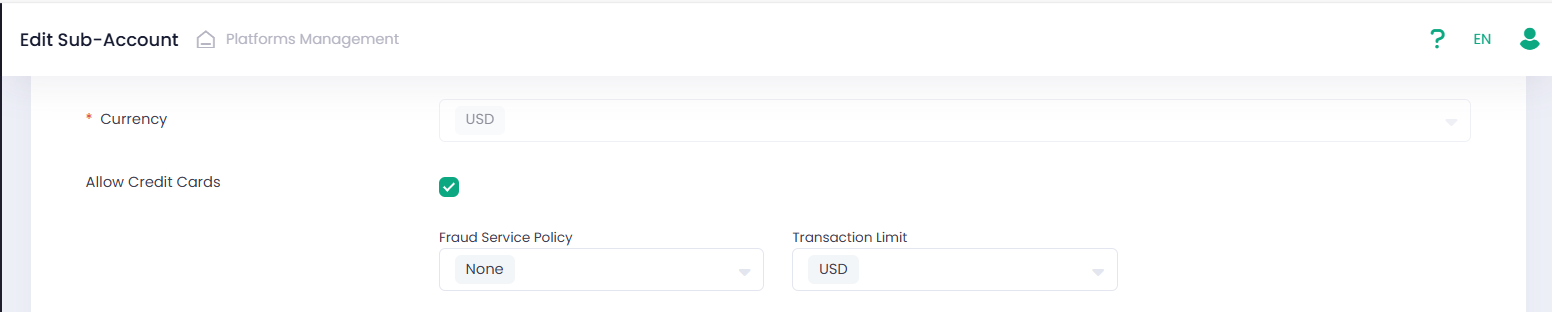
After a transaction limit is configured for a Sub-Account, the system will validate the amount of relevant transactions, and for ACH transactions also verify the account type.
- If the transaction amount exceeds the limit configured for its type and credit card type, the system will decline the transaction with the reason code: 10705.
- If a savings account is specified in the ACH transaction and it is not allowed according to the configured limit, the system will also decline the transaction with the reason code: 10706.
Management API updates
A new optional parameter, transactionLimitsPolicyId, has been added to the Credit Card and ACH objects.
For additional information please refer to our Developer Portal.