Pricing Tier Fee (formerly known as Scale Range Fees) Enhancements
Users can now configure count ranges in alignment with amount ranges. This enables commission values to depend on cumulative transaction amounts or counts. We’ve introduced a new field, “Fee Counter Settings,” for Pricing Tier fee configuration. Buyrates and split fees volume per configured range can also be defined, ensuring precise fee management tailored to your business needs.
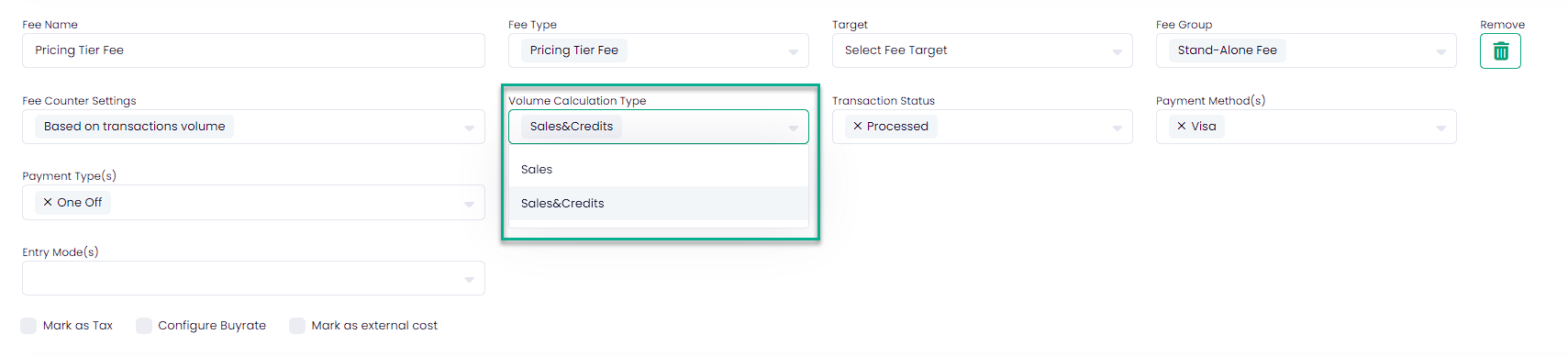
When “Fee Counter Settings” is set to “Based on transaction volume,” relevant transaction types must be defined. To do this, you should use the “Volume Calculation Type,” which groups transaction types relevant to the Pricing Tier Fee when “Fee Counter Settings” is set to “Based on transaction volume.” Transaction types have been grouped to prevent misconfiguration during fee setup.
- Sales include the following transaction types: Charge, Capture, Partial Capture.
- Sales & Credits include the following transaction types: Charge, Capture, Partial Capture, Partial Refund, Refund, Cancel, Credit.

Users can also define Buyrates and split fees volume per configured range (pricing tier).
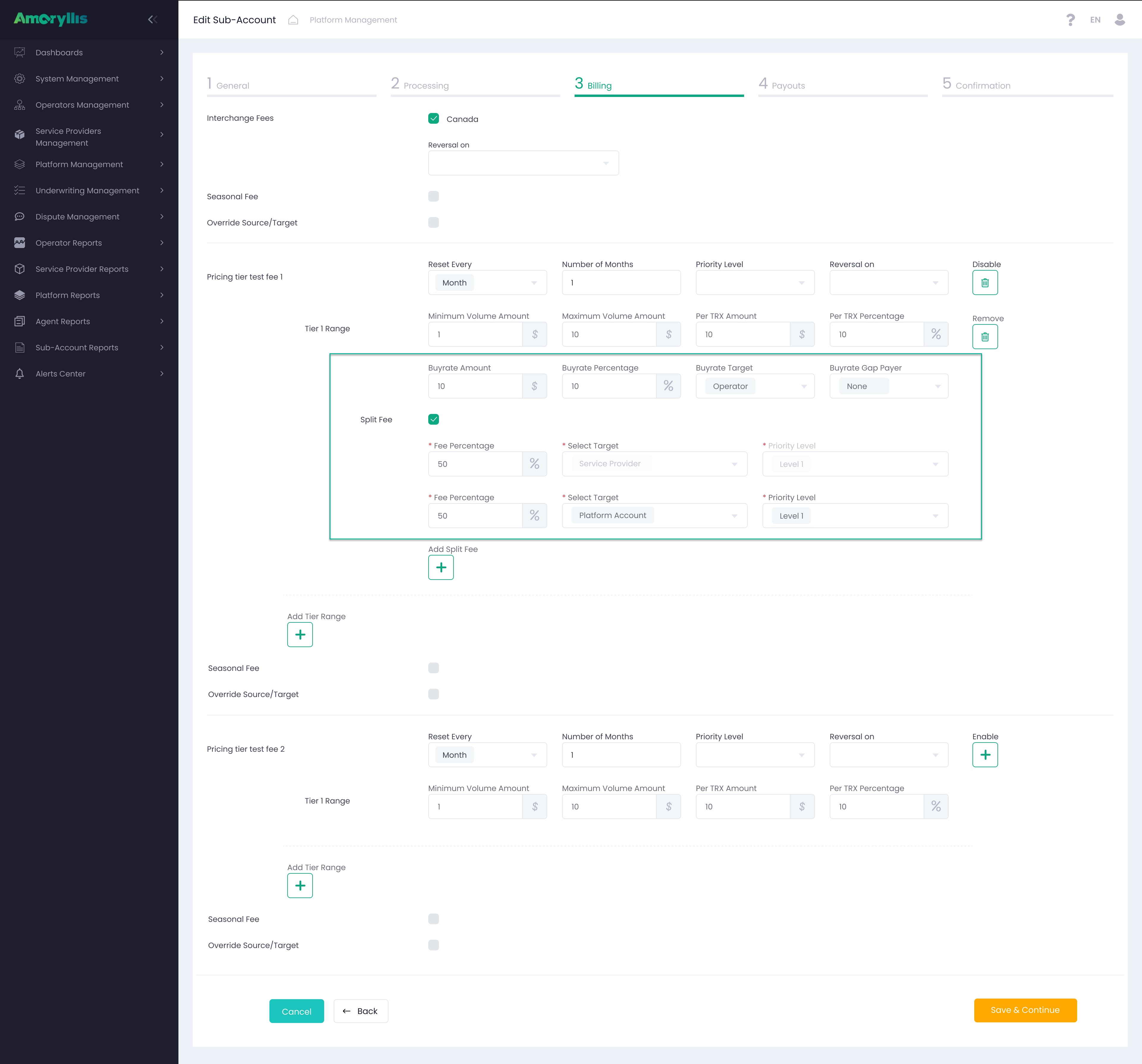
Split and Buyrate for ranges in the Pricing Tier fee can be defined in BackOffice and Management API (via Get/POST/PUT methods).