UMS Enhancements
PLAID validation configuration update
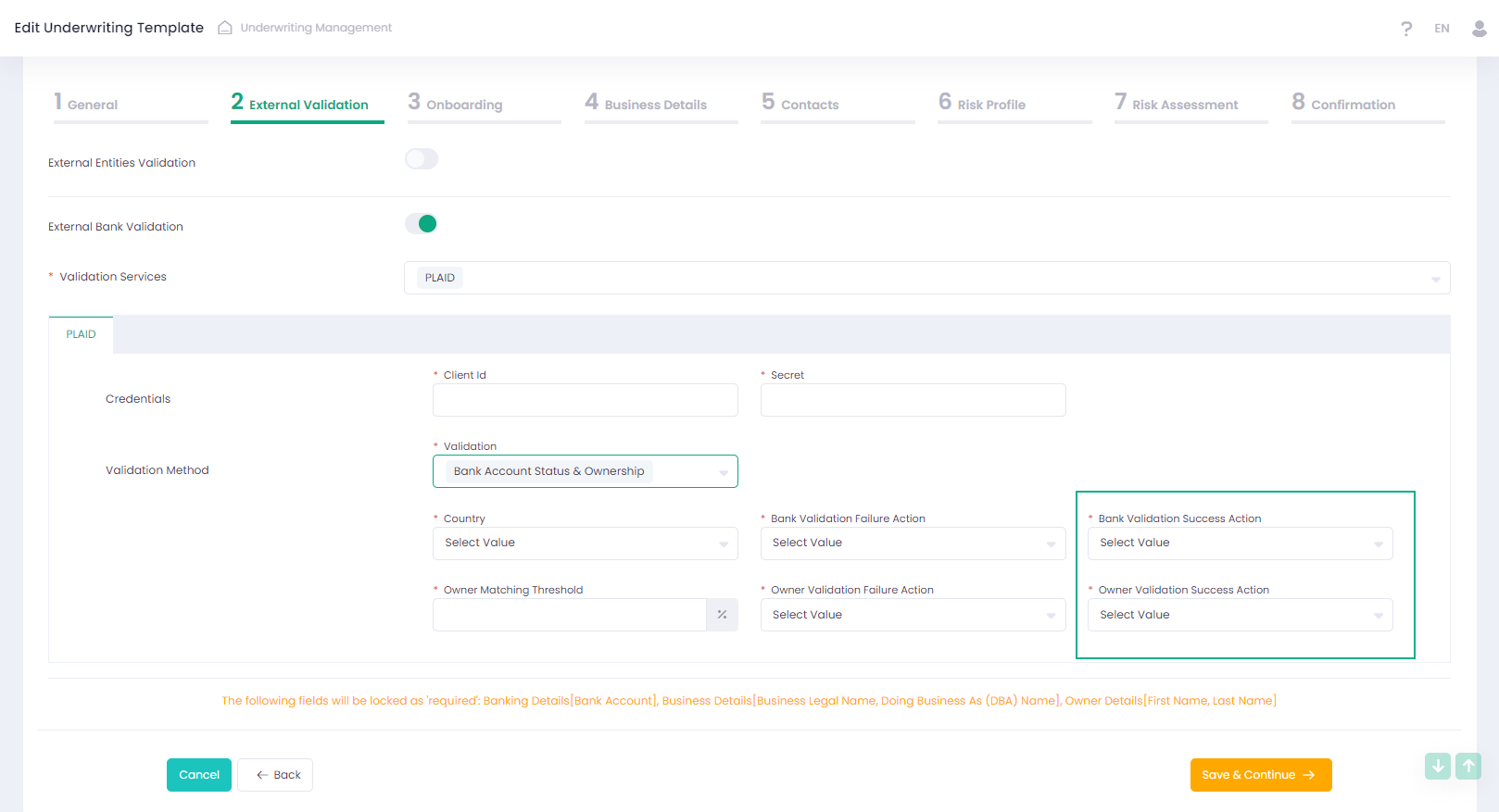
We added two new controls to PLAID validation configuration. Now it is possible to set ‘Bank Validation Success Action’ and ‘Owner Validation Success Action’ when configuring ‘Bank Account Status & Ownership’ validation.
Added credentials section to PLAID and TinCheck settings
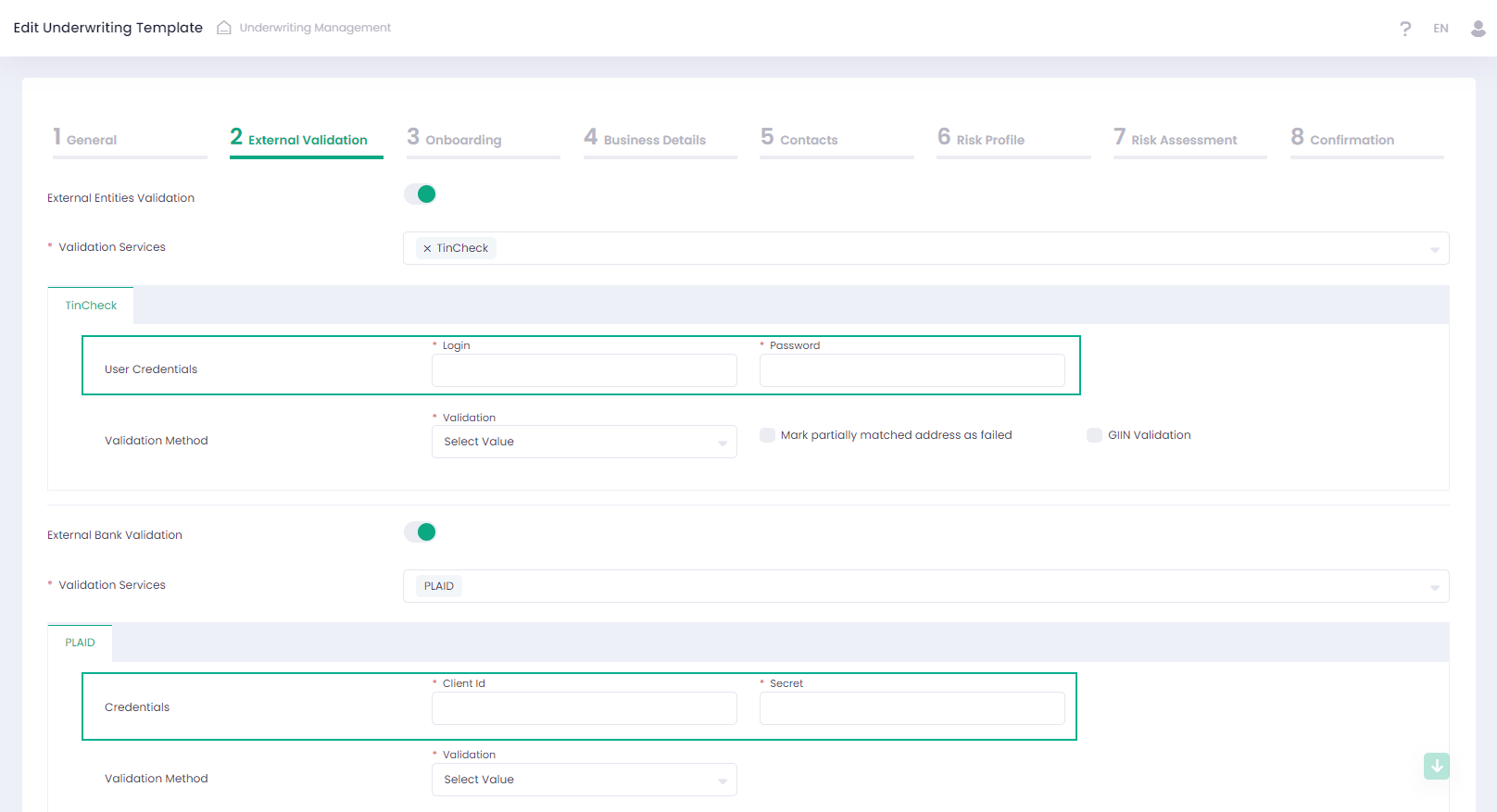
Now access to PLAID and TinCheck validation services can be configured in the Template wizard.
Create a User Automatically
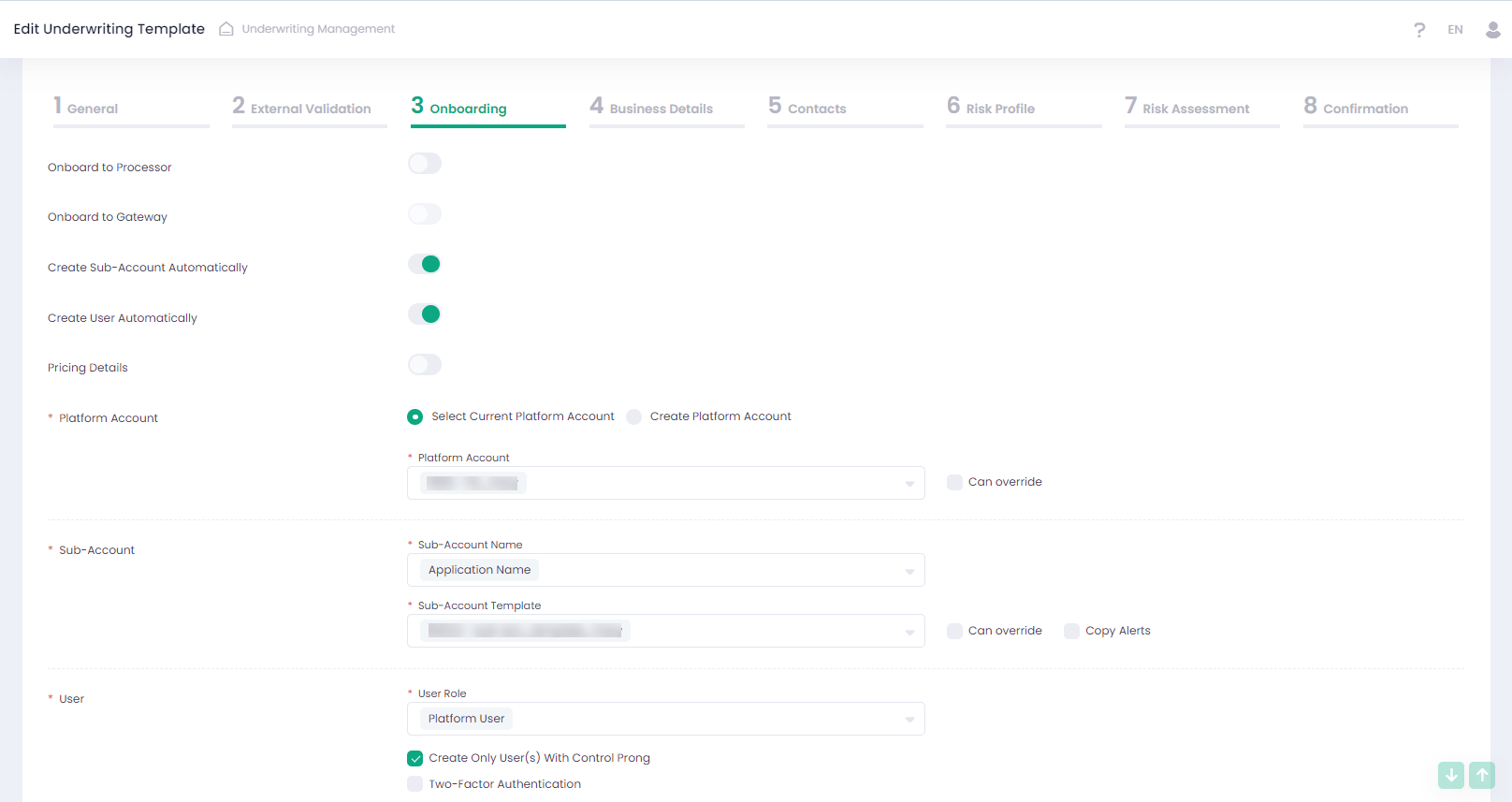
New functionality was added to the Onboarding step of the Template wizard. Now it’s possible to configure automatic Back-Office user creation as a part of automatic Sub-Account creation. Automatic user creation is available for user roles Platform User or custom user role. New users can be created either for each Owner of the Application, or for those who are marked as ‘Control Prong’. Once created, the system automatically sends an email with temporary credentials to each new user. After successful user creation, data about the new user can be found on the Back-Office Users page.
File format limitation
It is now possible to configure the file formats that will be available for uploading, to each document field specifically. In the Template Wizard, we have added a drop-down list for each document field with the following available formats:
- doc
- docx
- txt
- xls
- xlsx
- csv
- png
- jpg
- jpeg
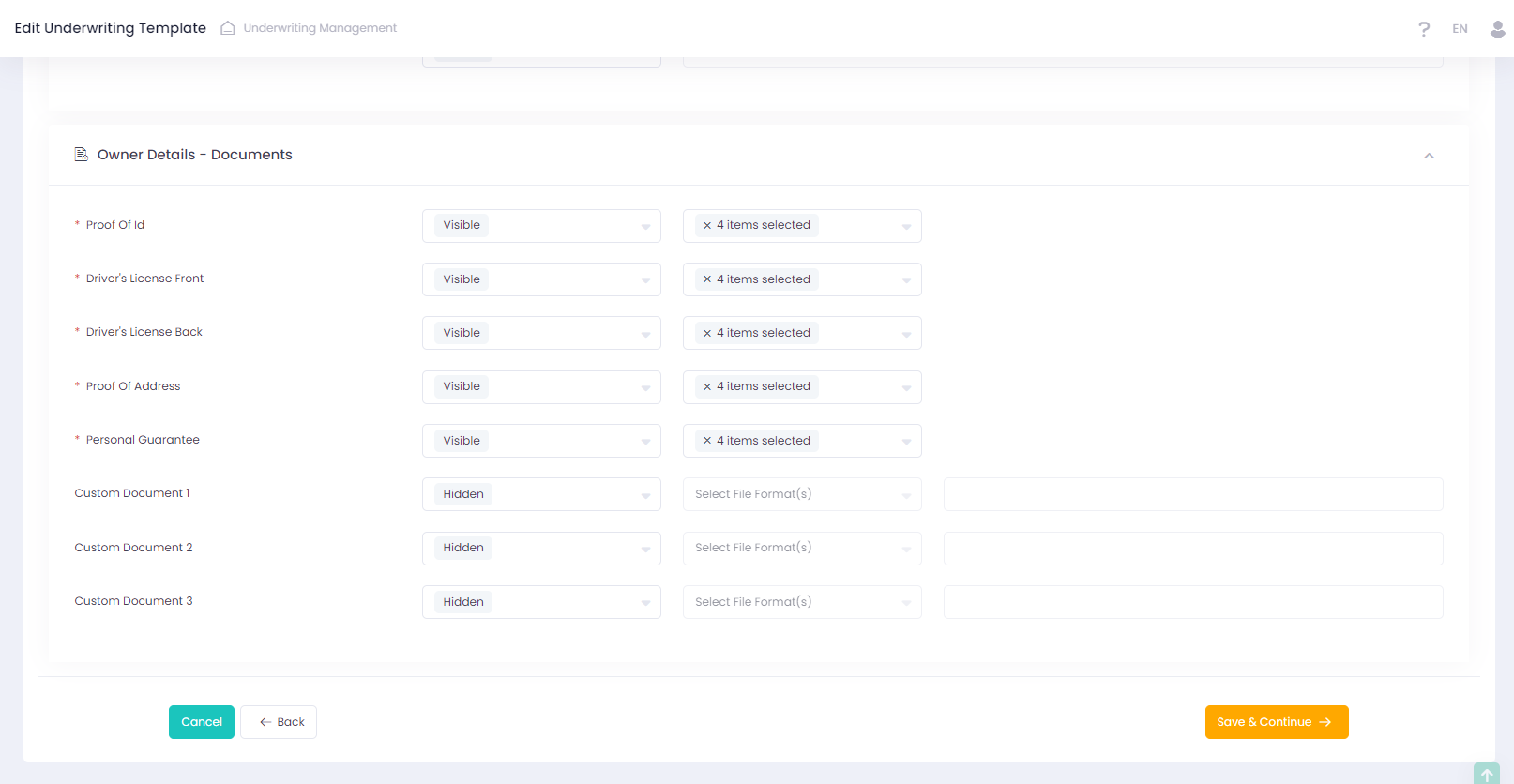
Corresponding updates were made to the Underwriting Management API, specifically within the Get Application Template method.
For additional information please refer to our Developer Portal.
Underwriting Application pending state
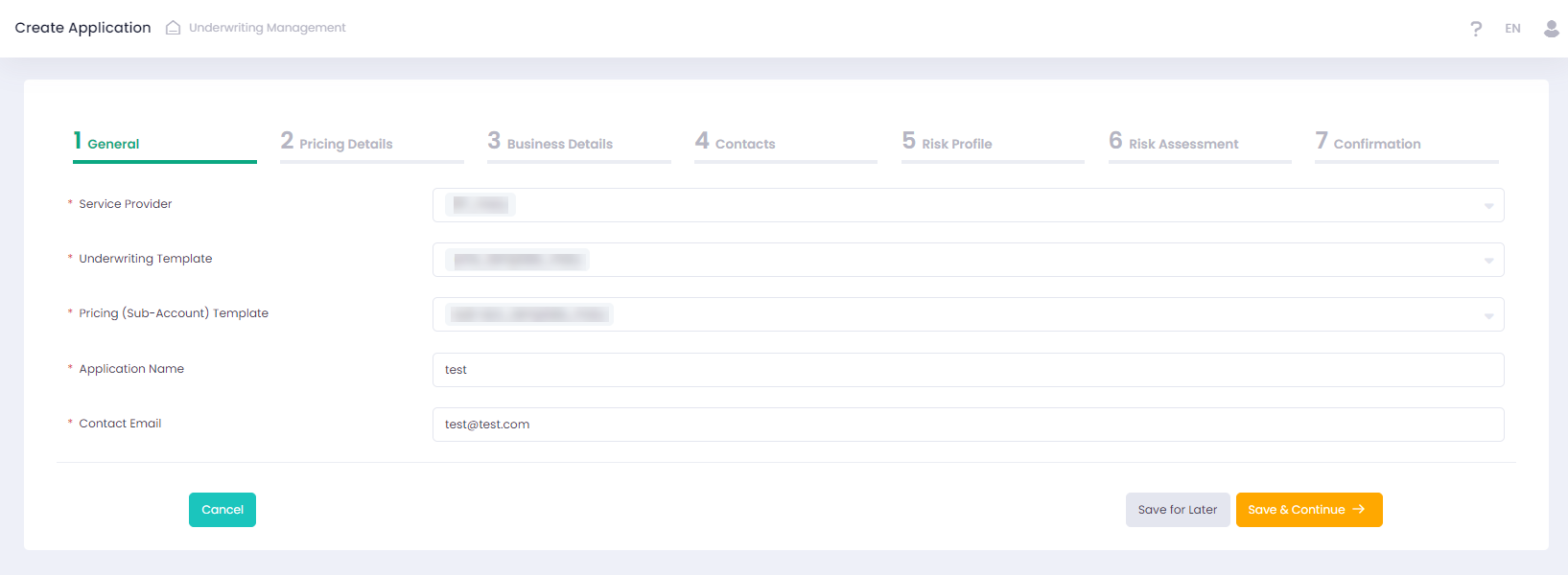
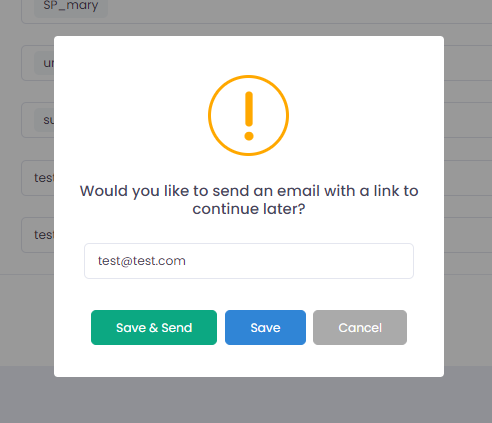
We now support saving partially filled Applications in the Back-Office and UMS iFrame. For this purpose, we have added a new ‘Save for Later’ button to each step of the Application Wizard. Additionally, it allows to send an email to the contact email address with a link to the UMS Draft iFrame page, allowing the user to continue filling out the Application later.
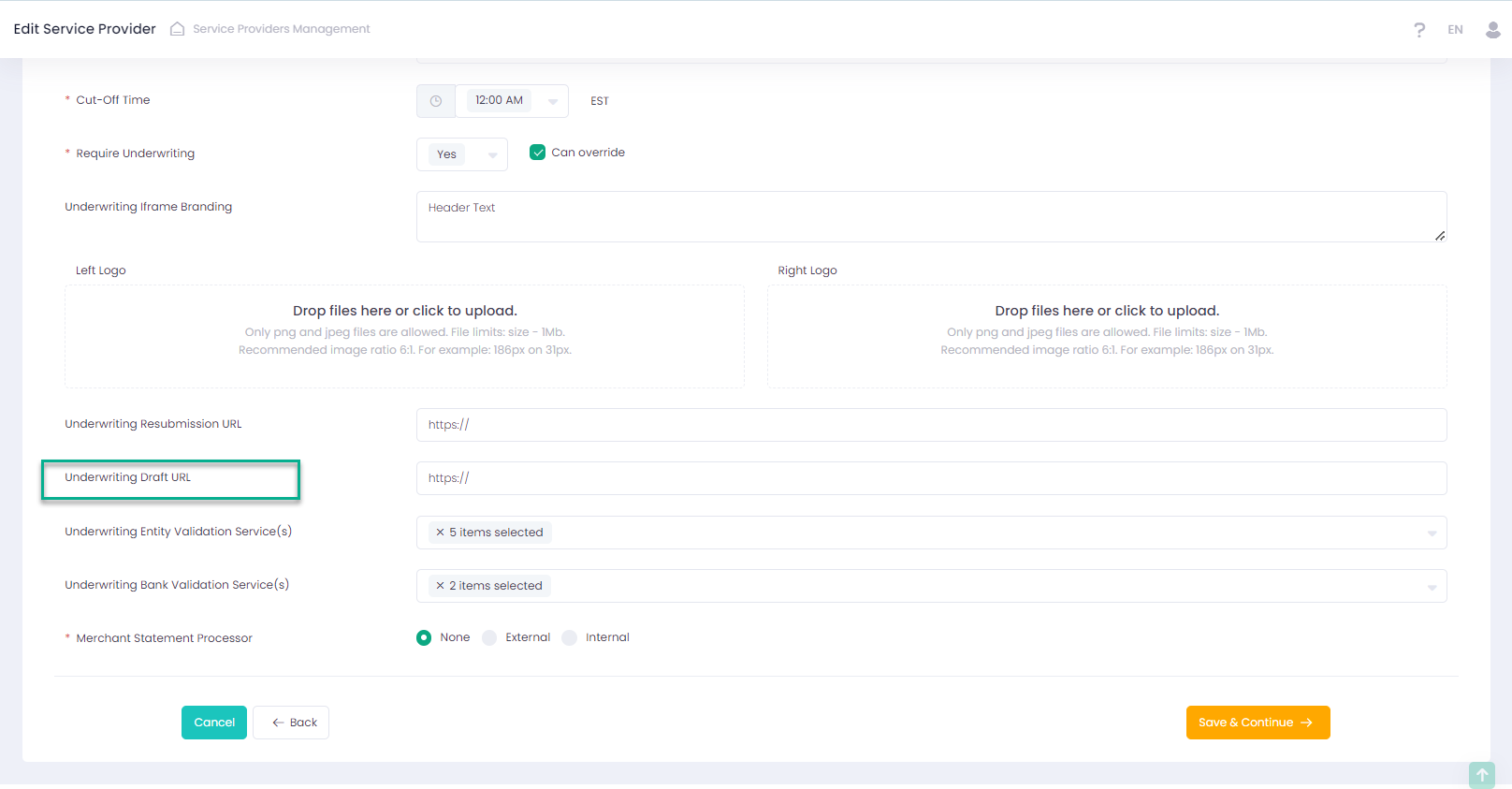
We have added the ‘Underwriting Draft URL’ in the Service Provider Wizard to enable the integration of the UMS Draft iFrame on the client’s URL.
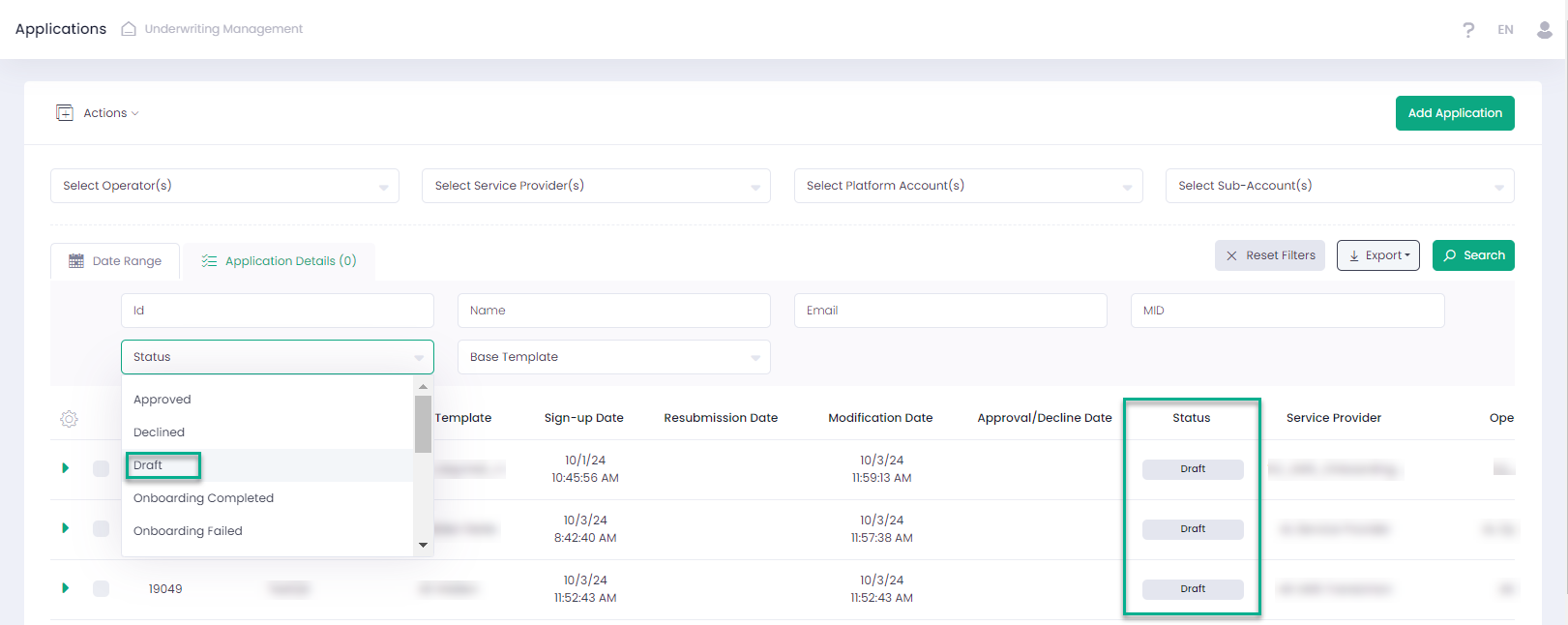
After saving the Application, it can be viewed in the grid under the new ‘Draft’ status. ‘Draft’ Applications can be edited and saved in pending state multiple times. However, for submitted Applications draft functionality is not supported.
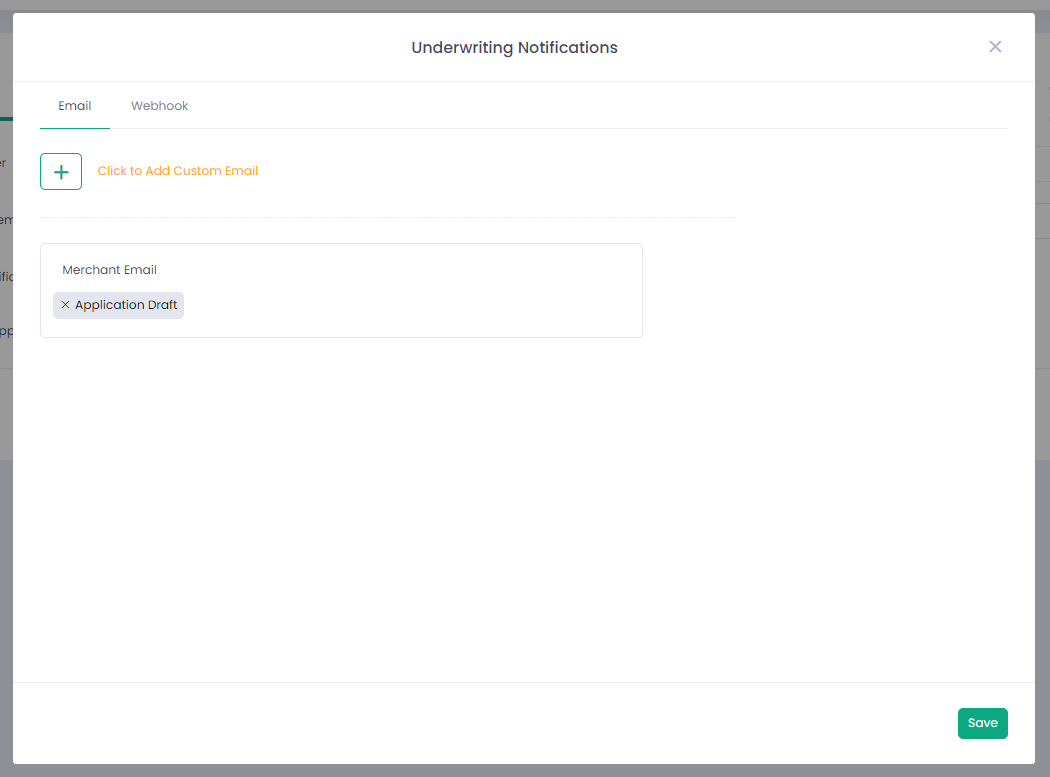
It’s possible to configure email and webhook notifications to track whether the Application is in ‘Draft’ status.
Multiple selection for Contact Type(s)
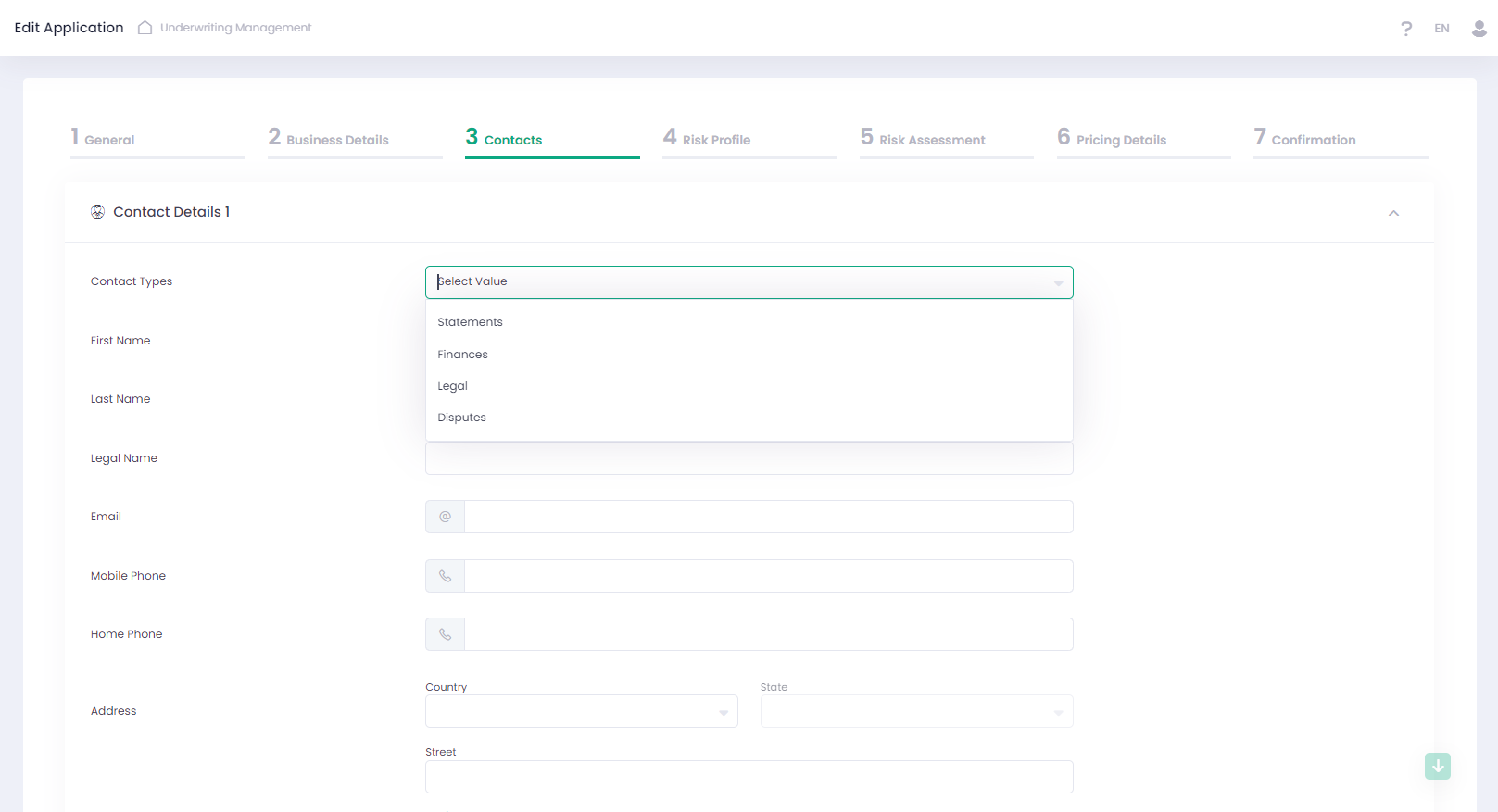
We added Contact Type(s) with multiple selection to Application wizard. Its visibility is configured in Contact Details section in Template wizard. In the Application it is shown as a drop-down list with multiple selections.
The relevant changes were made to the Underwriting Management API. For additional information please refer to our Developer Portal.