Alerts Center Enhancements
Copying Alert settings for Service Provider and Platform
We have introduced a new feature that allows users to copy Alert settings when creating a new Service Provider or Platform. This enhancement simplifies the setup process and ensures consistency across your configurations.
For Service Providers: When creating a new Service Provider, check the Copy Alerts checkbox, and in this case the system will copy the Alert settings from the Service Provider selected in the Copy Alerts Rules From field.

For Platforms: When creating a new Platform, select the existing Platform in the Copy Alerts From field, and the system will copy the Alert settings from the selected Platform.

Corresponding changes have been made to the Management API. More information can be found on the developer portal.
Webhook about new alert
We have added a new feature that allows users to configure webhook notifications about new alerts.
To receive a webhook notification, the webhook URL needs to be configured in the Notify via Webhook field on the Alert Settings page. Once the webhook URL is configured, the system will automatically send a webhook to the specified URL address with information about any newly created alert.
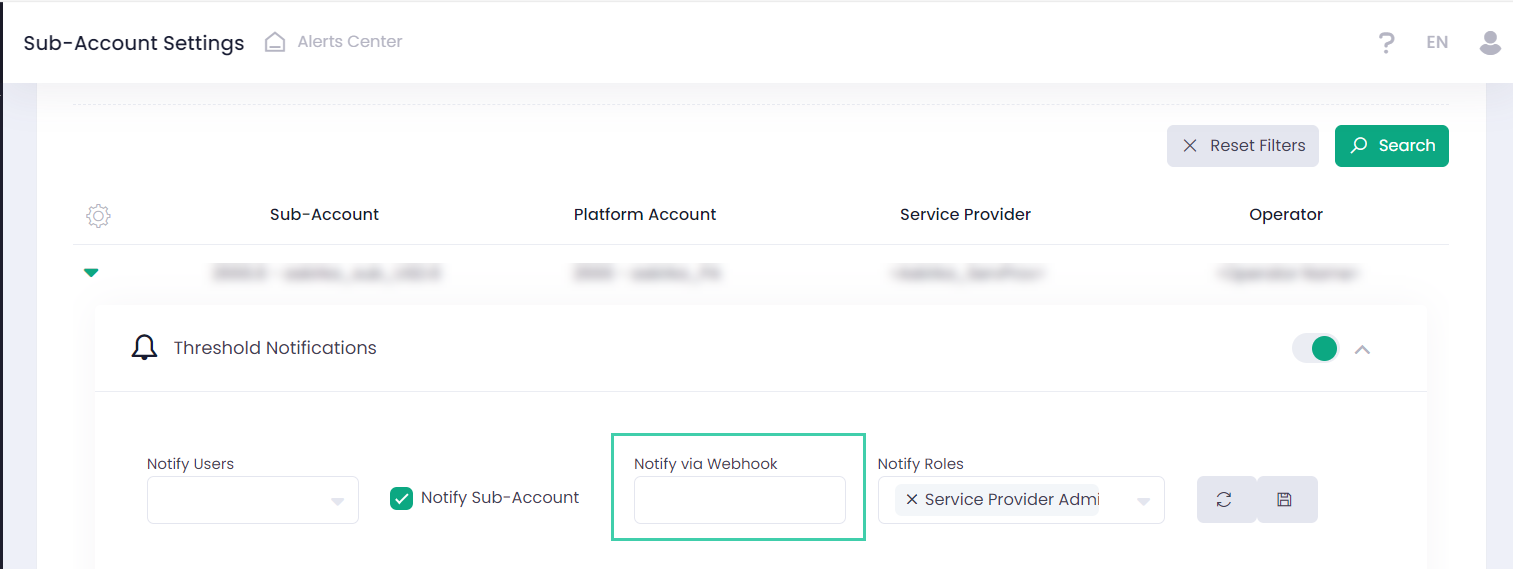
This enhancement aims to improve Alerts Center by providing real-time notifications directly to your specified endpoint. For additional information please refer to our Developer Portal.
Notes and Documents for Alerts
Alerts Center users can now add Notes or attach Documents to an Alert.
User can add Notes or Documents in two ways:
1. Through the ‘Internal Notes & Documents’ section by clicking ‘Add Note & Documents’ button.
2. Through any of the actions: Review, Resolve, Assign or Re-Open.
All added Notes and Documents can be found in the new section ‘Internal Notes & Documents’. 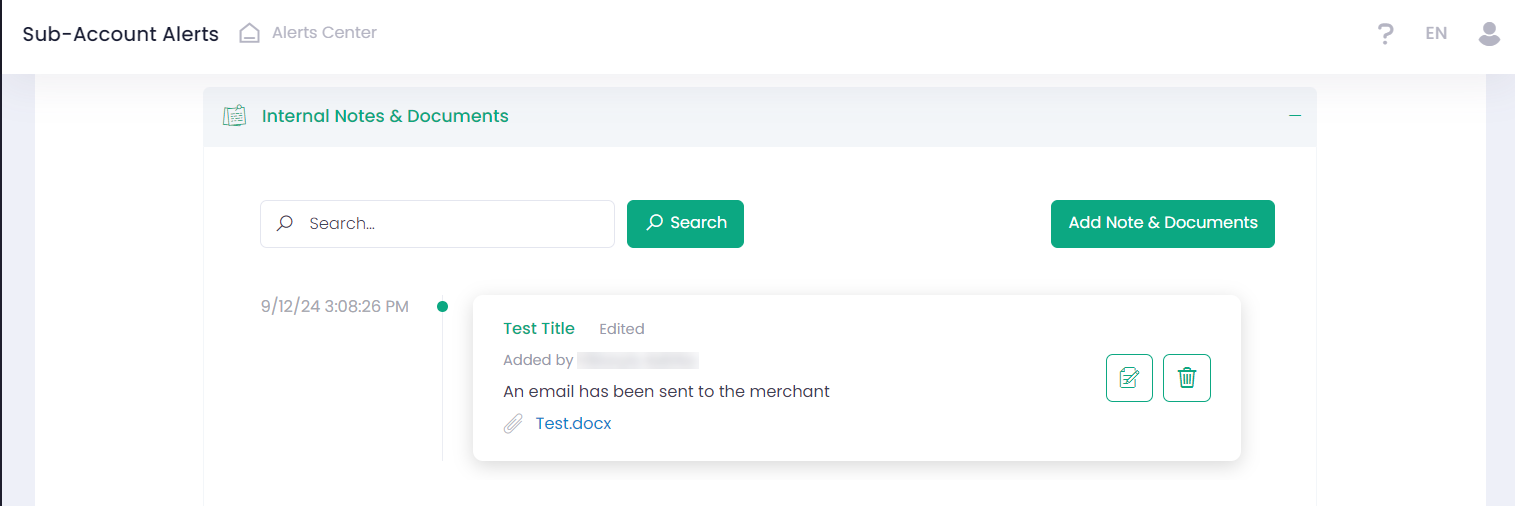
Adding Notes and Documents to Alerts enhances communication, improves documentation, and streamlines workflow.
Additional options when configuring Alert Rules
The Alerts Center now includes the ability to prevent an Alert from being triggered if the calculated value for Object 1 and/or Object 2 is zero.
The corresponding setting has been added to the Rule creation page.
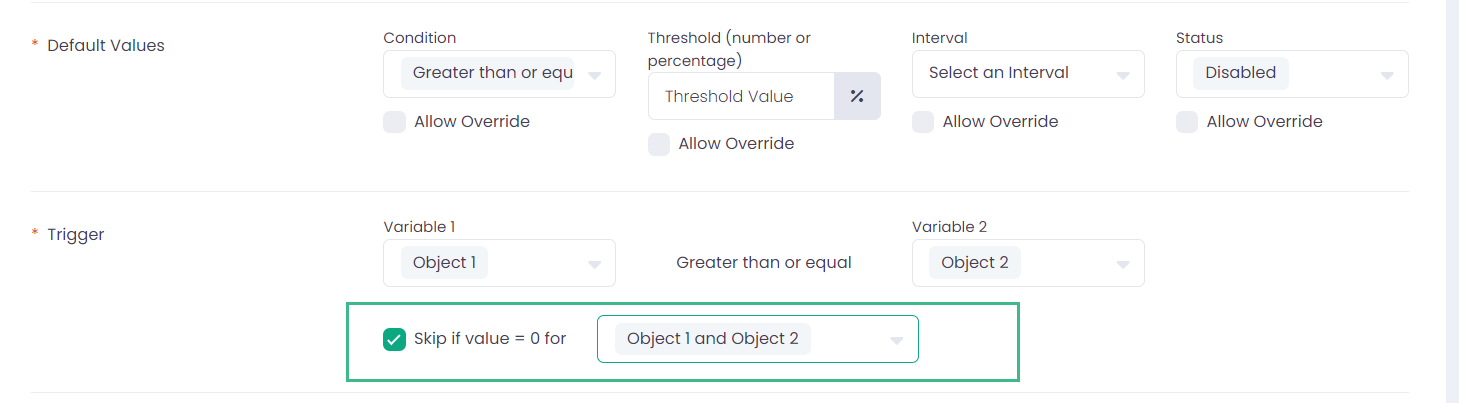
If the checkbox ‘Skip if value = 0 for’ is checked and any Object(s) are selected from the drop-down list, the system will not generate an Alert if the calculated value for the selected Object(s) is zero.
The new feature reduces unnecessary alerts, improves workflow efficiency and enhances the accuracy of the Alerts Center.