UMS Enhancements
Underwriting Management API changes
It is now possible to configure a terminal when creating a Card Present application via the Onboarding API. Use the new Get Inventories endpoint to retrieve data about available inventories and their details using the Template ID and Sub-Account Template ID.
A new object, terminalsSettings, has been added to the request parameters of the Create Application and Edit Application methods (available only for applications with draft=true). This allows you to configure terminals for applications of type Card Present.
To keep the consistency between BackOffice and Management API we renamed existing parameter billingAddress to bankAddress in Get/Create/Update Application, Get Application Template, Get/Update Fields Statuses methods.
For more details, please refer to our Developer Portal.
Terminal configuration update
We have moved the Shipping Address and Activation Contact Details to be part of the terminal settings. For convenience, you can now copy these values from the first terminal to others. 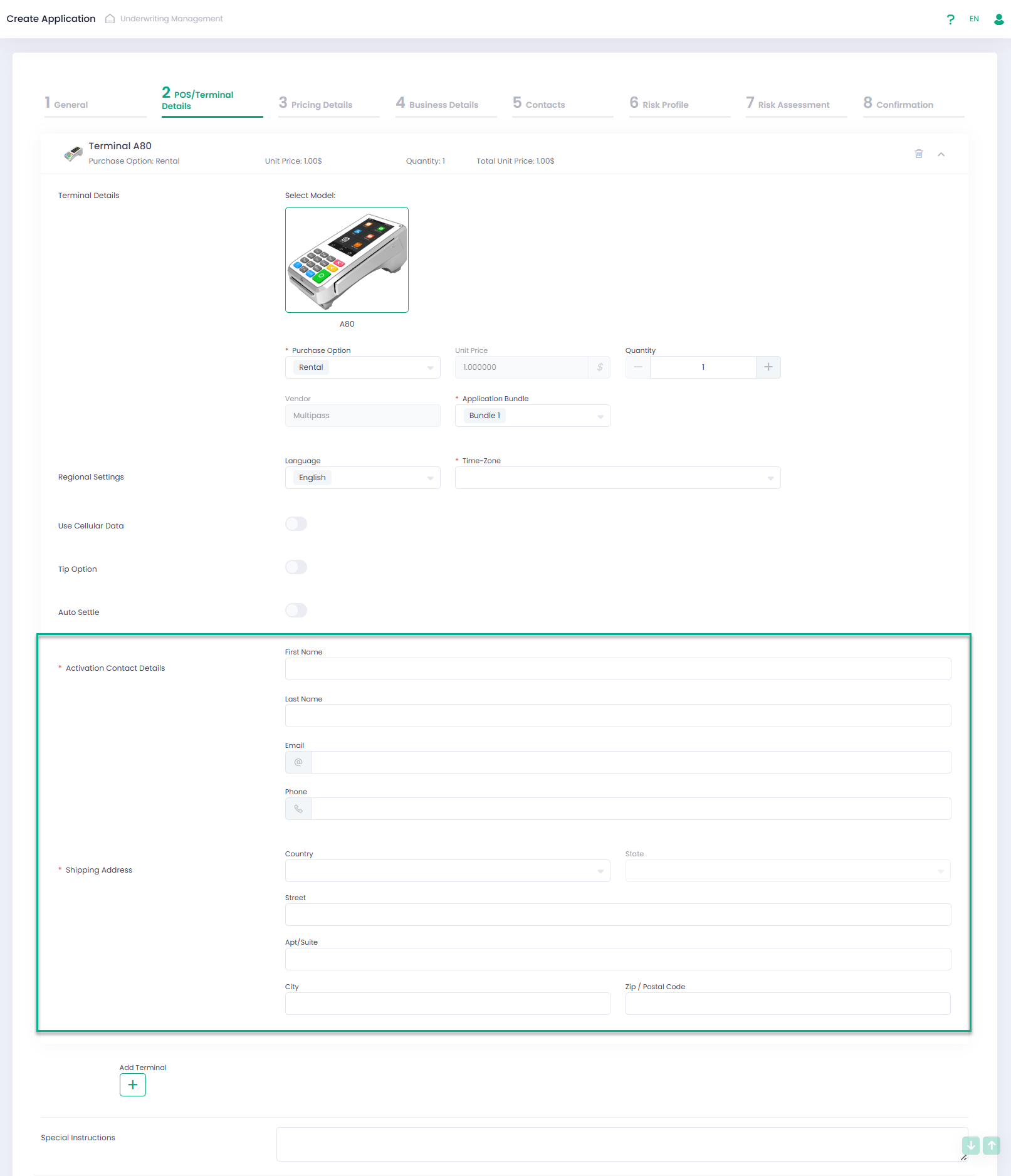
Additionally, we have updated the list of Time Zones.
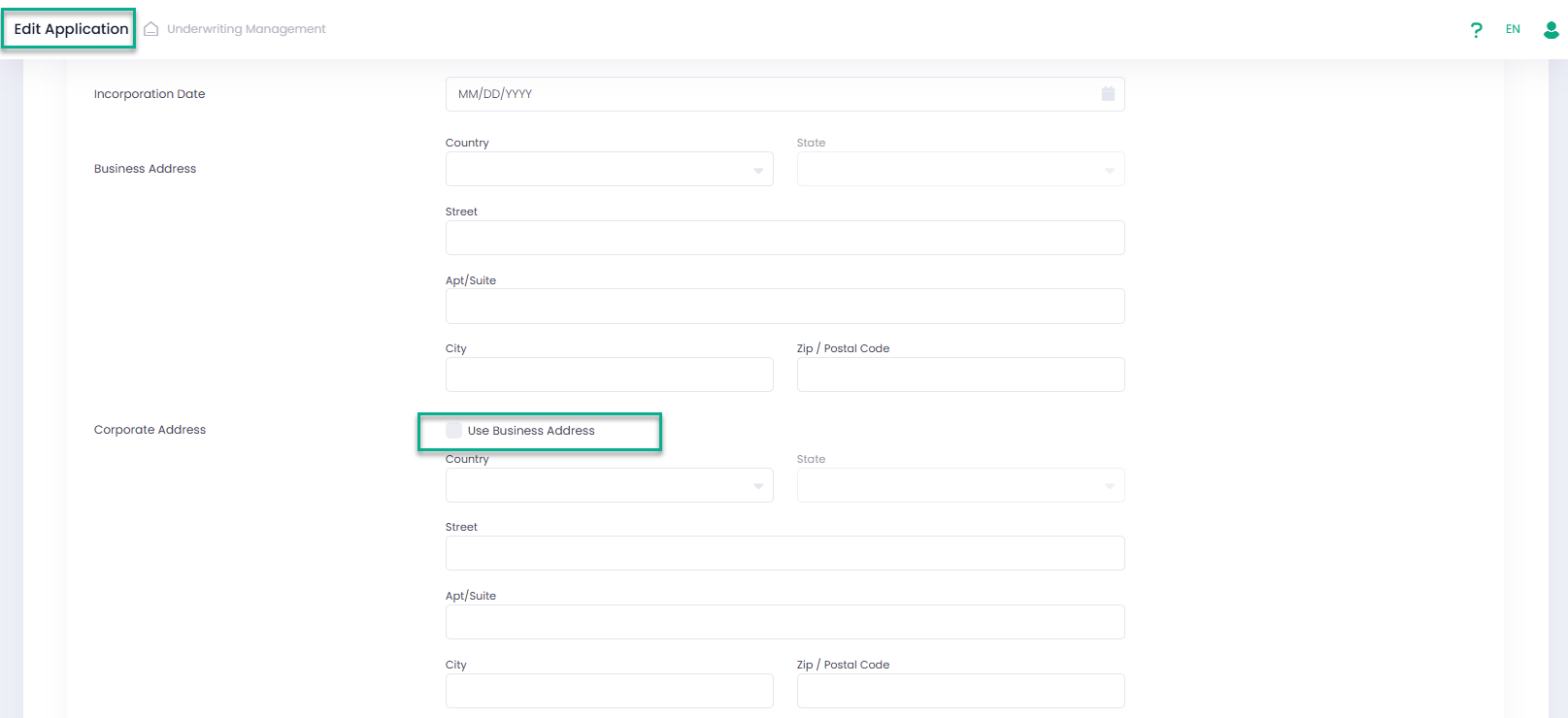
‘Use Address’ functionality enhancement
The ‘Use Address’ feature is now available in Edit Application mode.
Fee ‘Underwriting Settings’ section update
We added a new checkbox: “Also Include When Source is Another Sub-Account” to the Underwriting Settings of a fee that has the Sub-Account as its source in the Service Provider configuration.
By selecting this checkbox, fees whose source is another selected Sub-Account in the Pricing Sub-Account Template can now be included in the Pricing Details section of the application. 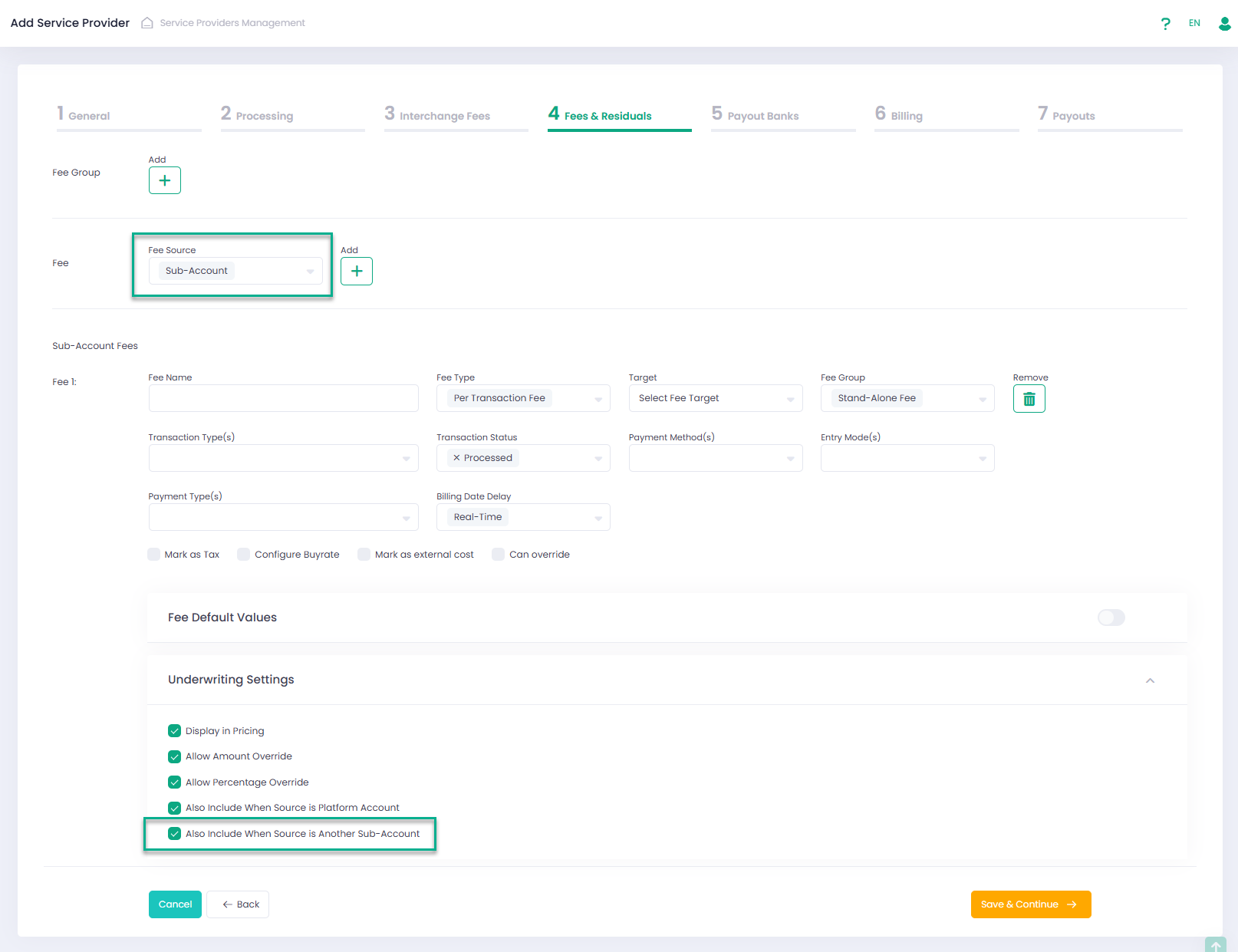
Clone Application
To simplify the process of creating similar Applications, we added the ability to clone an existing Application in the Create Application wizard. A new checkbox, “Clone Application”, has been added. When this checkbox is selected, the system displays a drop-down list of available applications under the selected Service Provider that have the same type (Card Present or Card Not Present) as the selected Pricing (Sub-Account) Template. 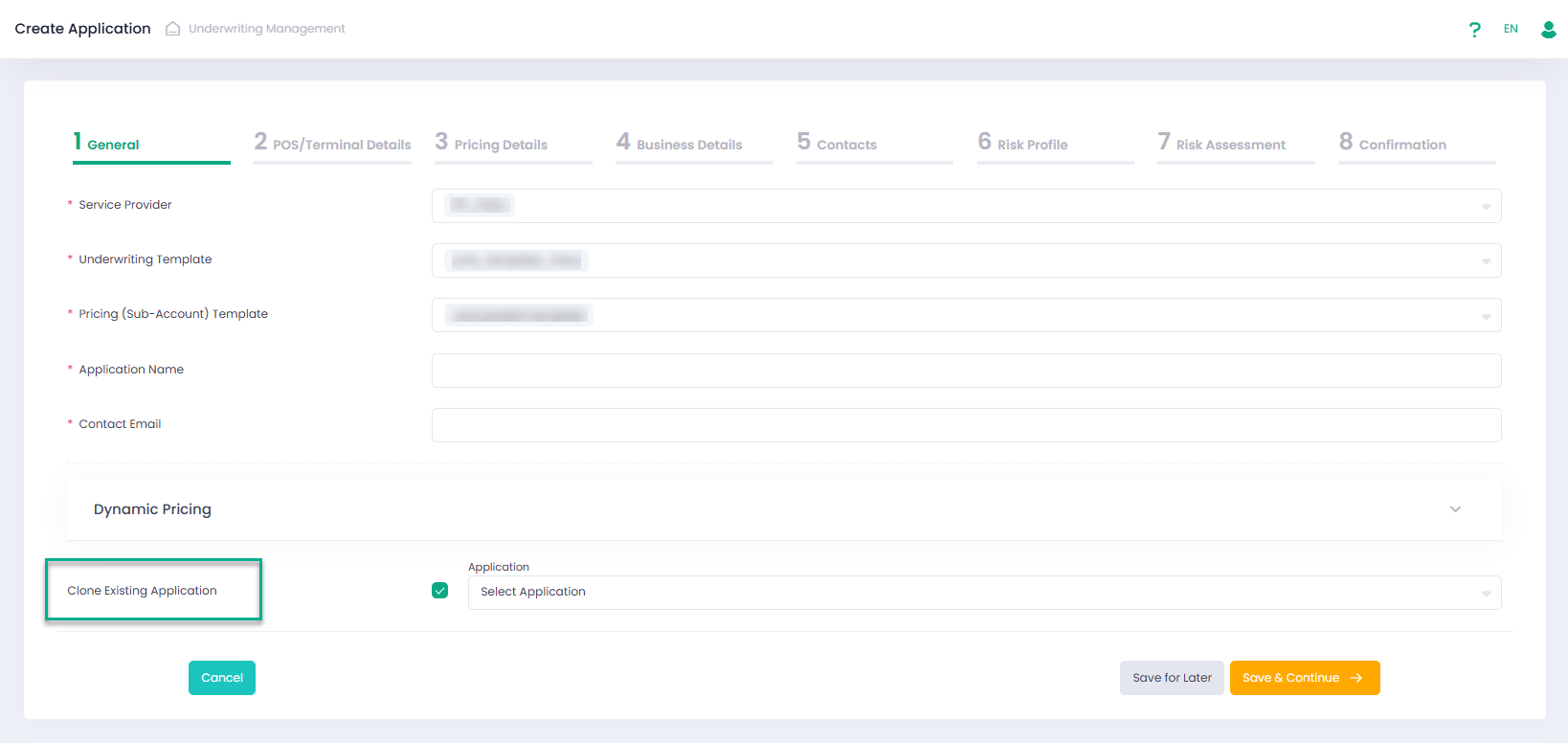
Changes for ‘Ready To Process’ Applications
From now on, applications in the final status “Ready to Process” cannot be modified. In addition, any action that would change this status is also restricted.
UMS Iframe improvements
The UMS Iframe (Create, Edit, Apply by Link) now includes:
- Confirmation pop-up triggered by the “Save and Continue” button when required fields are missing
- Warning message displaying the name of the section(s) containing missing required fields from the previous step.
These changes align the UMS Iframe experience with BackOffice, making it easier to identify and complete missing information before Application submission.
UMS. GIACT validation service changes
Due to changes on the GIACT side, three new fields — Account Added, Account Last Updated and Account Closed — have been added to the application validation results.
These changes affect:
- Back Office, Application Preview Details
- Get Validation Results method in Management API.