Merchant Statement Enhancements
Service Providers can now configure multiple Merchant Statement Layouts – each with its own name, language, color, logo, and issuer details – instead of a single, language-based Merchant Statement configuration. Sub-Accounts select a Statement Layout instead of a Language, so merchants that share a Service Provider can receive statements with different branding, issuer information, and language.
Service Provider Wizard
The following changes have been made to the Service Provider wizard, in the Processing step, when “Merchant Statement Processor” = Internal:

- The single Merchant Statement configuration has been replaced with the ability to add, edit, and delete multiple Merchant Statement Layouts; only the “Merchant Statement Processor” attribute remains from the previous configuration.
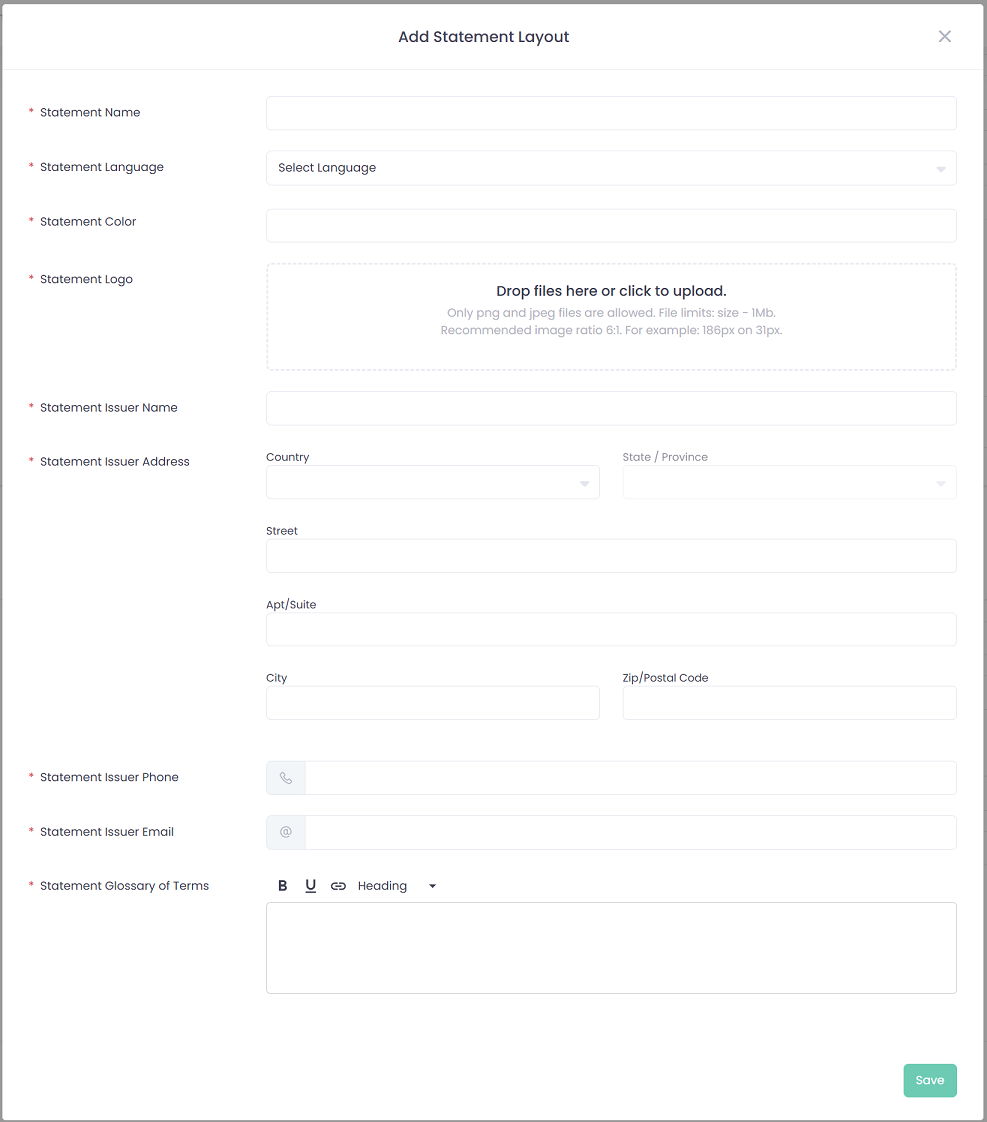
- A new “Add Statement Layout” button opens a pop-up to create a Layout.
- At least one Statement Layout must be configured before saving when “Merchant Statement Processor” = Internal.
- Deleting a Layout requires confirmation via a pop-up; a Layout that is currently in use by a Sub-Account cannot be deleted.
- Configured Statement Layouts are not shown in the Service Provider preview – only the “Merchant Statement Processor” attribute is displayed there.
Sub-Account Wizard
The following changes have been made to the Sub-Account wizard, when “Activate Merchant Statement” = true:

- In the Processing step, the “Language” field has been replaced with a “Statement Layout” field, listing the Layouts configured for the Sub-Account’s Service Provider as {Statement Name} ({Statement Language}).
- In the Confirmation step and the Sub-Account preview, “Merchant Statement Language” has been replaced with “Merchant Statement Layout.”
Onboarding API
The corresponding change is reflected in the Onboarding API: in GET, PUT, and POST Sub-Account, the “language” field has been replaced with “statementLayoutId”. For more details, please refer to our Developer Portal.
Migration
For each existing Service Provider with “Merchant Statement Processor” = Internal, two Statement Layouts are created automatically, both named after the Service Provider – one for English and one for French – with the existing branding and issuer details copied to each, and the Glossary of Terms taken from the corresponding language version (the French Layout falls back to the English Glossary of Terms if no French version exists).
Existing Sub-Accounts are then migrated to the matching Layout based on their previous Language setting.