Underwriting and Onboarding Analytics
Sign-up Summary report
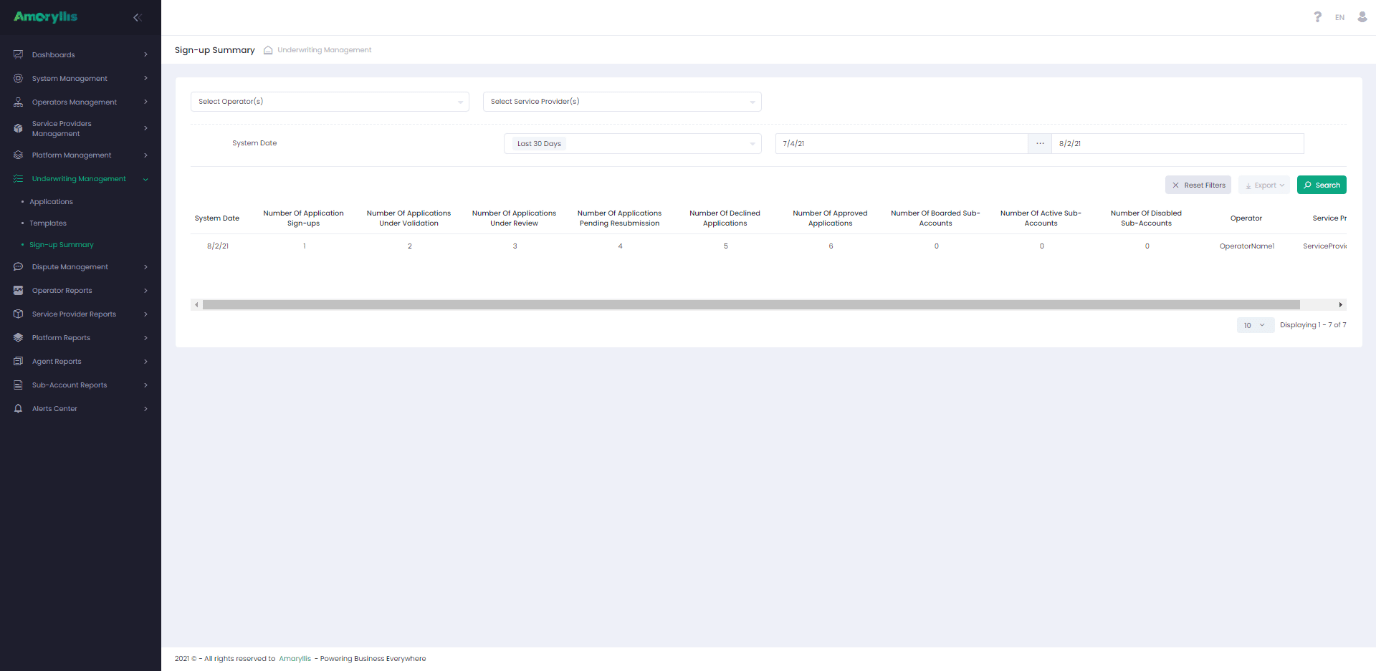
The Amaryllis Sign-up Summary reports gives the ability to view the UMS life cycle from a UMS boarding request all the way through to an active Sub-Account. The following steps of the UMS activities are supported by statistics and could be reviewed on daily basis:
- Application Sign-up data
- Applications Under Validation
- Applications Under Review
- Applications Pending Resubmission
- Declined Applications
- Approved Applications
- Boarded Sub-Account
- Active Sub-Account
- Disabled Sub-Account
The implemented logic takes into account and distinguishes between the following Sub-Account states:
- Active Sub-Account
- Disabled Sub-Account
Sub-Accounts grid changes
The Sub-Account page has been modified to provide a user with the ability to view Signup, Approval and Boarding dates and to export the data when necessary. Boarding Date is the date when SubAccount was created. Sign-up Date is the date when Application was created. Approval Date is the date when Application was approved. The dates “Sign-up Date”, “Approval Date”, “Boarding Date”, and Modification Date” are also included in the Sub-Accounts Management API. 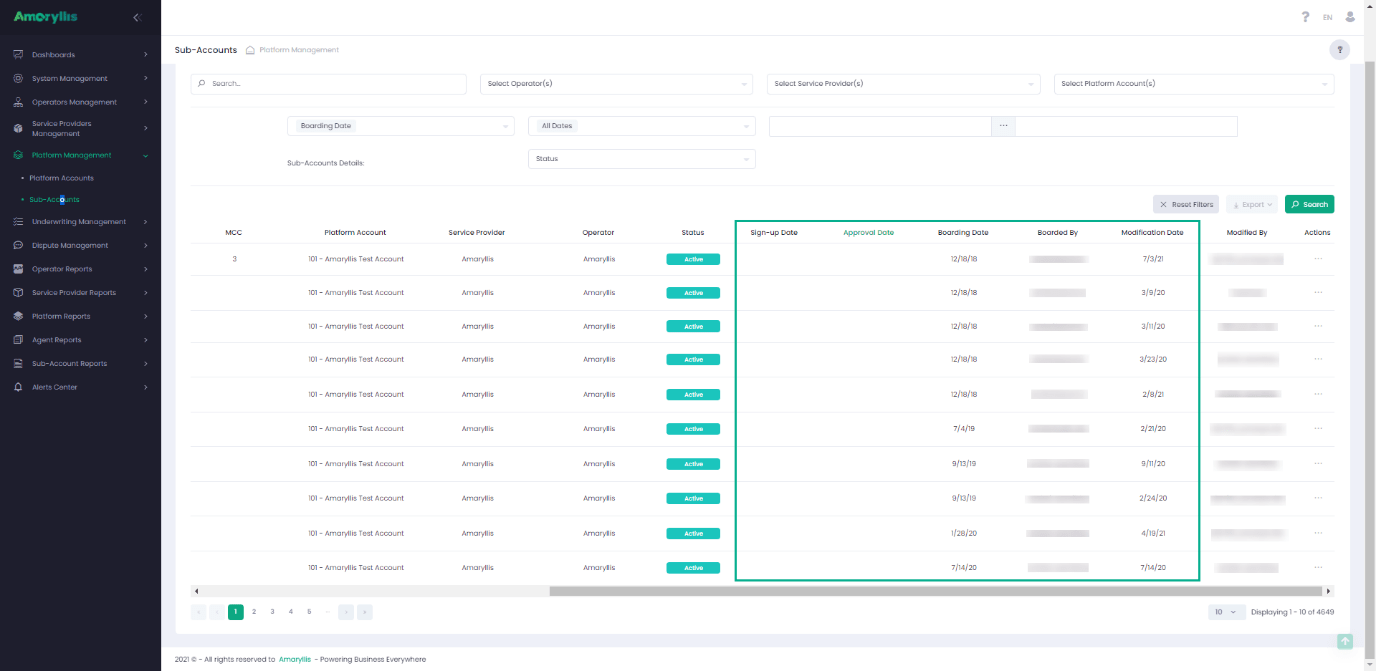
Application grid changes
Applications page modifications have been introduced to give a user the ability to view Sign-up, Approval/Decline and Resubmission dates and to export data when necessary. Sign-up Date is the date when an Application was created. Resubmission Date is the date when a user resubmits an Application so that the status changes to “Under Validation/Review”. Approval/Decline Date is the date when Application status was changed to “Approved“ or “Declined“. The dates “Sign-up Date”, “Resubmission Date“, “Approval/Decline Date” and “Modification Date“ are also included in the Applications Management API.